March 4th, 2026
Best YouTube Keyword Research Tool for SaaS Video Content in 2026
 WD
WDWarren Day
You've spent weeks scripting and filming a polished product demo, but after launch, it's lost in the YouTube abyss. It's not a quality issue, it's a discoverability one. For a SaaS company, generic 'video marketing tips' won't cut it; you need the best youtube keyword research tool that speaks the language of your future customers searching for solutions.
Here's the reality: the best youtube keyword research tool for SaaS isn't the one with the flashiest dashboard or the biggest keyword database. It's the one that efficiently uncovers high-intent, low-competition search terms your ideal customers actually use when researching solutions, and connects that keyword strategy directly to pipeline growth, not vanity metrics like views or subscribers.
Your challenge is unique. With roughly 3.7 million videos uploaded to YouTube every day, standing out requires more than basic SEO. Lifestyle creators chase broad terms like "productivity tips." You're competing for searchers who type phrases like "Asana vs. ClickUp for agile teams 2026", the kind of specific, intent-rich queries that signal someone is actively evaluating software purchases. That's the difference between a view and a qualified lead.
Most YouTube keyword research guides assume you're building a creator channel.
You're not. You're building a revenue channel. Your metrics are MQLs, demo requests, and free trial sign-ups, not ad revenue or sponsorship deals.
This guide reframes tool selection through a SaaS business lens. You'll get a practical decision framework tailored to your stage and resources, head-to-head tool comparisons focused on SaaS use cases, and a cost-effective stack recommendation that integrates into your existing content workflow. No fluff, no affiliate pitches disguised as advice. Just the tools that help you turn YouTube search traffic into pipeline.
Why YouTube Keyword Research for SaaS Is a Different Beast

You're not competing with lifestyle vloggers or gaming channels. Your competition is well-funded companies with dedicated video teams and agencies that know exactly which keywords drive trial sign-ups. Generic YouTube keyword advice falls flat for B2B SaaS because it's built for creators chasing ad revenue.
The language works differently in SaaS. Your ideal customers don't search for "cool project management hacks" when evaluating software. They type "Asana vs Monday for engineering teams" or "Jira integration tutorial." High-intent, solution-oriented queries that signal purchase consideration, not casual browsing. Miss this, and you'll rank for keywords that bring views but zero qualified leads.
High-RPM Keywords in the SaaS context aren't about advertiser value. They're about viewer value to your business. A tutorial watched by 500 product managers evaluating solutions beats a viral explainer seen by 50,000 random viewers every time. Traditional YouTube tools optimize for the latter because they're built for creators monetizing through ads, not companies converting viewers into pipeline.
Your video types need different keyword strategies. Product demos target comparison keywords ("Tool A vs Tool B"). Tutorials serve existing users searching implementation queries ("how to automate workflows in [your product]"). Thought leadership content competes for broader problem-aware searches ("why sales forecasting fails"). Each requires distinct research approaches that most all-purpose YouTube tools simply don't address.
The competition scale is brutal. With approximately 3.7 million videos uploaded daily, you're not just fighting for visibility. You're fighting for the right visibility among viewers who make software purchasing decisions. That requires tools that surface low-competition gaps in high-value search spaces, not just popular keywords with massive search volume.
How to Choose: Your 2026 Decision Framework
The best youtube keyword research tool for your SaaS isn't the one with the biggest database. It's the one that maps to how your buyers actually search for solutions.
Start by understanding the SaaS Video Content Intent Framework. Your prospects move through three stages: Awareness (problem-focused searches like "why CRM data gets messy"), Consideration (solution comparisons like "HubSpot vs Salesforce demo"), and Decision (product-specific terms like "how to import contacts into [YourProduct]"). Most generic YouTube tools surface high-volume keywords that sit in Awareness. Great for views, terrible for sign-ups.
Here are five criteria that actually matter when choosing a tool:
1. Intent-Matching Capability
Can the tool distinguish between informational searches and buyer-intent searches? You need filters for question-based keywords, comparison terms, and product-specific modifiers. If a tool only shows search volume without context about why people search, you'll waste production time on content that entertains but doesn't convert.
2. Competition & Search Volume Accuracy
Generic "competition scores" mean nothing for B2B SaaS. You're not competing with MrBeast. You're competing with other software companies and tech reviewers. Look for tools that show you SERP-specific competition (what's actually ranking for this keyword) and let you analyze competitor video performance, not just aggregate difficulty scores.
3. Workflow & Team Integration
If you're publishing 2-4 videos per month with a small team, you need bulk export, shareable keyword lists, and ideally API access. Browser extensions are fine for solo creators. They're a bottleneck for content operations involving writers, editors, and external agencies.
4. Data Export & API Needs
Can you pull keyword data into your content calendar, CRM, or analytics dashboard? Tools that lock data behind their interface force manual work that doesn't scale. API access used to cost thousands. Now it's available under $500/year.
5. Budget & Scalability
Free tools are perfect for validation. Paid tools ($20-50/month) make sense once you're publishing consistently. Enterprise options ($100+/month) only pay off if you're managing multiple channels or need cross-platform keyword data for integrated content strategies.
Look, you'll likely need a stack of 2-3 tools, not one perfect solution. One for discovery, one for validation, one for workflow. Keyword tool dominator might handle brainstorming, while something else manages your team's editorial calendar.
Tool Deep Dive: Head-to-Head Comparisons for SaaS
The market breaks into two groups: browser extensions built for creators, and standalone platforms built for strategists.
For SaaS, this actually matters. You're not chasing viral views. You need qualified traffic that converts to demos and sign-ups. That changes everything about which tool you should use.
Here's how the top options perform when you're creating product tutorials, competitor comparisons, and thought leadership content.
The Strategic Pick: OutlierKit for High-Intent Discovery
Best for: SaaS marketers who need to identify content gaps and low-competition opportunities before competitors do.
OutlierKit's main advantage is outlier detection. It surfaces videos performing 5-10x above channel averages, revealing which topics and formats resonate unexpectedly well. For SaaS, this means you can analyze a competitor's channel and discover that their "CRM migration checklist" tutorial got 47,000 views while their average sits at 4,200.
That's not luck. That's unmet search demand you can capture.
The platform's high-RPM keyword finder filters for commercial intent, showing you terms where viewers actually convert (measured by advertiser willingness to pay). When you're choosing between "project management tips" and "project management software comparison," RPM data tells you which one attracts buyers, not browsers. This saves you from creating content that gets views but zero demo requests.
Pricing starts at $19/month for the Hobby plan, with a free trial requiring no credit card. A documented case study on their site shows a SaaS channel growing from 2,100 to 18,400 monthly views over six months using the outlier and script analysis features.
Ideal SaaS use case: You're launching a video series on "Salesforce alternatives" and need to find the exact search terms and content angles that drove competitors' breakout videos, then replicate the pattern with your own differentiated take.
The All-Rounder: TubeBuddy for Scaling Production
Best for: SaaS teams publishing 8+ videos per month who need workflow efficiency more than cutting-edge research.
TubeBuddy has helped more than 10 million creators optimize their channels. Its strength lies in bulk operations. If you're updating metadata across 50 tutorial videos after a product rebrand, TubeBuddy handles it in minutes instead of hours.
The direct YouTube Studio integration means keyword research, A/B testing, and optimization suggestions appear exactly where you're already working. No tab-switching, no export-import workflows.
For small marketing teams wearing multiple hats, this friction reduction compounds over months. You're not context-switching between tools every time you upload a video.
The Keyword Explorer provides search volume estimates and a proprietary "keyword score" that weights competition against your channel's size. A startup with 400 subscribers gets different recommendations than an established brand with 40,000. Generic tools miss this entirely.
Pricing reportedly starts around $3.75/month billed annually for basic features, though plans and limits vary. The Legend tier unlocks bulk processing for larger video libraries.
Ideal SaaS use case: Your product marketing team ships two feature releases monthly, each requiring updated demo videos and optimized tutorial content. TubeBuddy's bulk editing and A/B thumbnail testing keep production moving without sacrificing discoverability.
The Analyst's Choice: VidIQ for Data & Trends
Best for: SaaS marketers obsessed with competitive intelligence and riding emerging trends before they peak.
VidIQ reported $8.9 million in revenue in 2024, a 121% year-over-year increase. They've been an official YouTube Certified partner since 2012. That stability matters when you're building a multi-year content strategy, not chasing quick wins.
The competitor channel tracking shows you exactly when a rival's video starts gaining unusual traction, what keywords they're ranking for, and how their optimization strategy shifted. If three competitors suddenly start targeting "AI sales assistant" in Q2, you see it in real-time, not three months later in your analytics.
VidIQ's 2025 AI feature drops added thumbnail generation, script assistance, and an AI coach that analyzes your channel's performance patterns. For lean SaaS teams without dedicated video producers, these features compress production timelines without requiring new hires.

The trend alerts surface rising search terms in your niche before they hit peak competition. When "GDPR-compliant CRM" starts trending, you want to publish that explainer video in week one, not week twelve.
Ideal SaaS use case: You're monitoring five direct competitors and need alerts when they publish breakout content, plus daily keyword suggestions for your editorial calendar based on what's gaining search momentum in your category.
The Premium Data Source: Ahrefs for Global Accuracy
Best for: Enterprise SaaS companies with international markets requiring the most precise search volume data across 170+ countries.
Ahrefs built its reputation on backlink analysis, but its YouTube Keyword Tool inherits the same obsessive data quality. If your SaaS sells in Germany, Brazil, and Japan, Ahrefs provides localized search volumes and keyword difficulty scores that regional tools simply don't track.
The starting price sits at $129 per month with no free tier. That's a significant investment that makes sense only if you're already using Ahrefs for web SEO and need unified reporting. The value proposition is consistency: one platform for blog content, backlink strategy, and video optimization.
Here's why this matters: roughly 40% of desktop SERPs now feature video results. The ability to identify keywords where Google surfaces YouTube videos in traditional search results creates a dual-ranking opportunity. Optimize once, rank twice.
Ideal SaaS use case: Your B2B platform targets enterprise clients across EMEA and APAC. You need accurate search volumes for "workforce management software" in German, French, and Spanish to allocate video production budgets by region.
The Developer's Option: TubeLab for API & Exports
Best for: Technical SaaS teams building custom dashboards, automated workflows, or integrating YouTube data into existing marketing stacks.
TubeLab is the only platform under $500/year offering API access for YouTube research. At $29/month ($14.90/month billed annually), it unlocks programmatic access to keyword data, competitor tracking, and outlier detection. That's a feature typically reserved for enterprise tools.
The multilingual support covers English, German, Portuguese, Spanish, French, and Italian with daily real-time updates. If your SaaS targets European markets, you can pull keyword data for "logiciel de facturation" (French for billing software) without manually switching tools or languages.
For growth teams running automated content pipelines (think: daily keyword monitoring feeding into Slack alerts, or weekly competitor video analysis exported to Google Sheets), the API eliminates manual data entry. You build the workflow once, then it runs indefinitely.
Ideal SaaS use case: Your growth engineering team wants to auto-generate monthly reports showing which competitor videos are gaining traction, which keywords are trending in your niche, and which content gaps represent the highest-ROI opportunities. All pushed to your existing BI dashboard.
SaaS Video Content Matrix: Which Tool for Which Content Type
| Video Type | Primary Goal | Best Tool | Why |
|---|---|---|---|
| Product Demos | Capture high-intent searches | OutlierKit | High-RPM keyword filtering finds buyer-intent terms |
| Feature Tutorials | Rank for support queries | TubeBuddy | Bulk optimization for large tutorial libraries |
| Competitor Comparisons | Intercept competitor traffic | VidIQ | Competitor tracking shows what's working for rivals |
| Thought Leadership | Ride emerging trends | VidIQ | Trend alerts surface topics before peak competition |
| Webinar Replays | Global reach | Ahrefs | Multi-country volume data for international promotion |
| Localized Content | Non-English markets | TubeLab | Multilingual keyword research + API for scaling |
2026 Pricing Snapshot (verify current rates on vendor sites before purchase)
| Tool | Starting Price | Free Tier | Best Value Point |
|---|---|---|---|
| OutlierKit | $19/mo | Yes (trial) | Pro at $39/mo for teams |
| TubeBuddy | ~$3.75/mo annual | Yes (limited) | Pro for bulk features |
| VidIQ | ~$7.50/mo | Yes (limited) | Pro for competitor tracking |
| Ahrefs | $129/mo | No | Justified only if using full SEO suite |
| TubeLab | $14.90/mo annual | No | API access at this price is unmatched |
One reported issue across browser extensions (TubeBuddy, VidIQ): some users experience slowdowns when the extension analyzes data on every YouTube page load. If you're running multiple extensions or working on older hardware, consider standalone platforms like OutlierKit or TubeLab instead.
Look, here's the truth most comparison articles won't tell you: no single tool dominates every category. Your optimal stack depends on whether you value strategic discovery, production velocity, competitive intelligence, or technical integration most.
Free & Built-In Tools: The Essential Foundation
Start here before you pay for anything.
Not because free tools are "good enough," but because they're the only ones showing you unfiltered, first-party data straight from YouTube and Google. Third-party tools estimate and predict. These tools report what actually happened.
YouTube Studio Analytics is your channel's ground truth. It shows exactly which search terms already drive traffic to your videos, what your audience retention looks like by traffic source, and which videos convert browsers into subscribers. If you're ignoring this data while chasing third-party volume estimates, you're guessing instead of measuring.
YouTube Autocomplete gets criminally underused by SaaS marketers. Start typing "project management software" into YouTube's search bar and watch what appears. Those suggestions aren't algorithmic guesses. They're real queries people type dozens or hundreds of times daily. You're seeing the exact language your buyers use when they're in research mode, not the sanitized keywords a tool thinks they should use.
Here's the workflow that costs nothing: Type your core topic into YouTube search, collect 10-15 autocomplete variations, then plug those into something like keyword tool dominator or TubeBuddy's Keyword Explorer to check competition scores and related terms. You've just validated real demand before investing production time.
Google Trends prevents seasonal disasters. That "budget planning software" keyword might spike every January and flatline by March. SEMrush found that roughly 40% of U.S. desktop searches show video results, which means your YouTube keyword research directly impacts your Google visibility too. Same work, double the rankings.
The mistake killing most SaaS video strategies? Trusting paid tools blindly without cross-referencing YouTube Studio's actual performance data. Paid tools estimate. YouTube Studio reports what happened. Always verify the best youtube keyword research tool data against what your own analytics show, because estimates don't pay the bills.
Building Your Cost-Effective SaaS Keyword Research Stack
You don't need every tool. You need the right combination for your stage and budget.
Most SaaS teams waste money running three overlapping tools or cripple themselves with free plans that can't scale. The solution is building a stack that matches your publishing velocity and revenue goals.
Three Proven Stacks by Company Stage
Bootstrapped Startup ($0-19/month)
YouTube Studio (free) + Google Trends (free) + OutlierKit Hobby ($19/month). This covers baseline performance data, seasonality checks, and strategic low-competition keyword discovery. You're publishing 2-4 videos monthly, so depth matters more than speed.
Growth Stage ($46-86/month)
VidIQ Pro ($7.50-39/month) + OutlierKit Pro ($39/month) + YouTube Studio (free). VidIQ handles competitor tracking and daily keyword ideas. OutlierKit identifies outlier opportunities your competitors missed. YouTube Studio validates what actually converts viewers to trial sign-ups. Publishing weekly? This stack supports that cadence without breaking your CAC targets.
Enterprise/Scale ($168-428/month)
Ahrefs YouTube Tool ($129/month) + TubeBuddy Enterprise ($39-299/month) + OutlierKit Concierge ($299+/month). Ahrefs delivers multi-country search volume for global expansion. TubeBuddy's bulk operations manage 50+ video backlogs. OutlierKit Concierge provides custom research for high-stakes product launches. At this point, you're running video as a primary acquisition channel with dedicated headcount.
Your Weekly Research Workflow
Here's the repeatable process that connects keyword research to pipeline.
Monday: Check YouTube Studio for last week's top search terms driving channel traffic. Export to spreadsheet.
Tuesday: Run those terms through your paid tool (VidIQ/OutlierKit/Ahrefs) to find related low-competition keywords. Filter for commercial intent phrases containing "vs", "alternative", "how to", "setup".
Wednesday: Cross-reference Google Trends to confirm the topic isn't declining. Check seasonality for publishing timing.
Thursday: Build content brief. One keyword = three assets: YouTube video (demo/tutorial), supporting blog post (embedded video + transcript), LinkedIn ad campaign targeting job titles searching that term.
Friday: Queue video production. The keyword "automate Salesforce data entry" becomes a 6-minute demo video, a 1,200-word blog post ranking for the same term, and a retargeting ad showing that video to LinkedIn audiences with "Salesforce Administrator" in their profile.
This isn't just YouTube SEO. It's integrated demand generation where keyword research drives your entire content engine. Tools like keyword tool dominator can plug gaps in your Tuesday workflow when you need quick validation on phrase variations, but the weekly rhythm stays consistent regardless of which best youtube keyword research tool you choose.
5 Costly Mistakes That Kill SaaS YouTube SEO
1. Chasing vanity volume instead of buyer intent
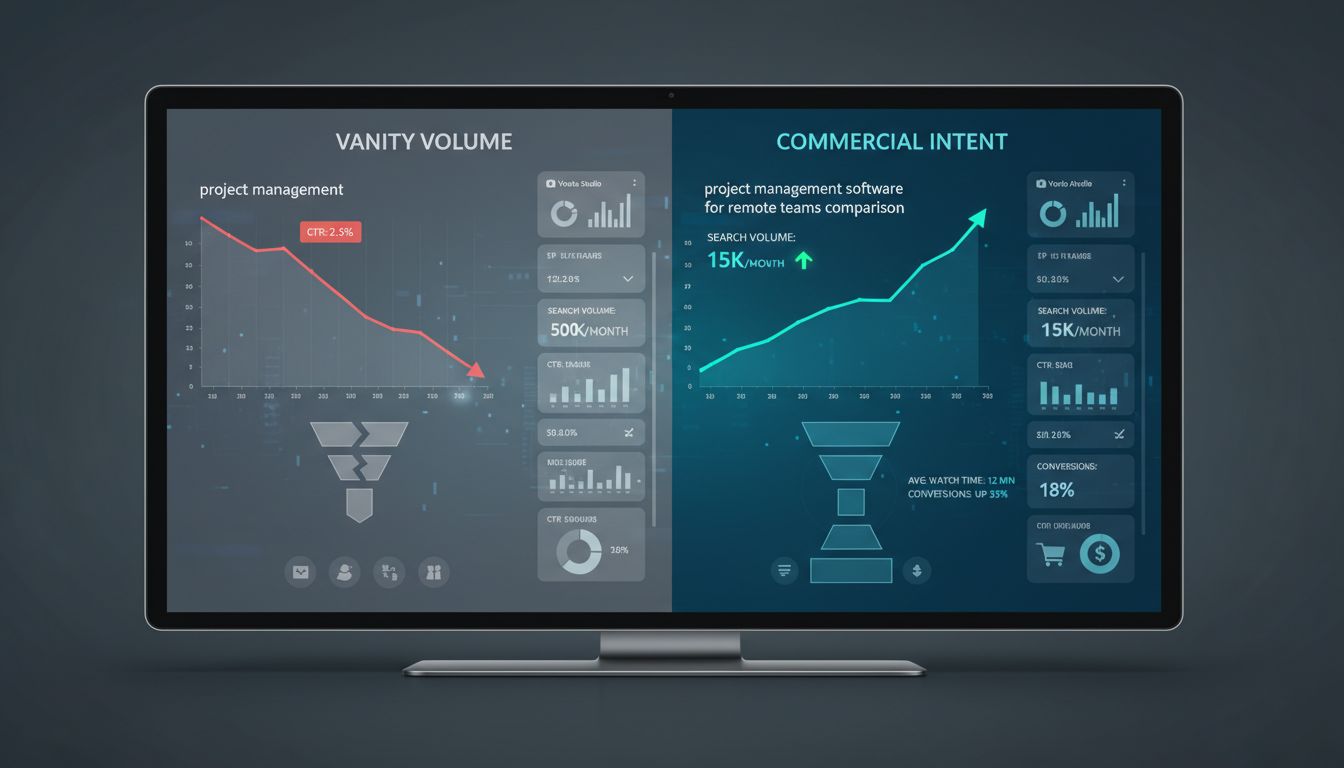
You find "project management" has 50,000 monthly searches and build your entire video around it. Six months later, you've got views from students doing homework research, not SaaS buyers evaluating tools.
High-volume generic keywords attract the wrong audience and tank your conversion metrics. Sure, your CEO loves the view count in the monthly report, but your trial dashboard tells a different story.
The fix: Target long-tail, solution-aware terms like "project management software for remote teams comparison" or "Asana vs Monday.com for agencies." Lower volume, exponentially higher intent. These searchers have budget and timeline.
2. Ignoring YouTube's own signals
You're paying $129/month for keyword data while ignoring the free intelligence YouTube Studio hands you.
Your channel already shows which search terms drive traffic, which videos retain viewers, and which topics your actual subscribers care about. The data's sitting there. Most teams never look at it because they're too busy evaluating the next shiny keyword tool.
The fix: Start every keyword research session in YouTube Studio's Search terms report. Let your existing audience tell you what they're looking for, then expand from there using paid tools to find adjacent opportunities.
3. Treating keyword research as a launch-day checklist
You research keywords once, publish 10 videos, then wonder why views plateau.
Search trends shift, competitors enter your space, and new features change how people search. Your Q1 keyword strategy is irrelevant by Q3. I've seen channels hemorrhage traffic because they optimized for "Slack integrations" before Microsoft Teams exploded, then never updated their approach.
The fix: Schedule monthly keyword audits. Review what's working, identify declining terms, and spot emerging opportunities before your competitors do. Set a calendar reminder or it won't happen.
4. Skipping funnel alignment entirely
Every keyword gets the same treatment: optimize and publish. But "what is CRM" requires a fundamentally different video than "HubSpot vs Salesforce pricing breakdown." Mismatched intent kills conversion rates even when rankings look good.
Someone searching "what is CRM" isn't ready for your 14-day trial. They're months away from a buying decision. Meanwhile, "HubSpot vs Salesforce pricing" signals active evaluation happening this quarter.
The fix: Tag keywords by funnel stage (Awareness/Consideration/Decision) and create content formats that match. Top-of-funnel gets educational explainers, bottom-of-funnel gets detailed comparisons and demos.
5. Trusting one tool's numbers as gospel
VidIQ says 2,400 searches, Ahrefs says 890, TubeBuddy says "high competition." You're paralyzed by conflicting data because you're treating estimates as facts.
Here's the thing: no tool has YouTube's actual search volume. They're all educated guesses. Even the best youtube keyword research tool on the market is reverse-engineering signals from a platform that doesn't publish official numbers.
The fix: Use multiple tools to identify patterns, not precise numbers. If three tools agree a keyword is low-competition with steady interest, that consensus matters more than any single volume estimate. Tools like keyword tool dominator work best as validators, not sole decision-makers.
Conclusion
The best youtube keyword research tool for your SaaS isn't the one with the flashiest dashboard or the biggest keyword database. It's whichever one actually surfaces high-intent, low-competition terms your buyers use and doesn't wreck your budget or workflow.
Starting from scratch? Combine YouTube Studio's free search data with OutlierKit's outlier detection to find topics that already work. Scaling up? Add TubeBuddy for bulk operations or TubeLab if you need API-driven automation. The framework here gives you the decision criteria. Your content mix and growth stage determine the stack.
Most companies tank their YouTube keyword research by chasing volume over intent, or worse, buying tools they never actually integrate into production. The gap between 200 views and 20,000 isn't luck. It's research that connects search behavior to pipeline.
Your next step: Audit your last five videos against the intent framework. Pick one tool from the deep dive, run a 14-day trial, and research keywords for your next three videos using the workflow from section five.
Stop guessing. Start ranking.
Frequently Asked Questions
What is the best YouTube keyword research tool for SaaS companies?
There isn't one. It depends on your specific bottleneck.
OutlierKit finds strategic, high-intent keywords competitors ignore. TubeBuddy handles bulk operations across team channels better than anything else. VidIQ wins if you need competitor tracking and trend forecasting. Use the decision framework earlier in this article to match the tool to whatever's actually slowing you down.
Is there a free YouTube keyword research tool that's good enough?
YouTube Autocomplete and YouTube Studio work great for validation and spotting trends. But they won't give you search volume or competition scores, which means you're guessing on opportunity size.
For SaaS marketing where each video costs real money to produce, free tools aren't enough. You're making production decisions without data. The approach that actually works: use YouTube's free tools to verify ideas, then add one paid tool (starting around $19-29/month) that surfaces low-competition opportunities you'd never find manually.
How do I choose between TubeBuddy, VidIQ, and other tools?
Look at your biggest constraint first. Workflow efficiency and team collaboration problems? TubeBuddy. Need deep competitor intelligence and trend forecasting? VidIQ. Want strategic keyword discovery focused on untapped SaaS niches? OutlierKit delivers the highest ROI [Source: outlierkit.com].
Ahrefs makes sense when you need global accuracy across 170+ countries. TubeLab is your answer if API access or multilingual support matters.
How do I find low-competition keywords for software tutorials?
Go hyper-specific on use cases and integrations instead of broad feature explanations. "[Your Tool] Salesforce integration for revenue ops teams" beats "[Your Tool] tutorial" every time.
Tools with outlier detection (like OutlierKit) surface underserved topics by finding videos that dramatically overperform their channel averages. That signals unmet demand. Cross-reference those findings with YouTube Autocomplete's long-tail questions, then check which tutorial topics from competitor channels are getting disproportionate engagement.
What common mistakes kill YouTube SEO for SaaS videos?
Chasing high-volume generic keywords ("project management software") when your buyers actually search for specific use cases ("project management for remote engineering teams"). That's the most damaging one.
Ignoring your YouTube Studio analytics while obsessing over third-party tools is equally bad. Your channel's search terms report shows exactly what's already working. Treating optimization as a one-time upload task instead of ongoing testing leaves 60-70% of potential visibility on the table. And creating content mismatched to searcher intent (demo videos targeting awareness-stage searchers) tanks both rankings and conversions.