July 1st, 2026
How to Use an Internal Linking Tool to Boost Your SEO
 WD
WDWarren Day
You already know internal links matter. You've probably spent hours adding them manually, wondering the whole time if you're even linking to the right pages. The problem isn't your effort. Manual internal linking just doesn't scale, and it's reactive by nature. You're patching holes when you should be building architecture.
I've been here. Fifteen years as a software engineer and technical founder, and I've watched teams burn hundreds of hours on this exact problem. At large media companies, editorial teams would meticulously add links by hand, then watch the whole structure decay within months as new content shipped. At startups, founders treated linking as an afterthought, something to do after hitting publish. Both approaches fail for the same reason: they're reactive, not systematic.
Here's the uncomfortable truth: if you're managing internal links manually in 2026, you're already behind.
The volume of content, the speed of publishing, the complexity of modern site architectures (headless CMSs, dynamic rendering, multi-language setups), manual processes aren't just inefficient at this point, they're impossible to maintain. You end up with orphan pages that are virtually invisible to Google. Your crawl budget gets wasted on irrelevant sections because your linking doesn't guide bots anywhere useful. Your authority distribution becomes random.
A strategic internal linking tool is what turns SEO from a chore into a compounding system. Not a plugin that saves a few minutes. An actual system. The right tool turns linking from a post-publish checkbox into something that distributes PageRank and directs crawlers predictably.
Think about it this way: backlinks are mostly outside your control. You can influence them through outreach and good content, but you can't guarantee them. Internal links are 100% in your hands. They're the levers you can pull to directly influence how Google understands your site's hierarchy, which pages matter, how authority flows. Most teams treat this controllable asset with less rigor than the uncontrollable one.
The data backs this up. Internal linking can boost search rankings by up to 40% and improve crawl efficiency by 40-70% [Source: upwardengine.com]. IFTTT saw 33% year-over-year organic traffic growth just by making internal linking a priority [Source: uproer.com]. And yet, only 12% of SEOs actively optimize it, according to a 2025 trend report [Source: seoclarity.net]. That gap is enormous.
The reason for the gap is a tooling problem. Most advice treats internal linking as a manual art. Endless checklists: "use descriptive anchor text," "link to cornerstone content," "avoid orphan pages." Fine advice. But nobody tells you how to operationalize this at scale.
How do you make sure every article published across a team of 20 writers gets optimal links? How do you audit 10,000 pages quarterly without losing your mind? How do you wire linking logic into an automated content pipeline?
That's what this guide is about.
I'll walk you through a practical, engineering-driven framework for selecting and implementing an internal linking tool that actually fits your tech stack and scale. Less surface-level plugin reviews, more focus on the system you're building.
You'll learn how to:
- Conduct a Strategic Audit to understand your current linking architecture's weaknesses before you even look at tools. You'll identify crawl points, orphan pages, and authority sinks.
- Choose Your Weapon based on your actual needs, WordPress site, headless CMS, enterprise-scale platform, with a clear comparison of tool types and their trade-offs.
- Implement Your Linking Strategy by turning audit data into actionable rules and automation workflows that integrate with your publishing process.
- Measure ROI with metrics that matter beyond simple link counts, tracking actual impact on organic traffic, crawl efficiency, and keyword rankings.
- Future-Proof Your Strategy by understanding how AI and automation are changing the game, and how to build a system that evolves with your site.
- Avoid Common Mistakes through a troubleshooting guide that flags the pitfalls I've seen teams run into repeatedly.
This comes from building Spectre, our AI-powered SEO content platform. We've had to evaluate and integrate linking logic into automated publishing pipelines firsthand. I don't just use these tools as a marketer, I've had to think about them as an engineer. How they API. How they scale. How they handle edge cases in production.
That's the lens here: practical, systematic, focused on building a moat instead of plugging leaks.
Conduct a Strategic Audit (Before You Start Linking)
Do not skip this. Blind linking just automates chaos. Your internal linking tool needs a blueprint, not a blank canvas.
Start by crawling your entire site. Use Screaming Frog's free tier (500 URLs) or Ahrefs Site Audit. Export a CSV with every URL, its inlink/outlink counts, and HTTP status. That's your raw material.
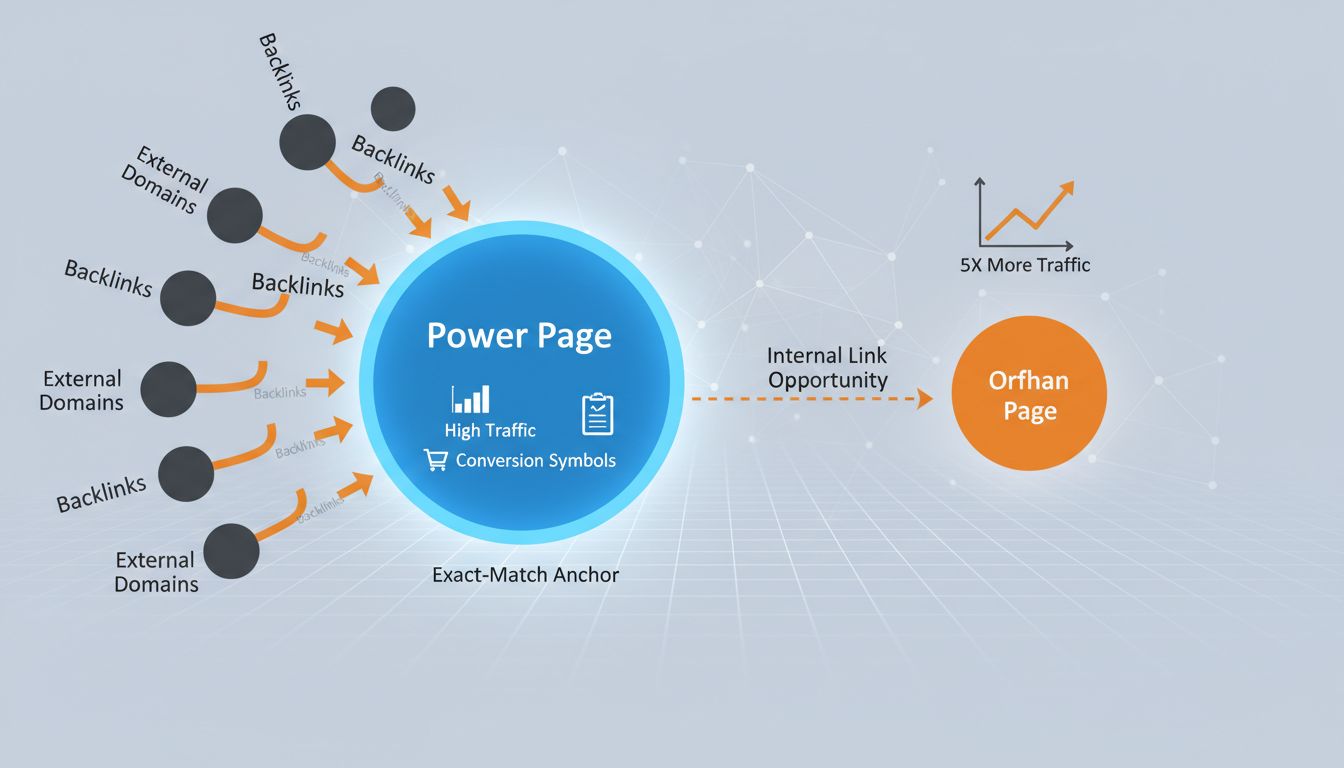
Then categorise. Find your Power Pages, the ones with high external backlinks, traffic, or conversions. These are your authority hubs. Then find every Orphan Page with zero internal links pointing to it.
Those orphan pages are pure opportunity. Pages with at least one exact-match internal anchor get at least five times more traffic.
Next, look at your anchor text. Are you using "best SEO tool" to link to ten different pages? That dilutes ranking potential. It's called keyword cannibalisation and it's more common than people think.
Finally, map your site's hierarchy. How many clicks away are your key pages from the homepage? Deep pages get less crawl priority, and most teams have no idea how buried their best content actually is.
Pull all of this into a simple spreadsheet: URL, category (Power/Orphan/Deep), current inlinks, and a priority score. That's your foundation.
Choose Your Weapon: A Practical Guide to Internal Linking Tools
Your strategic audit is done. Now you need a tool that turns that data into a system, not just a list of suggestions. Skip the plugin directory rabbit hole and choose based on your stack and scale.
Category 1: In-Editor WordPress Plugins (For Hands-On Content Teams)
Use these if your team works directly in WordPress. Link Whisper is the standout, built specifically for linking, with an orphan-page finder and bulk checkbox linking. Around $97/year for a single site.
Yoast SEO Premium ($9.90/month) gives you contextual suggestions. Rank Math's AI Link Genius runs on tiered AI credits.
The limitation is obvious: all of these only work inside WordPress. Headless CMS, custom stack? They're useless.
Category 2: Dedicated Crawlers & Auditors (For Analysis & Large Sites)
These are for auditing, especially on large or complex sites. Screaming Frog is the industry standard for deep technical work, free version crawls 500 URLs, paid license (~$279/year) removes the cap.
Sitebulb is better if you want to actually see your internal link structure. For enterprise scale, JetOctopus crawls up to 500,000 pages, includes log analysis, and starts at $237/month.
One thing to know: you use these tools to get the data. You still implement the links somewhere else.
Category 3: AI/Semantic & Automated Engines (For Scale & Relevance)
These exist to scale linking without losing contextual relevance. Tools like LinkVector (launched 2024), Surfer SEO, and Similar.ai use NLP to suggest links based on semantic understanding, not just keyword matching.
The results can be real. RVshare used Similar.ai's AI internal linking and reported a 47% organic traffic increase while saving 90% of the time previously spent on manual linking.
The caveat: you still have to vet the suggestions against your own rules. Don't just approve everything.
The Decision Matrix: Choosing Based on Your Stack & Team
- Site Size: Under 500 pages? A WordPress plugin or Screaming Frog free tier is enough. 500–50k pages? Combine a crawler (Screaming Frog/Sitebulb) with an AI suggestion engine. 50k+? You need enterprise crawling like JetOctopus and probably some custom logic.
- Tech Stack: Pure WordPress? Plugins are easiest. Headless or custom CMS? Crawler APIs aren't optional.
- Team Workflow: Solopreneur or content team? In-editor tools. SEO plus developer team? Feed crawler data into your CMS via API.
- Automation Need: Low volume, manual review? Basic plugins work. Hundreds of pages a month? Prioritise AI engines or build custom automation.
The Buy vs. Build Deep Dive (For Technical Founders & Engineers)
Most guides skip this entirely. Here's the real trade-off.
Buy (off-the-shelf): Faster to get going, lower upfront cost, vendor handles maintenance. The downsides are limited control, potential pipeline mismatches, and recurring costs that add up.
Build (custom via API): Perfect fit for your headless CMS, full control over linking logic, and at real scale it can actually be cheaper. The downside is high initial dev cost and ongoing maintenance that falls on your team.
My advice from building Spectre: consider a hybrid. Use a crawler's API (Ahrefs, Screaming Frog) to pull your site structure, then build your own rule engine for suggesting and placing links inside your content pipeline.
The real cost of a "free" internal linking tool isn't money. It's the engineering hours lost to manual CSV exports and no integration. For a large site, a thin integration layer pays for itself fast.
Implement Your Linking Strategy (Turning Data into Action)
Your audit is done. Your tool is chosen. Now you execute.
First, set clear linking rules. If your audit found 200 orphaned product pages, make a rule: every new blog post links to 2 relevant product pages. For anchor text, aim for a 70/30 mix of branded and descriptive terms versus exact-match keywords. Pages with at least one exact-match anchor saw five times more traffic. That's not guesswork, that's building a system.
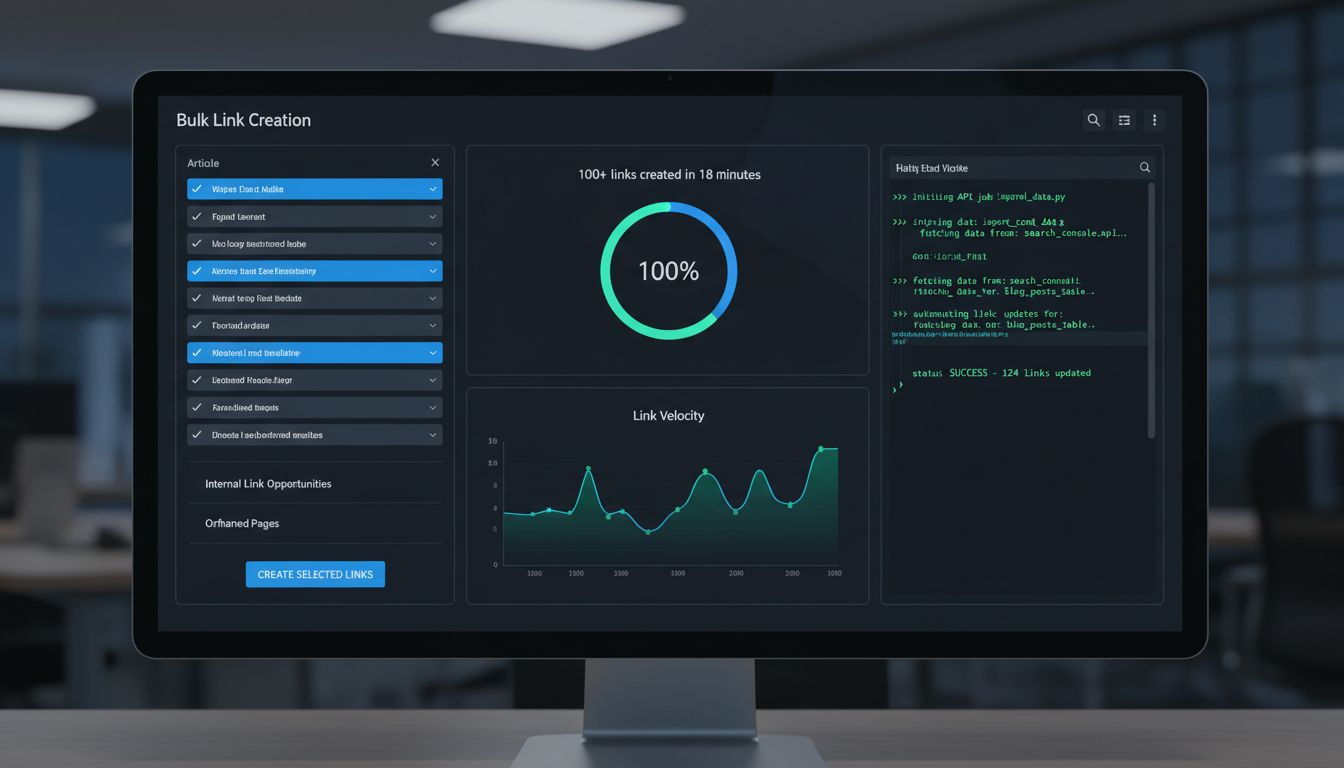
Don't click suggestions one by one.
If you're using an internal linking tool like Link Whisper, the bulk checkbox grid is the whole point, users report building 100+ links in under 20 minutes. For API-driven setups, script a job that ingests your crawl export and pushes updates directly to your CMS.
Then validate. Run a quick secondary crawl or check your tool's health dashboard right after you implement. Look for broken links, confirm the new link graph matches what you intended. That QA step is the difference between a working system and a quiet disaster you won't notice for three months.
Measure ROI: Track Impact Beyond Link Count
Stop counting links. Start measuring what actually moves the needle.
Your internal linking tool's value isn't in the number of links it creates. It's in the organic traffic, crawl efficiency, and engagement those links drive.
Start with Google Search Console. Filter the Performance report to show only the URLs you targeted with new internal links, then track their organic traffic lift. Also check your Index Coverage report for pages that were "Discovered - not indexed" before you added links. When those pages finally get indexed, that's your clearest signal that it's working.
Then look at crawl efficiency. If you're using something like JetOctopus, pull log files from before and after your changes and look for increased Googlebot activity on your deeper pages. A Botify case study found that optimising internal linking alongside sitemaps and robots.txt led to a 19× increase in crawl activity to key pages within six weeks, which translated to double the organic traffic within three months [Source: https://botify.com/blog/crawl-budget-optimization-for-classified-websites].
User engagement matters too. In GA4, segment your target pages and watch Pages per Session and Bounce Rate. A healthcare site using semantic AI for internal linking reported an 18% increase in pages per session and a 24% drop in bounce rate [Source: https://dng.ai/ai-powered-semantic-internal-linking-the-new-seo-strategy]. That tells you the links are actually useful, not just SEO placeholders.
Be realistic about timelines. Small targeted changes, like adding geo-specific links, can show results in 6-8 weeks. A full architectural overhaul needs 3-6 months to compound. Sites that consistently audit and optimise their internal links see an average 23% increase in organic traffic within six months [Source: https://upwardengine.com/blog/internal-linking-best-practices-seo].
Don't declare victory or failure after four weeks.
Build a dashboard pulling from GSC, GA4, and your crawler. Track it weekly. The ROI isn't in the link count, it's in whether you're measuring the right things at all.
Future-Proof Your Strategy: AI, Automation, and Integrated Systems
What if internal linking wasn't a task you scheduled, but something that just... happened automatically?
That's where this is heading. In 2026, internal linking isn't a tactical chore you hand off to a junior SEO. It's a system parameter you design into your content engine from the start.
The manual process is already being replaced by AI-powered semantic linking.
Tools like DNG.ai and Similar.ai now understand topic relevance, not just keyword matches. They suggest links based on contextual meaning, which creates more natural networks that both users and algorithms actually prefer. A finance site using AI-powered semantic linking saw a 31% increase in organic traffic to underperforming product pages within three months [Source: https://dng.ai/ai-powered-semantic-internal-linking-the-new-seo-strategy].
The time savings are real too. RVshare cut 90% of the time they were spending on manual linking after switching to AI automation. That's not a small thing. That's your SEOs getting their week back to focus on architecture instead of cleanup.
The bigger shift is integrated platforms, where SEO is baked into the content lifecycle from the beginning. Spectre treats internal linking as a native part of the AI content creation pipeline. It doesn't just write articles; it analyzes your site's knowledge graph and suggests contextually relevant internal links during the writing process. New content arrives pre-connected to your authority network.
When you're evaluating your next internal linking tool, don't just look at today's feature list. Ask about API capabilities and the roadmap for AI integration. Your internal linking tool should be a node in your automated content operations network, not a siloed app you remember to open once a quarter.
Common Mistakes & Troubleshooting Guide
Your internal linking tool is only as good as your ability to avoid the obvious traps. Here's what to watch for.
Mistake 1: Anchor Text Cannibalization You've added the same keyword-rich anchor text everywhere. This confuses search engines and dilutes ranking potential. Fix: Use your tool's suggestion engine for variety. Run a crawler like Screaming Frog, export all internal link anchors, and look for overused exact-match phrases. Diversify.
Mistake 2: Creating Orphan Pages Publishing content without a single internal link pointing to it is a cardinal sin. These pages are invisible to crawlers and users alike. Fix: Use your tool's orphan-page finder (Link Whisper has one) weekly. Hard rule: no page goes live without at least one contextual internal link from a related piece.
Mistake 3: Broken Links & Redirect Chains Links pointing to 404s or through multiple 301s waste crawl budget and frustrate users. Fix: Enable real-time monitoring (ContentKing) or schedule weekly broken-link checks. Filter for "Inlinks" to redirect URLs and update them to point directly to the final destination. A SearchPilot case study found this simple fix improved crawl efficiency.
Mistake 4: Ignoring Crawl Depth Letting your most important commercial pages sit 5+ clicks from the homepage is a real problem. Fix: Use your audit's crawl map. Identify deep, high-value pages and build "shortcut" links from your strongest authority pages (the ones with high external backlinks or traffic).
Mistake 5: 'Set and Forget' Automation Assuming your AI tool will handle everything perfectly is a recipe for irrelevant links. Fix: Schedule a monthly review of automated link suggestions. Before running any bulk update via script, take a database backup. Have a rollback plan.
Mistake 6: Tool-Choice Mismatch Using a WordPress plugin on a headless React app won't work. You'll waste months. Fix: If you've chosen wrong, pause. Revisit the tool selection matrix from earlier. The right tool has to fit your stack's publishing workflow.
Quick Troubleshooting Checklist
- Traffic dropped after mass linking? Check for over-optimized anchors and irrelevant links. Roll back the recent changes.
- Crawl budget seems wasted? Find and fix links pointing to redirects or low-value pagination.
- New pages aren't indexing? They're likely orphans. Find them and link from your strongest topical pages immediately.
- Site speed degraded? Some plugins inject heavy JavaScript. Check your tool's front-end impact; consider a crawler-based solution instead.
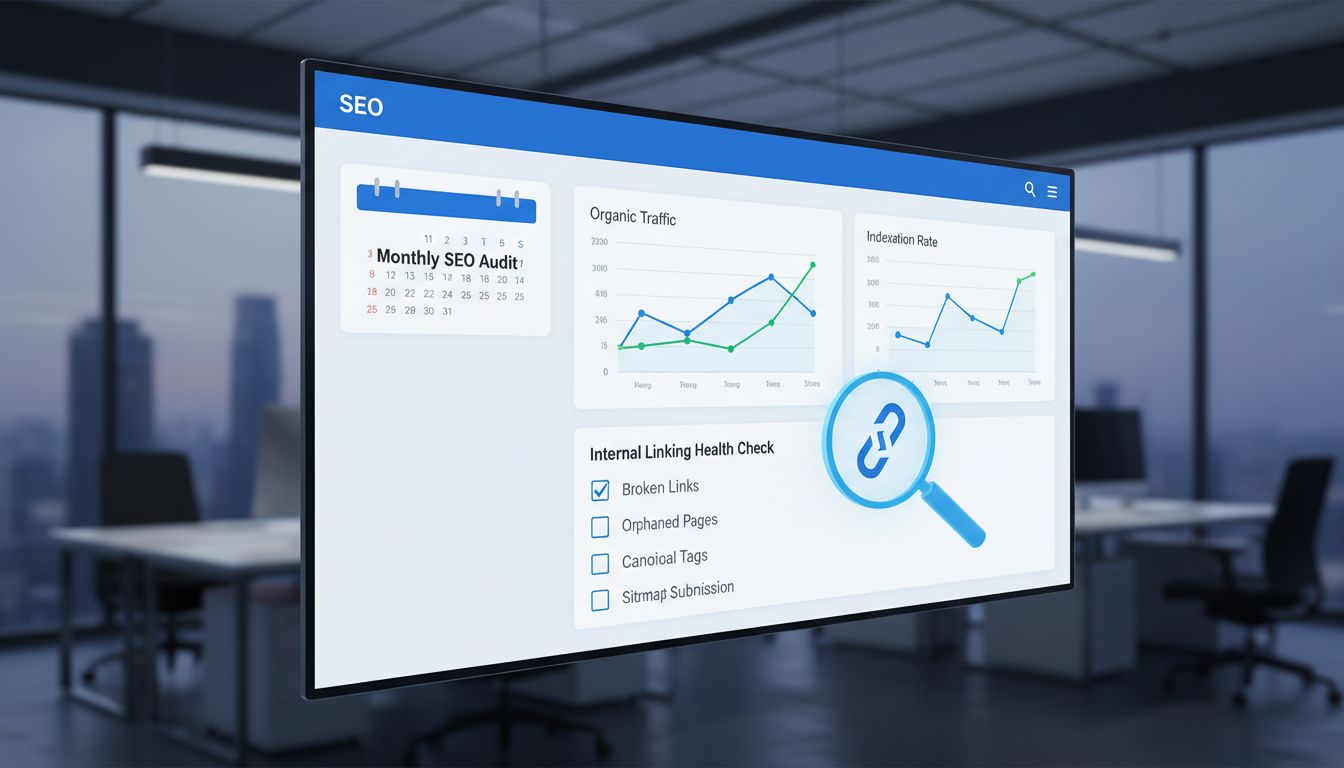
The goal isn't to avoid mistakes entirely. It's to catch them faster than they can hurt your rankings. Build these checks into your monthly SEO workflow.
Conclusion
Start with a strategic audit, pick an internal linking tool that actually fits your stack, and set clear rules before you touch anything. Then measure past link counts, crawl efficiency and indexation are what matter.
In 2026, internal linking is an engineering task. Not a manual chore.
Build it into your automated content pipeline from day one, not as an afterthought.
Visit SpectreSEO.com to see how our AI-driven platform treats internal linking as a native part of content creation, so your knowledge graph builds itself as you publish.
Frequently Asked Questions
Does internal linking improve SEO?
Yes. Internal links are how PageRank and authority move through your site. They guide crawlers to content that might otherwise go undiscovered.
Sites that consistently audit their internal links see an average 23% increase in organic traffic within six months [Source: upwardengine.com], with some case studies showing ranking boosts up to 40% [Source: upwardengine.com].
What is the 80/20 rule for SEO/internal linking?
Roughly 80% of your site's authority lives in 20% of your pages. Those are your cornerstone pages.
A good internal linking strategy doesn't just add links randomly. It deliberately moves some of that concentrated authority toward underperforming pages, orphaned content, deeper articles, to pull them up in rankings.
That's what turns a pile of pages into an actual architecture.
Is SEO dead or evolving in 2026?
Evolving. The fact that AI-powered internal linking tools exist at all is proof the discipline is becoming more engineering-centric, not less relevant.
Google keeps getting better at rewarding topical authority and user experience. Both of those things are reinforced by smart internal linking.
The guesswork-heavy SEO of five years ago is being replaced by data and systems.
What's the biggest mistake when using an internal linking tool?
"Set and forget." Plugging in an automated tool without first auditing your current site structure just amplifies whatever problems already exist, orphaning the wrong pages, creating irrelevant links, that kind of thing.
The other one: picking a tool based on popularity instead of fit. A WordPress-only plugin on a headless React site creates technical debt. It doesn't solve anything.
What are the best internal linking tools for SEO?
For most small to mid-sized WordPress sites, something like Link Whisper hits the right balance of power and ease of use [Source: linkwhisper.com].
For larger or more complex sites, you probably need a crawler like Screaming Frog or JetOctopus paired with an AI suggestion engine or custom API integration.
The right answer depends on your site size, tech stack, team workflow, and how much you want to automate.
How do I do internal linking for SEO?
Start with a crawler audit to map what you actually have. Then set rules: every new piece of content links to at least one cornerstone page, orphan pages get a minimum number of contextual inbound links.
Use your internal linking tool's features, bulk linking, AI suggestions, automated rules, to do this at scale instead of one by one.
Then measure the right things. Organic traffic to target pages and indexation rate. Not just link count.