April 18th, 2026
AI Tools for Technical Writing: Enhancing SEO Content for SaaS Documentation
 WD
WDWarren Day
Your SaaS documentation is a black hole for engineering time. And a leaky bucket for support tickets.
You've heard AI tools for technical writing can fix this, but between hallucinations and SEO noise, it can feel like trading one problem for another. And the problem is real: 80% of SaaS companies have at least half their docs outdated at any given time.
That's a constant support drag. And a missed growth opportunity sitting right there.
Forget generic content bots. The AI tools for technical writing that actually work for SaaS are the ones that fit into developer workflows, produce accurate content, and optimize for search at the same time. The goal isn't automating writers out of a job. It's building a system where AI makes your existing team faster.
The numbers back this up. Causal.App hit 1 million monthly visitors in under a year by publishing 5,000 AI-generated pages. AI-enhanced self-service cuts support ticket volume by 40–60%. Roughly two-thirds of AI-generated content ranks within two months of going live.
This guide gives you a real framework for making it work. A method for evaluating tools, a breakdown matched to specific SaaS documentation needs, a step-by-step implementation blueprint, and an honest look at where things go wrong.
The Real Payoff: Why SaaS Docs Deserve an SEO-First AI Strategy

Your SaaS documentation is doing two jobs at once. It's your frontline support and your most scalable marketing asset. When it works, users find answers without emailing you, and potential customers discover your product through search.
When it fails, and it fails for 80% of SaaS companies with at least half their documentation outdated, it just creates more support tickets and eats more engineering time.
AI tools for technical writing aren't about replacing writers. They're about giving writers enough leverage to actually hit both targets: technically accurate content that also ranks.
Causal.App reached 1 million monthly visitors in under a year by publishing 5,000 AI-generated pages. Not by churning out generic filler, but by systematically covering the search queries their users were actually typing. That's the difference.
The data holds up too. Roughly two-thirds of AI-generated content ranks within two months of publication, according to Semrush's analysis. That's not a guarantee, but it's a pretty clear signal that search engines can't reliably tell the difference between well-executed AI content and human-written material when both are genuinely useful.
For SaaS teams, the math is simple. Every doc page that ranks does three things: deflects a support ticket (saving $15–50 per interaction), pulls in organic traffic at zero marginal cost, and shows potential buyers what your product can actually do.
Your docs become a 24/7 support agent. No salary, no time zones.
The ai tools for technical writing that actually deliver this aren't generic writing assistants. They're platforms built around the technical writer's workflow, accurate through retrieval-augmented generation, optimized for search visibility at the same time.
It's not a tradeoff between technical rigor and SEO. The strategy that works requires both.
Beyond the Hype: A Framework for Evaluating AI Documentation Tools
Most teams skip the evaluation and go straight to buying. Then six months later they've got unused licenses and documentation that's still outdated.
I've seen this with Spectre, my SEO automation platform, and with pretty much every startup I've contracted with. Same pattern, every time.
What you actually need is a structured evaluation framework. Not a feature checklist. Here are the four criteria that matter, weighted for SaaS technical writing.
1. SEO & Content Quality Integration
This isn't about keyword stuffing. Look for ai tools for technical writing that bake SEO into the drafting process itself.
Does it provide real-time SERP analysis like Surfer SEO, showing you exactly what competing documentation ranks for a query? Can it suggest internal links to related API endpoints or tutorials automatically? And can you easily attribute sections to specific engineers, or pull examples directly from your codebase? Generic AI writers fall apart here. You need platforms that actually understand technical content structure.
2. Technical Accuracy Guardrails
Hallucination rates for technical documentation average 12.4%, with top models around 2.9% Source: Suprmind. That's not a minor footnote.
Your tool needs native mitigation. Does it support retrieval-augmented generation (RAG) out of the box, grounding responses in your existing docs or code comments? Can it validate that an API endpoint example matches your actual OpenAPI spec? Look for citation features that show provenance, not just confident-sounding text.
3. Workflow & Developer Integration
If engineers won't use it, the tool is dead. Full stop.
It needs bi-directional Git sync, like Mintlify offers, so docs stay in sync with code changes. Can it auto-generate API reference stubs from your OpenAPI specification? Are there proper review gates, ReadMe, for instance, requires manual approval for all AI-generated changes. The ideal tool fits into your existing CI/CD pipeline. Not creates a separate publishing silo.
4. Business Impact Measurement
Can you actually measure what it's doing? Look for built-in analytics that tie documentation views to support ticket deflection. Platforms like Docsie report 40–60% reductions in ticket volume.
Does it flag outdated content based on product release dates? Can it attribute organic sign-ups to specific help articles? Without those metrics, you're guessing.
Quick Scoring Matrix
- High-stakes API docs: Weight accuracy guardrails (2) and workflow integration (3) heaviest. A hallucinated parameter type breaks integrations.
- Public tutorial content: Prioritise SEO quality (1) and business impact (4). You're aiming for search visibility and lead generation.
- Internal knowledge base: Workflow integration (3) is paramount for adoption; accuracy (2) prevents internal confusion.
A tool that excels at SEO but lacks proper review workflows is a non-starter. You're not just generating content. You're building a reliable, scalable documentation system.
Tool Breakdown: Matching AI Capabilities to SaaS Documentation Needs
Which tool should you actually use? That depends entirely on what job you're trying to do.
You don't need a list of every AI tool for technical writing. You need to match specific capabilities to the distinct jobs in your documentation workflow. Here's how that breaks down.
Content & SEO Optimizers (The Editing Phase)
These tools don't write your docs from scratch. They take your drafts and optimize them for search. This is where a functional explanation becomes a lead-generating asset.
Surfer SEO is the benchmark. Its real-time scoring against top SERP results gives you specific, actionable feedback on keyword density, content length, and semantic relevance. A client using Surfer's tools achieved 100% growth in organic traffic and 150 new leads in two months.
The key is integration: use the Google Docs add-on so your technical writers can see optimization scores as they write.
MarketMuse and Frase play a similar role with different emphases. MarketMuse is better for strategic content planning and topical authority. Frase is faster and cheaper for on-page optimization. Both force you to think beyond your product's features and answer the questions your potential users are actually typing into Google.
AI-Ready Documentation Platforms (The System of Record)
These are tools built for documentation first, with AI features added on top. They're your single source of truth.
Mintlify is engineered for developer docs. Its standout feature is auto-generating complete API reference pages directly from your OpenAPI 3.0+ specification. It maintains bi-directional Git sync, meaning your docs repo and your codebase stay in sync. That eliminates the most common source of inaccuracy: documentation drifting away from the actual API.
GitBook AI and ReadMe AI bake governance into the workflow. GitBook's AI agent proposes scoped changes via pull requests, forcing a review cycle. ReadMe goes further, every AI-suggested change requires manual approval before publishing.
That built-in friction is a feature, not a bug, for teams that can't afford hallucinations in production.
Knowledge Base & Self-Service AI (The Support Interface)
These platforms turn static documentation into an interactive support layer. The business case is direct: fewer tickets.
Docsie and GetDarwin report that customers see a 40–60% reduction in support ticket volume within the first months of implementation.
They do this using Retrieval-Augmented Generation (RAG). The AI chatbot doesn't generate generic answers, it queries a vector database of your actual documentation, so responses are grounded in your approved content. Repetitive "how-to" questions get deflected before they ever reach a human agent.
Foundation Models & Coding Assistants (The Drafting Engine)
These are the raw materials. The LLMs you use for initial drafting and technical ideation. The choice comes down to matching the model to the task.
For long-context analysis of codebases or drafting complex technical explanations, Claude 3.5 Sonnet stands out. For general reasoning and structured output, GPT-4o holds up well. The critical caveat: technical documentation models still average a hallucination rate of around 12.4%, with the best performers sitting around 2.9%. Never use raw output unchecked.
The smarter approach is a multi-model workflow. Use a cheaper, faster model for brainstorming and outlines, then a more capable model like Claude for the final accuracy-critical draft. That alone can yield significant cost savings versus running everything through a single premium model.
| Category | Top Tools | Primary Use Case | Key Strength | Ideal For |
|---|---|---|---|---|
| Content & SEO Optimizers | Surfer SEO, MarketMuse, Frase | Editing & optimizing drafts for search | Real-time SERP scoring & actionable feedback | Teams needing to maximize organic traffic from existing docs |
| AI-Ready Docs Platforms | Mintlify, GitBook AI, ReadMe AI | Core documentation system & publishing | Built-in governance (Git sync, mandatory reviews) | Engineering teams requiring accuracy and version control |
| Self-Service AI | Docsie, GetDarwin, Moveworks | User-facing help & support deflection | RAG-powered chat using your knowledge base | Support teams under pressure to reduce ticket volume |
| Foundation Models | Claude 3.5 Sonnet, GPT-4o, GitHub Copilot | Drafting & technical ideation | Long-context analysis & code understanding | Writers creating first drafts of complex technical content |

Don't try to force one tool to do everything. Build a chain: foundation model for the first draft, an AI-ready platform like Mintlify for version control, then Surfer for final SEO optimization. That's how you scale quality without sacrificing accuracy.
Implementation Blueprint: Deploying AI in Your Docs Pipeline
Where do most teams actually fail with AI tools for technical writing? Not in picking the wrong tool. In the rollout.
Here's the playbook I've used with SaaS clients.
Phase 1: Audit & Groundwork (Weeks 1-2)
Start with data, not assumptions. Run a content audit using Ahrefs or Screaming Frog to map your existing documentation. Identify pages with high traffic but low conversion, or queries you rank for but have thin coverage.
Then run a freshness check. 80% of SaaS companies have at least half their documentation outdated at any given time. That's your baseline.
Define success metrics tied to actual business outcomes. Not "better docs." Something like "reduce support tickets for our billing API by 20% in Q3" or "increase organic traffic to our webhook documentation by 30%." Vague targets get vague results.
Phase 2: Pilot & Integrate (Weeks 3-8)
Pick one tool category and run a controlled pilot. If your biggest pain point is API reference maintenance, start with Mintlify. If it's help article creation, test GitBook's AI assist.
Integration isn't optional. Set up bi-directional Git sync immediately. Your documentation should live in version control alongside your code, not just for rollbacks, but for peer review, CI/CD checks, and tying doc changes to specific releases.
Establish review gates and don't skip them. All AI-generated content needs SME sign-off before it goes live. Use built-in workflows like ReadMe's manual approval or GitBook's change request system.
The pilot's goal isn't to publish faster. It's to validate accuracy and build a human-in-the-loop process you can actually trust.
Phase 3: Scale & Optimize (Ongoing)
Once the pilot proves out, add accuracy guardrails. Implement Retrieval-Augmented Generation (RAG) using Weaviate or Chroma. These vector databases ground your AI generation in your own verified documentation, which cuts hallucination rates significantly. The AI isn't inventing answers anymore, it's retrieving and synthesizing from content you've already approved.
Set up monitoring dashboards. Connect your documentation platform analytics to Google Search Console and track the KPIs you defined in phase one: ticket deflection, organic traffic growth, keyword rankings. Time savings add up fast, estimates put it around $225–$450 saved per guide at standard engineering rates.
Then look at multi-model workflows. Don't lock into one LLM. Use Claude for complex technical drafting, GPT-4 for ideation and structure, and a smaller cheaper model for final polish. That alone can cut costs roughly 60% versus running everything through GPT while actually improving output quality.
Treat AI deployment like a software engineering project. Start small, measure everything, iterate on data, and don't compromise on your quality gates.
The Reality Check: Pitfalls, Trade-offs, and How to Avoid Them
AI tools for technical writing aren't magic. They're systems with failure modes, and ignoring them will hurt your content quality and SEO faster than you'd expect.
Hallucination is Your #1 Enemy (And How to Fight It)
The numbers are rough. In one study of references generated by ChatGPT-3.5, 47% were completely fabricated (Source: Wikipedia). For technical documentation specifically, models average a hallucination rate of 12.4% (Source: Suprmind).
An AI confidently explaining a non-existent API parameter isn't just wrong. It destroys user trust and creates support fires.
The textbook answer is "use RAG." That's correct but incomplete. The real fix is hybrid search, combining vector similarity with BM25 keyword matching, which is what tools like Weaviate do. This grounds generation in your actual codebase and existing docs.
Enforce prompt rules too: "Always cite the specific function and version from the retrieved context. If the context doesn't contain the answer, state 'Information not found in provided documentation.'"
For your highest-stakes content, consider fine-tuning on your own verified examples. A 2025 NAACL study found this approach reduced hallucination rates by 90-96% (Source: Lakera).
AI Summaries Can Steal Your Clicks (The GEO Factor)
Here's the SEO trade-off nobody talks about.
A 2025 study on Generative Engine Optimization (GEO) found that AI summaries appeared on approximately 18% of queries, and when they did, link click rates dropped from 15% to just 8% (Source: arXiv). Your carefully optimized help article might get summarized in a Google AI Overview, and the user never clicks through.
The fix is GEO itself: structure your documentation to be the most citable source. Front-load clear answers in the first paragraph, use rich structured data (JSON-LD), and embed concrete examples that pull people deeper into the page.
Don't hide the answer. Be the source the AI wants to quote.
Governance is Non-Negotiable
Speed without control isn't an advantage.
Only about 23% of marketers feel comfortable using AI output without review (Source: not attributed, verify before publishing). You can't afford to be in the other 77% for public-facing documentation.
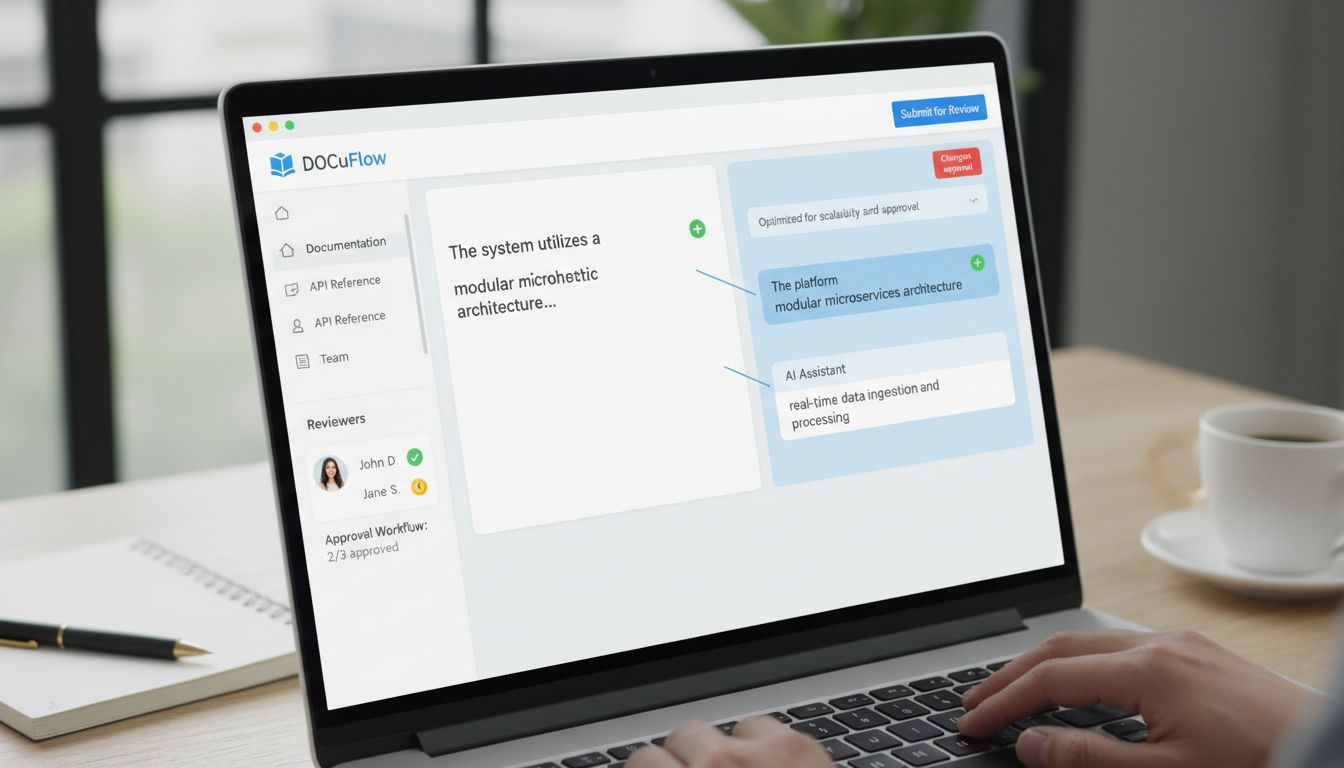
You need a human-in-the-loop for everything that gets published. Use the governance features your tools already give you. ReadMe enforces manual approval for all AI-suggested changes. GitBook's AI Agent proposes changes via pull requests.
Uncontrolled AI edits lead to inconsistent voice, factual drift, and a documentation repo that quietly becomes unmanageable.
Cost vs. Control vs. Compliance
Your toolchain sits on a spectrum.
Open-source stacks (Chroma for vector storage, a self-hosted LLM) give you maximum control and data privacy. The cost is engineering lift to build and maintain the thing. Full-service SaaS platforms like Surfer SEO or Writer give you convenience and integrated features at a recurring operational cost.
Enterprise tools add compliance, security, and collaboration layers on top of that.
A 10-person startup might correctly grab a managed SaaS tool to move fast. A 200-person company in a regulated industry probably needs audit trails and data governance that only an enterprise platform can provide.
There's no universal right answer. Just the right fit for where you are right now.
Future-Proofing: Trends Technical Writers Can't Ignore
The audience for your documentation is no longer just human.
In 2025, GitBook reported AI readers grew from less than 10% to over 40% of documentation traffic. You're writing for AI agents and internal copilots now too. That changes what "good documentation" even means, clear structure, machine-readable data, factual density over storytelling.
Generative Engine Optimization (GEO) is going to sit alongside traditional SEO as a standard practice for anyone using ai tools for technical writing. AI Overviews and answer boxes are eating up more search real estate, and getting cited as a source matters more than getting the click. AI summaries can reduce link clicks, so the goal shifts: be the source the AI quotes.
The bigger shift is from static manuals to documentation that updates itself.
We're talking AI that watches code commits, API schema changes, and user interaction data, then flags when something needs updating. Like when a tutorial section correlates with a spike in support tickets. The docs pipeline ingests real-time signals. Accuracy without the manual upkeep.
And then there's consolidation. AI features are becoming table stakes in platforms like Mintlify and Ahrefs. The scattered collection of point solutions gives way to integrated end-to-end platforms where generation, optimization, and distribution are one thing. Build your strategy around tools designed for that convergence, not the ones that bolted AI on as an afterthought.
Conclusion
Good documentation isn't a chore you manage. It's an asset that works for you.
The right AI tools for technical writing take what your team already knows and make it do more, fewer support tickets coming in, more qualified traffic converting. That's the actual goal. Not just publishing faster.
Getting there means picking tools through the right lens: SEO impact, factual accuracy, how well they fit into the workflow your team already has. Then building in human review, because none of this works without it.
The shortcut is the implementation blueprint. Start with the audit and pilot phases. Pick one high-friction area, apply the evaluation framework, and track something specific, search impressions, ticket volume, whatever's most broken right now.
Theory is easy. Pick a metric and move.
Frequently Asked Questions
Will Google penalize AI-generated documentation?
No, not for using AI itself. Google cares about content quality, not where it came from. Their systems reward helpful, accurate content that demonstrates E-E-A-T (Experience, Expertise, Authoritativeness, Trustworthiness).
The real risk isn't a "penalty." It's creating thin, generic content that provides no SEO value and drives users away. That's why human oversight matters, only about 23% of marketers feel comfortable publishing AI output without review [Source: Neil Patel].
For SaaS documentation specifically, focus on accuracy through RAG systems and SME verification.
What's the fastest way to see ROI from AI documentation tools?
Target your public-facing help center. The clearest ROI comes from reducing support ticket volume, it's visible fast and easy to measure.
Docsie and GetDarwin customers typically see a 40–60% reduction in support tickets within the first month to six months of implementing AI-powered help center features [Source: Docsie.io, GetDarwin].
Deploy an AI search agent or RAG system on your most common support topics, then track deflection rates.
How do I convince my engineering team to prioritize docs SEO?
Frame documentation as a direct revenue driver, not a maintenance task. Present the data: 80% of SaaS companies have at least half their documentation outdated at any given time, which directly increases support costs [Source: StorytoDoc.ai].
Show a real example. Causal.App grew to 1 million monthly visitors in under a year through documentation [Source: SEO Case Study]. Then propose a small pilot, optimize docs for one high-ticket API endpoint and measure organic traffic plus ticket deflection.
Numbers do the convincing.
Can I use these AI tools for technical writing if my documentation is currently a mess?
Yes, but start with an audit, not generation.
Use tools like Surfer SEO or MarketMuse to identify content gaps, outdated information, and duplicate content in your existing knowledge base. Clean and consolidate what you have before you build anything new.
Skipping this step just compounds the existing problems. Think of it as triage before surgery.
Can I fully automate technical writing with AI?
No. And trying to will damage credibility.
AI models for technical documentation still average a hallucination rate of 12.4%, with top performers sitting around 2.9% [Source: Suprmind.ai]. That's not a workflow you want running unsupervised.
The setup that actually works: SME provides raw knowledge, AI helps structure and draft, technical writer ensures clarity, SEO, and brand voice. AI is there to scale expertise, not replace it.
How do AI Overviews (SGE) affect my documentation's traffic?
There's a real trade-off here. AI Overviews answer queries directly in search results, which cuts click-through rates to source websites. Research shows link clicks fell from 15% to 8% when AI summaries appeared [Source: arXiv GEO study].
The mitigation is Generative Engine Optimization (GEO): structure your content to be the source the AI wants to cite. That means clear authoritative answers upfront, structured data (schema), and content deep enough that users want to go further than the snippet.
You're not trying to beat the summary. You're trying to be inside it.