February 26th, 2026
How Link Whisper Automates Internal Linking for SaaS SEO in 2026
 WD
WDWarren Day
Your SaaS blog is growing, generating leads, and building authority. But with every new post, the hidden tax of manual internal linking grows heavier.
You know linking that new 'integration guide' to three older 'API tutorial' posts would boost their rankings, but finding the perfect anchor text spots feels like archeology. In 2026, this manual grind isn't just inefficient, it's a strategic bottleneck limiting your content's true ROI.
Link Whisper changes that equation entirely.
For SaaS companies on WordPress, Link Whisper isn't just a linking tool. It's a scalable growth engine that, when configured with a strategic framework, automates site authority consolidation and directly supports the user journey from acquisition to conversion.
Here's the reality most SaaS marketers face: you've published 80, 120, maybe 200 posts. Each one targets a different stage of the buyer journey. Awareness content, comparison pages, integration docs, case studies. But without systematic internal linking, Google can't tell which pages deserve the most authority. Your best conversion assets sit buried three clicks deep. Your newest thought leadership piece gets zero link equity from your archive.
Manual linking doesn't scale past 50 posts. Spreadsheets and "linking sprints" burn hours your team doesn't have.
You need automation, but the wrong approach creates spammy, irrelevant links that hurt more than help. Random automation is worse than doing nothing.
This guide gives you the framework top-performing SaaS companies use to deploy Link Whisper strategically. You'll learn the four-step implementation process that prevents common pitfalls, how to configure guard rails that protect conversion pages, and the specific reporting metrics that tie internal linking directly to trial sign-ups and organic revenue. Real benchmarks: sites seeing 24-42% traffic lifts within months, not quarters.
What Is Link Whisper? A 2026 Definition for SaaS Marketers
Link Whisper is a WordPress plugin that automates internal linking using AI to analyze your content. You write a new post, and instead of manually hunting through 200 older articles for relevant places to link, it scans everything and surfaces contextually relevant suggestions as you work.
The 2026 version isn't just matching keywords anymore. Link Whisper now uses native LLM technology to understand semantic relationships between topics. Write about "customer onboarding" and it won't only find posts with that exact phrase. It connects you to related concepts like user activation, product tours, retention strategies. Stuff that actually makes sense to link together.
Everything happens inside your WordPress dashboard. While you're drafting or editing, it shows ranked suggestions for where to add links, what anchor text works best, and which pages need more internal connections. You can review each one individually, set up rules to auto-link specific keywords to priority pages (pricing, demo requests, that kind of thing), or just let it work in the background across your whole content library.
Over 40,000 websites use it now. Link Whisper has gone from a basic suggestion tool to something closer to a strategic linking platform. For SaaS marketers running content hubs designed to move prospects from awareness articles all the way to trial signup, it's the difference between hoping visitors stumble onto your conversion pages and systematically guiding them there.
The Strategic Imperative: Why Internal Linking is Your SaaS SEO Lever
Most SaaS marketers obsess over backlinks. Chasing guest posts, building relationships, hoping for a mention from a high-authority domain. But here's the uncomfortable truth: you control none of that. A single editorial decision can erase months of outreach work.
Internal linking is the only SEO lever you own completely.
Every link, every anchor, every path through your content architecture is yours to optimize. For SaaS companies where the buyer journey spans dozens of touchpoints (from a problem-aware blog post to a feature comparison to a pricing page), that control actually matters. You're not waiting on someone else's approval or algorithm change.
Funnel Acceleration Through Strategic Pathing
Your blog isn't just traffic bait. Each post is a potential entry point into a deliberate journey. When someone lands on "Why Your Sales Team Misses 40% of Qualified Leads," a well-placed internal link can guide them to "How Lead Scoring Solves Pipeline Blindness" and then to your product's lead scoring feature page. Without that connective tissue, visitors consume one article and leave. You've educated a prospect for a competitor.
Authority Consolidation That Compounds
Google doesn't distribute authority evenly. It flows through links like water finding the lowest point. When your 80+ blog posts all link strategically to your core category pages (Marketing Automation, Sales Intelligence, Customer Onboarding), those hubs accumulate ranking power. One technology blog saw a 42% organic traffic increase in four months by systematically linking underperforming posts to their commercial anchors.
The Retention Play No One Talks About
Look, internal linking isn't just acquisition. When your help content, integration guides, and API documentation are contextually linked from feature announcements and use-case posts, you're reducing support tickets and shortening time-to-value. That's churn prevention disguised as content strategy. Your customer success team will thank you, even if they don't realize why onboarding suddenly got smoother.
Your internal linking strategy for SEO isn't a nice-to-have. It's the architecture that turns scattered content into a conversion engine. Tools like Link Whisper exist specifically because manually maintaining this structure across hundreds of posts isn't realistic. But whether you automate it or do it by hand, ignoring internal links means leaving money on the table.
A Deep Dive on Link Whisper's Core Features for SaaS Success
Link Whisper isn't a single feature. It's a suite of interconnected tools designed to solve the specific chaos that plagues growing content libraries. Here's what actually matters for your SaaS operation.
AI-Powered Suggestion Engine That Understands Context
The plugin's 2025 LLM integration changed the game. Instead of crude keyword matching, Link Whisper now analyzes semantic relationships between your content. When you're writing a post about "API rate limiting," it surfaces your older piece on "webhook retry logic", not because both mention "API," but because they're contextually connected in a developer's journey.
This matters for SaaS because your content clusters are specialized. A generic tool might suggest linking your enterprise security case study to a beginner's guide on password management. Link Whisper's context-aware engine understands hierarchy and user intent, keeping your internal links aligned with the actual customer journey from awareness to evaluation.
Processing time scales predictably: approximately 30-60 minutes for 1,000 posts, and 24-48 hours for enterprise-scale libraries of 50,000 posts. For most B2B SaaS blogs, that's a one-time overnight scan.
Orphan Page Detection That Protects Your Investment
Every unlinked page is wasted content spend. Link Whisper's Orphan Page Checker automatically identifies posts with zero inbound internal links, the silent killers of your content ROI.
For SaaS companies, orphans are typically high-value but poorly promoted pieces: technical implementation guides, integration tutorials, or niche use-case studies. These pages often have strong backlink potential and conversion intent, but they're invisible to both users and crawlers. The visual link map shows you exactly where authority is pooling and where it's stranded.
Google Search Console Integration for Data-Driven Decisions
Link Whisper pulls ranking data, impressions, and average position directly from GSC into the WordPress editor. You can prioritize linking from high-traffic posts to underperforming pages with strong commercial intent, turning your existing traffic into a distribution network for conversion-focused content.
The integration uses a one-time authorization token, so you're not exposing ongoing API access. For SaaS teams managing content across product lines or regional markets, this data layer transforms internal linking from guesswork into strategic resource allocation.
Auto-Linking with Guardrails
The auto-linking engine lets you define keyword-to-URL rules across your entire site, past and future content. Set "customer data platform" to always link to your CDP comparison page, and every mention gets linked automatically.
The risk? Over-optimization and context-blind insertions. The mitigation? Configurable limits: link only once per post, set minimum and maximum outbound links per page, and exclude specific categories or post types. You maintain control while eliminating the manual grind.
1. AI-Powered, Context-Aware Suggestion Engine
Link Whisper's suggestion engine doesn't just match keywords. It reads your content the way a human editor would. The plugin uses native LLM technology (specifically GPT-4o Mini) to analyze semantic relationships, topical relevance, and user intent across your entire site [Source: linkwhisper.helpscoutdocs.com].
Traditional internal linking plugins rely on exact keyword matching or cornerstone content flags. They'll suggest linking "email marketing" to "email marketing," missing the nuanced connection between a case study about onboarding automation and your product page on workflow triggers. That includes the free tiers of Yoast and Rank Math.
Link Whisper integrates directly with Yoast SEO, Rank Math, and All in One SEO to pull your target keywords, then cross-references them with Google Search Console data, impressions, average position, and ranking keywords. The result: suggestions that prioritize pages already gaining traction but lacking internal authority.
Here's the practical workflow. When you open a blog post in the WordPress editor, Link Whisper scans your existing content library and surfaces 10-20 contextually relevant linking opportunities. Each suggestion includes multiple anchor text options, all editable before insertion. You're not locked into robotic phrasing, you maintain editorial voice while the AI handles discovery.
The processing overhead is real but manageable. For a typical SaaS blog with 1,000 posts, initial AI analysis takes 30-60 minutes. Enterprise content libraries approaching 50,000 posts? Expect 24-48 hours. This happens once during setup, then incrementally as you publish.
The SaaS-specific advantage: The engine understands intent hierarchies. It recognizes that a reader engaging with "How to reduce churn with customer health scores" is a qualified lead for your analytics dashboard, not your generic "About Us" page. By routing internal links toward product pages, demo CTAs, and high-converting comparison content, you're not just improving SEO metrics. You're shortening the path from search to trial signup.
2. Configurable Auto-Linking & Rule Engine
The suggestion engine shows you opportunities. Link Whisper's auto-linking rule engine is where you shift from manual review to scalable automation.
Here's the distinction: Suggestion mode presents link opportunities inside the WordPress editor while you write or edit. You review, approve, and insert each one. Auto-linking mode defines rules once, keyword to URL mappings, and Link Whisper applies them across your entire site, past and future content, without further input.
For a SaaS blog with 200+ posts and growing, that difference is transformative. Instead of hunting through old articles to link "product-led growth" to your pillar guide, you create one auto-link rule. Link Whisper scans every post, finds contextually appropriate mentions, and inserts the link automatically.
The controls that prevent chaos: Auto-linking without guardrails creates spam. Link Whisper includes several critical safety settings that keep your internal linking strategic, not spammy.
First, "only link once per post" prevents a single article from hammering readers with five identical links to the same destination. This mirrors how you'd link manually, one clear pathway per topic per page.
Second, min/max outbound links per post lets you set boundaries. You might configure a floor of three internal links (to avoid orphan-like behavior) and a ceiling of ten (to prevent dilution). For SaaS content, this keeps product comparison posts focused and prevents feature explainer articles from leaking authority in too many directions.
Third, ignore and include rules give you surgical control. Exclude specific pages (like your checkout flow or legal pages) from receiving auto-links. Exclude certain categories (like press releases). Blacklist words that shouldn't trigger links (like "free trial" in contexts where you're discussing competitor offerings, not your own).
Fourth, CSV bulk import for auto-link rules means you can define dozens of keyword-to-URL mappings in a spreadsheet and upload them in one pass. Critical when you're standardizing links across a mature content library.
The SaaS-specific win: Auto-linking enforces consistency at scale. Every mention of your core product terms, "customer data platform," "usage-based billing," "feature flags", links to the definitive resource without relying on individual writers to remember. This creates a predictable user journey: a prospect reading any blog post can click through to the pillar content or product page that qualifies them. You're not just saving time. You're architecting a conversion funnel that runs on autopilot.
3. Orphan Page Detection & Site Architecture Visualization
Orphan pages are content islands, published pages with zero incoming internal links.
Search engines discover them only through sitemaps or external backlinks, which means they're crawled infrequently, rank poorly, and contribute almost nothing to your site's authority graph. For SaaS sites, orphans are often your most valuable assets gathering dust: a detailed case study that never got linked from your customer stories hub, a feature comparison page that predates your current navigation, or a technical deep-dive that your sales team shares manually but your blog ignores. These pages exist, they convert when traffic arrives, but your internal linking structure pretends they don't.
Link Whisper's Orphan Page Checker scans your entire site and surfaces every page with no inbound links. The initial scan takes 10–15 minutes for a site with 1,000 posts, a one-time investment that reveals structural gaps you'd never find manually. The report lists each orphan with its URL, title, and publish date, letting you prioritize rescue efforts by business value rather than recency.
Beyond detection, Link Whisper provides visual link maps that show how authority flows across your site. You can see at a glance which posts are over-linked (diluting their link equity) and which topic clusters are disconnected from your high-authority pillar pages. This isn't academic. It's tactical intelligence for site architecture decisions.
The SaaS-specific win: That standalone ROI calculator you built for a webinar six months ago? It's probably orphaned. Link Whisper finds it, you add three contextual links from relevant blog posts, and suddenly it's indexed, ranking, and generating qualified leads again. You're not creating new content, you're activating dormant assets that already exist in your CMS. For resource-constrained growth teams, that's leverage.
4. Reporting, Analytics, and Strategic Integration
Link Whisper's reporting suite transforms internal linking from a best practice into a measurable growth channel. This is where you move from "we added links" to "these links drove 47 qualified demo requests."
The Internal Link Report gives you a structural health dashboard: inbound and outbound link counts per page, anchor text diversity scores, and pages flagged for attention. You'll see at a glance which pillar pages are under-linked (low inbound count) and which conversion pages are leaking authority through excessive outbound links. For SaaS teams, this means you can identify when your pricing page has zero internal links from your feature comparison posts. Silent conversion killer.
The Click Report is where strategy meets revenue.
It tracks which internal links users actually click, showing you the paths people take through your content. You'll discover that your "API documentation" link in the footer gets 3 clicks per month, while the contextual link from "How to Choose a CRM" to your product tour gets 240. That's actionable data: double down on high-performing link placements and kill the dead weight.
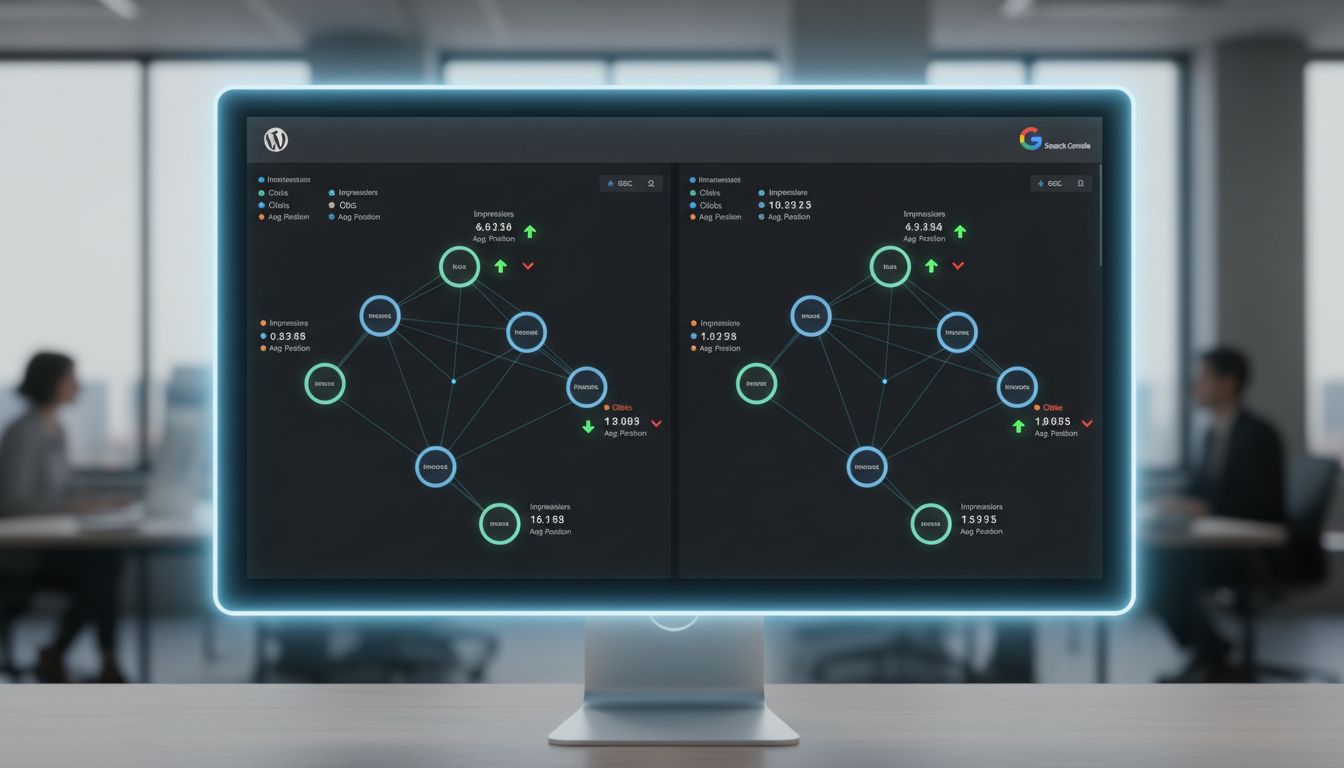
But the standout feature is Google Search Console integration. Link Whisper pulls impressions, traffic, and average position directly into the plugin interface, layering SEO performance data onto your internal link structure Source: Link Whisper. You're not just seeing where links exist, you're seeing which linked pages are climbing in rankings and which are stagnant despite dozens of inbound links.
The SaaS-specific win: Your CMO asks, "Did the content hub actually move the needle?" You pull the Click Report, filter for links pointing to gated assets, cross-reference with your CRM's UTM data, and show that 18% of trial signups in Q1 came from users who clicked internal links in your "Best Practices" series. That's not vanity metrics. That's proving content ROI with link-level attribution. For growth teams justifying headcount or budget, this reporting infrastructure turns internal linking into a defensible line item.
Measurable Impact: Link Whisper Case Studies & Benchmarks
Over 30,000 websites run Link Whisper. That's a lot of real-world data. Results vary wildly depending on site size, content quality, and how aggressively you implement, but the documented case studies show some consistent patterns.
Here's what actually happened:
| Case Study | Content Type | Action Taken | Reported Outcome | Timeframe |
|---|---|---|---|---|
| Technology Blog | 500+ articles | Implemented Link Whisper's automated suggestions | 42% increase in organic traffic | 4 months |
| Multi-Category Site | Level 2/3 pages | Added internal links to deeper category pages | 24% increase in organic traffic | Not specified |
| Niche Content Site | Growing blog | Used Link Whisper for systematic linking | Grew to 30,000 pageviews | 8 months |
What this means for your SaaS blog: A 42% traffic lift on a 500-post site translates directly to more top-of-funnel awareness. For a B2B SaaS company converting organic traffic at 2-3%, that's potentially 40-60 additional trial signups per quarter. No ad spend required.
The interesting outlier? That 24% lift came specifically from linking deeper pages, category and subcategory content that most teams completely ignore. That's the compounding effect of authority redistribution in action. You're not just getting more traffic. You're getting it to pages closer to conversion intent, where it actually matters.
Your 4-Step Framework to Implement Link Whisper Safely & Effectively
Most teams install Link Whisper, flip on auto-linking, and wonder why their pricing page suddenly links out to random blog posts or their link graph looks like spaghetti.
The plugin is powerful. But without guard rails, automation creates mess at scale.
Here's the implementation framework that prevents those mistakes while building a strategic linking architecture from day one.
Step 1: The Strategic Audit & Goal Alignment
Before you touch Link Whisper's settings, map your content hierarchy on paper.
Identify your money pages: product pages, pricing, high-intent comparison posts, demo landing pages. These should receive links, not give them away indiscriminately. Then map your hub pages: pillar content, category overviews, use-case guides. These are your link distributors.
Run Link Whisper's Orphan Page Report immediately after installation. You'll likely find 15-30% of your blog is orphaned, published but invisible to crawlers. Tag these by intent. Informational orphans can be linked from hubs. Conversion-intent orphans need immediate rescue.
Set one measurable goal: "Increase internal links to our three pillar pages by 40 each" or "Eliminate all orphans in our product education category." Vague goals like "improve SEO" lead to vague linking.
Step 2: Configure the 'Guard Rails' – Settings for Safety
Link Whisper's default settings are too aggressive for SaaS sites. Here's what to lock down first:
Exclude your conversion pages. Go to Settings → Ignored Words/Posts and manually exclude pricing pages, demo request pages, and checkout flows. These pages should never auto-link outward. Every click away is a lost conversion opportunity.
Set "Only link once per post." Under Auto-Linking settings, enable this immediately. Linking the same target three times in one article signals spam to readers and dilutes anchor diversity.
Configure min/max outbound links. For blog posts under 1,000 words, cap outbound internal links at 3-5. For pillar content over 2,500 words, allow 8-12. This prevents link stuffing while maintaining natural flow.
Ignore generic terms. Add your product name, common industry jargon, and navigation terms (like "dashboard," "platform," "software") to the ignored words list. You don't want auto-linking turning every mention of "analytics" into a link.
Step 3: Pilot with Controlled Suggestions, Not Auto-Link
Resist the urge to flip on auto-linking site-wide.
Start with Link Whisper's suggestion mode for 2-3 weeks. Open your five most recent blog posts in the editor. Review Link Whisper's inline suggestions. Accept links that genuinely add value, where the anchor text naturally leads to contextually relevant content. Reject suggestions where the connection feels forced or where you're linking to lower-quality content.
Pay attention to where suggestions appear. Links buried in the conclusion perform poorly. Links in the first 300 words or within H2 sections drive clicks. Manually move accepted links to higher-visibility positions.
This pilot phase teaches Link Whisper's AI your preferences. The plugin learns from your accept/reject patterns, improving future suggestions. More importantly, it teaches you what good internal linking architecture looks like for your site.
Step 4: Review, Measure, and Scale with Auto-Linking
After your pilot, audit the results in Google Search Console. Filter by pages you edited and compare clicks, impressions, and average position over the prior 30 days.
If you see flat or positive performance, enable auto-linking, but only for one keyword set at a time. Start with your primary pillar topic. Create 3-5 auto-link rules targeting that hub page using varied anchor text: exact match, partial match, branded.
Monitor for two weeks. Check the Internal Links Report for duplicate anchors or unnatural density. If the data holds, add rules for your next content cluster.
The goal isn't full automation. It's strategic automation that scales your internal linking strategy without sacrificing editorial control. You're building a linking engine that compounds authority over time, not a set-it-and-forget-it script.
Step 2: Configure the 'Guard Rails' – Settings for Safety
You've mapped your linking strategy. Now you need to teach Link Whisper what not to do.
Most teams skip this step and let the plugin run wild. Link from conversion pages to blog posts, turn product names into anchor text spam, create circular link patterns that confuse users. The result? A technically impressive link graph that actively damages your funnel.
Your first action: Open Link Whisper's settings and configure these four guardrails before you generate a single suggestion.
a) Ignore Rules: Protect Your Brand & Product Language
Navigate to the "Ignore Words" setting and add every term that should never become anchor text. Start with your company name, product names, and generic SaaS terms like "platform," "solution," or "software."
Why? If Link Whisper auto-links every mention of your product name to your homepage, you'll dilute the authority of pages that actually need it. Worse, you create a jarring user experience where readers can't read a sentence without hitting a link.
Add 15-20 terms minimum. Include plurals, common misspellings, and variations (e.g., "AI tool," "AI tools," "AI-powered tool").
b) Post-Type Priority: Tell Link Whisper What Matters
Link Whisper lets you set priority levels for different post types and categories.
Set your commercial pages as high priority link targets. Product pages, feature comparisons, pricing, high-intent landing pages. Set informational blog posts as medium or low priority unless they're part of a strategic content hub (e.g., your "SEO Guide" pillar page).
This ensures that when the plugin suggests links, it biases toward pages that drive pipeline, not just pageviews.
c) Auto-Link Controls: Start With Everything Off
Locate the auto-linking settings and disable global auto-linking. Yes, automation is the goal, but you'll enable it strategically in Step 4, not as a default.
Also configure these limits:
- Link once per post: Enable this to prevent the same target URL from appearing multiple times in a single article
- Max outbound links per post: Set a cap of 5-8 links per 1,000 words to avoid over-optimization
- Min/max link density: If available in your version, set thresholds to prevent thin posts from becoming link farms
These controls prevent the most common auto-linking mistake: duplicate links that look spammy to both users and search engines.
d) Exclusions: Protect Your Conversion Funnel
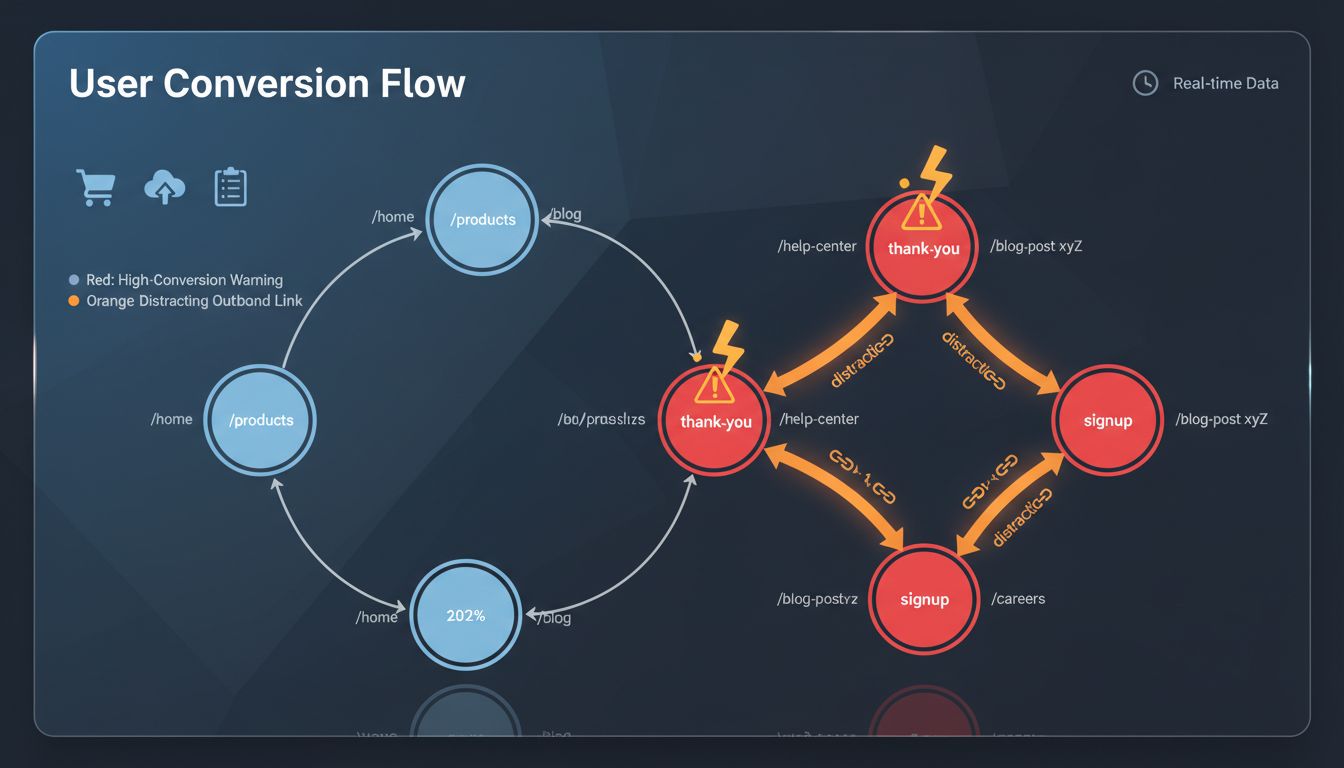
Identify pages where outbound internal links actively hurt conversions. Checkout flows, thank-you pages, trial signup forms, pricing comparison pages, gated content landing pages.
Add these to Link Whisper's exclusion list so they're never suggested as sources of internal links. You still want them to receive links (they're high-value targets), but you don't want them linking away and distracting users mid-conversion.
For a typical SaaS site, exclude 10-15 URLs: /checkout, /thank-you, /demo-confirmation, /login, /signup, and any page with a primary CTA that shouldn't compete with navigation.
The result: Link Whisper now operates within strategic boundaries. It won't spam your brand name, won't link away from conversion pages, and won't create the random link patterns that make your site architecture look like spaghetti.
This configuration takes 20-30 minutes. Skip it, and you'll spend weeks undoing automated damage.
Step 3: Pilot with Controlled Suggestions, Not Auto-Link
You've set your guard rails. Now resist the urge to flip on auto-linking.
The smartest teams treat Link Whisper's first month as a controlled pilot. Use the suggestion engine to build patterns, not the auto-linker to spray links everywhere. This is where you train both the tool and your team on what good looks like.
Start with a small, high-value batch. Select 10–15 of your most recent blog posts. Ideally content published in the last 90 days that's already indexed and getting some traffic. Open each post in the WordPress editor and let Link Whisper's AI scan generate suggestions in the sidebar.
Review every single suggestion manually. This isn't busy work, it's pattern recognition. For each suggested link, ask: Does this anchor text make contextual sense? Does it point to one of my strategic hub pages or a genuinely relevant supporting post? Would a human editor make this connection? If the answer is no, reject it. If the anchor feels robotic ("click here," "this article"), edit it before accepting.
Look for what the AI misses. Link Whisper's suggestions are probabilistic, not perfect. You'll spot opportunities it doesn't. Places where a product comparison post should link to your pricing page, or where a "how-to" post should funnel readers toward a related case study. Add those links manually and note the pattern. These gaps tell you what custom auto-link rules you'll need later.
Track your approval rate. If you're accepting fewer than 60% of Link Whisper's suggestions, your guard rails need tightening. Either your exclude lists are too short, or your content lacks the semantic clustering the AI needs to work well. If you're accepting 95%+ without edits, you're probably not being critical enough.
After your pilot batch, you'll have a "golden set" of 80–120 new internal links that you've personally vetted. This becomes your quality benchmark. When you eventually scale to auto-linking in Step 4, you'll compare new automated links against this standard. You'll know immediately if the automation is drifting off course.
Step 4: Review, Measure, and Scale with Auto-Linking
Your pilot is live. Now comes the part most teams skip: actually measuring whether it worked.
After 30 days, open Link Whisper's Click Report and cross-reference it with Google Search Console data for the pages you linked to during your pilot.
You're looking for three signals: movement in average position for target keywords, an uptick in impressions (meaning Google is showing those pages more often), and changes in click-through rate. If a piloted product comparison page jumped from position 12 to position 7 and impressions doubled, your internal links are working.
Don't just look at the linked-to pages. Check the pages you linked from, too. Did session duration increase? Did users navigate deeper into your site? If your feature explainer now funnels 15% more visitors to your pricing page, that's a conversion signal, not just an SEO win.
Here's what good results look like after 30 days:
- 2–5 position improvements for previously underlinked pages (especially those that were orphaned or had <3 inbound links)
- 10–30% increase in impressions for linked-to pages
- Measurable click flow from piloted posts to conversion-adjacent pages (demo requests, trial signups, pricing views)
If you see these signals, you're ready to scale. If you don't, revisit your anchor text choices and linking context before expanding.
Scaling with precision auto-linking rules
Automation should amplify what already works, not replace judgment at scale.
Create 5–10 tightly scoped auto-linking rules for your highest-leverage keyword-to-page pairs. Think "free trial" → your trial signup page, "API documentation" → your developer hub, or your product name → your main product page.
Use Link Whisper's "only link once per post" setting to prevent keyword stuffing, and set a maximum of 2–3 outbound links per post for auto-linking rules. This keeps your automated links surgical, not spammy. You can bulk-import these rules via CSV if you're managing multiple sites or have a long list of priority terms.
The quarterly review ritual
Set a recurring calendar event every 90 days: "Internal Link Audit." Open Link Whisper's Internal Link Report and sort by inbound link count, ascending. Any page with zero inbound links is an orphan. If it's been published for more than 30 days, it's invisible to Google's crawlers in practical terms.
Your quarterly checklist:
- Identify new orphans – New posts published since your last review that haven't been linked yet
- Spot link imbalances – High-value pages (product pages, pillar content) with fewer than 5 inbound links
- Audit auto-link performance – Review a random sample of 20 auto-inserted links to ensure context quality hasn't degraded
- Refresh anchor diversity – Check the Anchor Text report; if 70%+ of links to a page use identical anchor text, manually vary a few
This 30-minute review prevents the slow drift toward over-optimization that kills most automated systems. You're not babysitting the plugin, you're steering it.
When to expand (and when to pause)
If your quarterly reviews show consistent position gains, growing organic traffic to previously underlinked pages, and no manual actions or ranking drops, expand your auto-linking rules by another 5–10 terms.
If you see stagnation or, worse, a drop in rankings for pages with heavy auto-linking, pause new rules and manually audit the last batch of automated links.
The goal isn't to automate everything. It's to automate the repetitive, high-confidence linking decisions so you can spend your time on strategic content and conversion optimization. Link Whisper becomes your linking infrastructure, not your linking strategy.
Link Whisper Pricing, Plans, and Alternatives for 2026
Pricing information for Link Whisper varies across sources, so here's what you need to know as of 2026: the plugin typically runs on an annual subscription model, with single-site licenses starting around $77–$97/year, multi-site tiers at $117–$147/year, and unlimited-site plans at approximately $197–$297/year. AI credit packs (which power the LLM suggestion engine) are optional add-ons, running roughly $5–$10 per 1,000 credits.
For a SaaS team managing a 200-post blog, that's less than the cost of 2–3 hours of a mid-level marketer's time per month. Link Whisper will save you 10–15 hours monthly on linking alone.
Compare that to cloud-based SaaS internal linking platforms like Linkbot, which charge $49+/month for similar functionality. Link Whisper's one-time annual fee delivers better ROI for WordPress-native teams.
How Link Whisper Stacks Up Against Alternatives
| Tool | Type | Best For | Key Consideration for SaaS |
|---|---|---|---|
| Link Whisper | WordPress Plugin | Established SaaS blogs on WordPress (50+ posts) | AI context awareness, deep WordPress integration, orphan detection, GSC integration |
| Rank Math Pro | WordPress Plugin | Teams already using Rank Math Pro | Simpler keyword-based suggestions; lacks dedicated linking analytics |
| SEO Autolinker | WordPress Plugin | Sites needing ultra-fast text matching | No contextual AI; minimal reporting; risk of irrelevant links |
| Linkbot | Cloud SaaS | Non-WordPress or multi-platform teams | Higher monthly cost; less direct control over WordPress content |
Link Whisper wins for WordPress-based SaaS companies because it combines strategic automation (context-aware AI), safety controls (configurable rules), and measurable reporting (GSC integration, orphan detection) in a single annual license.
You're not paying for features you don't need. You're investing in a linking infrastructure that scales with your content engine.
Conclusion
Link Whisper transforms internal linking from a manual bottleneck into a growth engine. But only if you treat it like a framework, not just another plugin.
For SaaS companies managing WordPress content at scale, the real value isn't the automation. It's how context-aware AI suggestions, configurable safety rules, and measurable reporting (orphan detection, GSC integration, click analytics) let you systematically consolidate authority across your entire user journey. From top-of-funnel awareness posts all the way down to high-intent conversion pages.
The teams seeing 24–42% traffic lifts? They didn't just flip on auto-linking and walk away. They audited their content hierarchy first. Configured guard rails. Piloted with controlled suggestions. Then scaled only after validating results against actual SaaS KPIs like trial sign-ups and content hub rankings.
Look, the future of competitive SaaS SEO isn't about grinding through more manual work. It's about leveraging AI-powered tools to execute human-defined strategy at scale. Link Whisper gives you the infrastructure. Your job is to give it the strategy.
Ready to scale? Download our SaaS SEO Internal Linking Audit Checklist and schedule a demo to see this framework in action on your WordPress site.
Frequently Asked Questions
Is Link Whisper Worth It for a B2B SaaS Company?
If you're running WordPress, the ROI is pretty clear. You get back hours you'd otherwise spend manually hunting for linking opportunities, and you're systematically pushing authority toward the pages that actually make you money.
Some companies have reported 24-42% organic traffic increases within months [Source: seoclarity.net, koanthic.com]. But honestly, raw traffic isn't the point. The real win is better-qualified visitors who actually move through your funnel instead of bouncing. Think of this as growth infrastructure, not just another WordPress plugin.
How Many Internal Links Should I Have for SEO?
Forget counting links like you're checking boxes.
Aim for 3-5 highly contextual internal links per 1,000 words, but only when they genuinely help readers navigate to something useful. Priority goes to your commercial pages (product features, pricing), related problem-solution content, and foundational guides that establish topical authority. Link Whisper's configurable min/max outbound link controls help you maintain this balance automatically [Source: flyhighmedia.co.uk].
Here's the thing: quality and contextual relevance matter infinitely more than hitting some arbitrary number. A single well-placed link to your pricing page beats ten generic "learn more" links scattered randomly.
What Type of Internal Link is Best for SEO?
Contextual links with descriptive, keyword-rich anchor text consistently outperform lazy "click here" phrases.
For SaaS content specifically, your anchor text should include primary or secondary keywords, signal user intent (like "solve [problem]" linking to a feature page), and read naturally within the sentence. Link Whisper's AI engine generates these contextually relevant suggestions using NLP and LLM technology [Source: techoclock.com]. You can refine them before insertion to match your brand voice.
Is WordPress Still a Relevant Platform for SaaS SEO in 2026?
WordPress powers over 43% of all websites in 2026. For content-rich B2B SaaS companies, it's still the dominant choice.
The ecosystem of SEO, marketing, and automation plugins (including Link Whisper) gives you unmatched flexibility for implementing sophisticated growth strategies without custom development. For SaaS teams managing their own content and SEO, it remains the most logical and scalable platform choice. The alternatives either cost 10x more or require dedicated dev resources you probably don't have.
Is Link Whisper Owned by OpenAI?
No. Link Whisper is a WordPress internal linking plugin developed by Link Whisper (formerly MyThemeShop) and has zero affiliation with OpenAI.
The confusion stems from OpenAI's separate "Whisper" speech recognition model sharing a similar name. Link Whisper is a standalone SEO tool that happens to integrate LLM technology for contextual link suggestions [Source: techoclock.com]. Completely different products, completely different companies.
What's the Biggest Mistake to Avoid When Setting Up Internal Links?
Enabling aggressive auto-linking without configuration guardrails will absolutely sabotage your conversion funnel.
You'll end up creating links from high-intent pages (pricing, sign-up) to blog posts that distract users. You'll generate duplicate links within single posts. You'll produce irrelevant anchor text that confuses both readers and search engines [Source: linkwhisper.com]. Not great.
Start with Link Whisper's suggestion mode rather than auto-linking. Configure exclusion rules for commercial pages. Set "only link once per post" constraints [Source: flyhighmedia.co.uk] before scaling automation. Test on a handful of posts first, validate the results actually improve engagement metrics, then expand gradually. The temptation to flip everything on at once is strong, but resist it.