March 5th, 2026
Choosing the Best Keyword Research Tool for YouTube: A SaaS Marketer's Guide
 WD
WDWarren Day
Your latest SaaS explainer video is live. It's well-produced, packed with value... and getting buried.
YouTube is a search engine, sure, but your traditional SEO toolkit feels off here. The data isn't quite right, the competition metrics don't translate, and you're left guessing what your B2B audience is actually searching for on the platform.
Here's the problem: most guides to finding the best keyword research tool for YouTube treat every creator the same. They rank tools by feature count or throw you a generic top-10 list. But you're not optimizing makeup tutorials or gaming streams. You're trying to drive qualified pipeline with product demos, thought leadership interviews, and tutorial content. You need YouTube-specific data that actually maps to business outcomes.
The best YouTube keyword research tool isn't the one with the most bells and whistles. It's the one that aligns with your SaaS company's specific workflow, integrates with your existing marketing stack, and delivers actionable keyword intelligence you can act on this week, not next quarter.
This guide gives you what the listicles won't. A strategic evaluation framework built for SaaS marketing teams. You'll get a feature checklist that prioritizes what actually matters for B2B video content, a decision flowchart to match tools to your team's size and goals, and a step-by-step proof-of-concept plan to validate ROI before you commit budget. No fluff. No vendor favoritism. Just a consultant-level breakdown to help you make the right tool decision fast.
How YouTube Keyword Research Differs from Traditional SEO (And Why Your Current Tools Fall Short)
Your Ahrefs subscription isn't lying to you. It's just optimized for the wrong game.
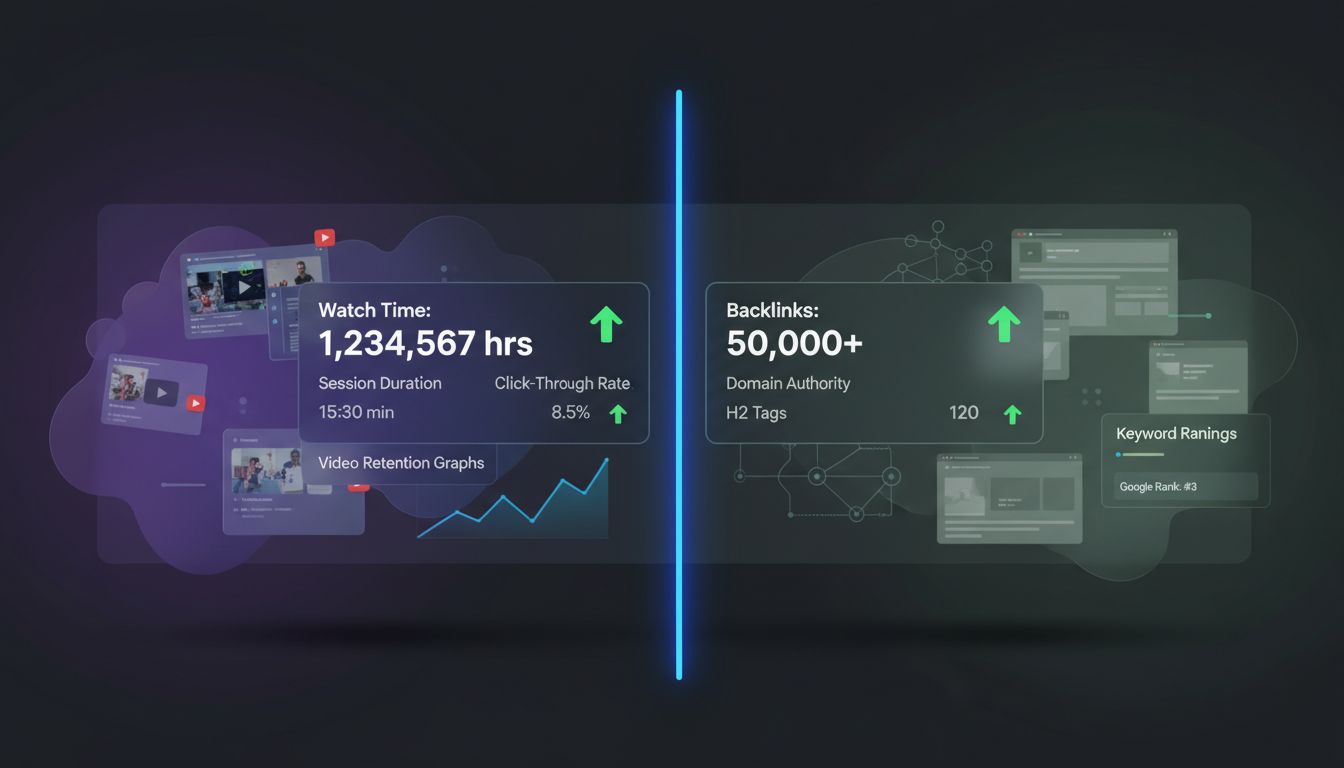
YouTube's algorithm doesn't care about domain authority, backlinks, or how many H2 tags you've nested. It cares about one thing: keeping viewers on the platform. That means your keyword strategy shifts from "rank this page" to "capture attention and hold it." Watch time, session duration, and click-through rate from search trump every traditional SEO signal you've spent years mastering.
This creates a metrics problem. Web SEO tools measure keyword difficulty based on domain strength and link profiles. YouTube measures it based on how many videos already satisfy that search intent and how well they retain viewers. A keyword with 5,000 monthly searches might be easier to rank for on YouTube than one with 500, purely because existing videos have poor watch time. Your current tool can't tell you that.
The four keyword types you need for YouTube work differently than web content:
Seed keywords are your broad category anchors. "Project management software" or "CRM demo." These rarely convert directly but build channel authority.
Long-tail keywords are where SaaS wins: "Asana vs ClickUp for agile teams 2026" or "HubSpot workflow automation tutorial." These target viewers actively comparing solutions.
Question-based keywords map to tutorial and explainer content. "How to automate client onboarding" or "what is API rate limiting." These build trust before the sale.
LSI (Latent Semantic Indexing) keywords are YouTube's contextual cousins. Terms like "task dependencies," "Gantt chart," or "sprint planning" that signal topical relevance without being your primary target.
Here's the thing: tools built for web SEO often show only "moderate" accuracy for YouTube search volume, and their competition analysis ignores YouTube-specific ranking factors entirely. They're pulling data from a platform that doesn't expose its engagement signals the way Google does.
You need tools that tap into YouTube's autocomplete API, track search trends on a rolling 30-day basis, and score keywords based on video competition, not domain competition. That's not a nice-to-have. That's table stakes for making your next video findable.
The Essential Feature Checklist for Evaluating YouTube Keyword Tools
Before you compare pricing pages or read another vendor comparison, you need a scorecard. Most YouTube keyword tools will claim to offer search volume and competition metrics, but the implementation details determine whether you're making decisions on real data or expensive guesswork.
Must-Have Core Features
YouTube-Specific Search Volume: Don't settle for a static monthly number pulled from Google's data. You need trended volume that reflects YouTube's search behavior. vidIQ's 30-day rolling estimate, for example, shows you whether a keyword is gaining or losing traction. Critical when you're planning a production calendar weeks in advance.
YouTube-Relevant Competition Score: Here's where web SEO tools fall apart.
A keyword difficulty metric based on domain authority tells you nothing about how hard it is to rank a video. Look for scores calculated from competing videos, not backlink profiles. vidIQ's Keyword Score (0–100) evaluates demand versus the number of existing videos targeting that term. Semrush offers a "Competitive Rate" for YouTube that indicates ranking difficulty in the video ecosystem, not the web.
Keyword Suggestions & Long-Tail Expansion: Your seed keyword is just the starting point. TubeBuddy's Keyword Explorer surfaces long-tail variations that often have better intent and lower competition. Perfect for SaaS tutorial content where specificity wins ("how to automate Slack notifications" beats "Slack tips").
Critical Workflow Enhancers
In-Platform Integration: The best research happens where you already work. Chrome extensions that overlay keyword data directly on YouTube.com eliminate context-switching. vidIQ's inline competitor tags let you see what's working in real search results, not a detached dashboard.
Localization Tools: If your SaaS serves global markets, translation features aren't optional.
TubeBuddy's auto-translator supports over 40 languages for titles, descriptions, and tags. Turns one video script into multilingual reach without rebuilding your production workflow.
Rising/Trending Keyword Detection: Jumping on an emerging topic before saturation hits is a competitive edge. vidIQ's Rising Keywords feature flags terms with growth percentages and monthly volume, so you can produce content while the opportunity window is still open.
Integration & Automation Potential
For teams running HubSpot, Airtable, or Slack-based workflows, integration matters.
Semrush's Zapier connection lets you pipe keyword data into your content calendar or trigger alerts when new opportunities appear. Most YouTube-native tools don't offer robust APIs, so verify export options if you need programmatic access.
Red Flags to Avoid
Walk away from tools that won't disclose their YouTube data sources. Same goes for platforms offering only a generic "difficulty" score recycled from web metrics, or ones requiring you to manually copy-paste data between platforms. If a vendor can't explain how they calculate YouTube competition, they're guessing and charging you for it.
Head-to-Head Comparison: The Best YouTube Keyword Research Tools for SaaS in 2026
Every tool below has been tested against the feature checklist from the previous section. The rankings prioritize YouTube-specific data accuracy, workflow fit for small SaaS marketing teams, and transparent pricing.
Always verify current pricing on official vendor sites. Some providers show wildly different rates depending on where you look.
The Top 3 Contenders
1. vidIQ , Best for YouTube-Centric Keyword Discovery
Core YouTube Value Prop: vidIQ is purpose-built for YouTube. You get keyword suggestions, a proprietary Keyword Score (0–100) that weighs demand against competition, and 30-day rolling search volume estimates. The Rising Keywords feature surfaces trending terms with growth percentages and niche filters, which matters when you're hunting for emerging topics in B2B SaaS before everyone else piles on.
Key Features for SaaS Marketers:
- Inline Competitor Tags: See what tags competitors use directly in YouTube search results. No tab-switching.
- Keyword Translation Tool: Expand into international markets by translating high-performing keywords.
- Trend Data & Score Brackets: vidIQ categorizes keyword scores from Very Low (0–19) to Very High (80–100), making prioritization straightforward.
Pricing & Plans: vidIQ offers a Free plan plus paid tiers (Boost and Max). Pricing varies across sources, one lists paid plans starting at $7.50/month with a top tier at $79/month; another cites Boost at $16.58/month and Coaching at $99/month. Check the official pricing page to confirm current rates.
Pros: YouTube-native metrics, rising keyword tracking, strong trend analysis, keyword translation for global reach.
Cons: Higher cost relative to some competitors; no A/B testing functionality; some users report bulk-processing limitations.
2. TubeBuddy , Best for In-Studio SEO & Localization
Core YouTube Value Prop: TubeBuddy embeds SEO guidance directly into your YouTube workflow via a browser extension. Its SEO Studio suggests keywords, displays search volume and competition, and scores optimization strength in real time as you upload.
Key Features for SaaS Marketers:
- Auto-Translator: Translate titles, descriptions, and tags into 40+ languages. Perfect for SaaS companies targeting EMEA or APAC.
- Keyword Explorer: Uncover long-tail terms that larger competitors miss.
- Free Tools: Revenue Calculator, Thumbnail Preview, and Chrome Extension available at no cost.
Pricing & Plans: Free tier available. Pro starts at $4.00/month (monthly billing), Legend at $28.99/month, and custom Enterprise pricing.
TubeBuddy is the most budget-friendly option for small teams.
Pros: Low entry price, in-studio optimization, robust translation features, several free tools.
Cons: Third-party comparisons rate TubeBuddy lower on data accuracy and ease-of-use versus specialist tools; SEO Studio can feel cluttered for first-time users.
3. Semrush , Best for Marketing Stack Integration
Core YouTube Value Prop: Semrush extends its web SEO platform to YouTube, providing search volume and a Competitive Rate metric that signals ranking difficulty. Not YouTube-exclusive, but the strongest choice if you need to connect YouTube data to broader campaigns.
Key Features for SaaS Marketers:
- Zapier Integration: Automate workflows across 8,000+ apps and 450+ AI tools. Pipe YouTube keyword data into Slack, Google Sheets, or your CRM without manual exports.
- Unified Reporting: Track YouTube and web SEO performance in one dashboard.
Pricing & Plans: Semrush pricing starts higher than YouTube-native tools; check official site for current SaaS-friendly tiers.
Pros: Deep integration ecosystem, unified cross-channel reporting, strong for teams already using Semrush for web SEO.
Cons: Less YouTube-specific workflow depth than vidIQ or TubeBuddy; language/translation features not documented in research.
Niche & Specialist Tools
Ahrefs (YouTube via Keywords Explorer): Filter Ahrefs' Keywords Explorer to YouTube for search volume, keyword difficulty, and trend data. Research shows Ahrefs delivers excellent accuracy for Google but only moderate accuracy for YouTube; its competition analysis favors web SEO over YouTube ranking factors.
Note: Ahrefs API v2 was discontinued November 1, 2025. Automation-dependent workflows should plan accordingly. Best for teams already invested in Ahrefs for web SEO who want consolidated reporting.
Keywords Everywhere: A lightweight Chrome extension offering credit-based keyword lookups. Credits expire after 12 months. Pricing ranges from Bronze ($84/year, 100k credits, 1 seat) to Platinum ($1,440/year, 8M credits, 20 seats). Ideal for occasional research or supplementing another tool.
Morningfame: Analytics-first tool with a Growth Momentum metric and channel benchmarking against 20 similar competitors. One documented user achieved 18.9 million views and 440.4k subscribers, with 31.9% of views driven by video SEO.
Pricing: Basic $4.90/month, Plus $12.90/month. Best for creators obsessed with performance tracking.
Comparison Table
| Tool | Core YouTube Features | Best For | Starting Price |
|---|---|---|---|
| vidIQ | Keyword Score, Rising Keywords, inline competitor tags, trend data | YouTube-first teams needing trend discovery | Free + paid (verify official site) |
| TubeBuddy | SEO Studio, Keyword Explorer, 40+ language translation | Small teams optimizing in-studio on a budget | $4/month (Pro) |
| Semrush | Search volume, Competitive Rate, Zapier integration | SaaS marketers integrating YouTube into broader stack | Check official site |
| Ahrefs | Keywords Explorer (YouTube filter), trend data | Teams already using Ahrefs for web SEO | $20/month (Advanced plan) |
| Keywords Everywhere | Credit-based extension lookups | Lightweight, ad-hoc research | $84/year (Bronze) |
| Morningfame | Growth Momentum, channel benchmarking | Performance-obsessed creators | $4.90/month (Basic) |

Your shortlist should now include one primary tool (vidIQ, TubeBuddy, or Semrush) and one lightweight backup (Keywords Everywhere or Morningfame). Next, you'll map those choices to your specific workflow and budget constraints using a decision framework.
Your Decision Framework: How to Choose the Right Tool (A Step-by-Step Flowchart)
Your shortlist should now include one primary tool (vidIQ, TubeBuddy, or Semrush) and one lightweight backup (Keywords Everywhere or Morningfame).
Now comes the actual decision.
Step 1: Diagnose Your Primary Need
Answer this: What's blocking your YouTube success right now?
(A) Discovery , You need to find trending topics and rising keywords before competitors saturate them.
(B) Optimization , You're publishing videos but need in-studio SEO guidance, tag suggestions, and multilingual reach.
(C) Automation , Your marketing stack (CRM, analytics, content calendar) needs YouTube data flowing in without manual exports.
Your answer determines 70% of your tool choice. Don't overthink it.
Step 2: Audit Your Team's Workflow & Budget
Three questions:
- Who owns YouTube? Solo content lead, shared marketing team, or dedicated video producer?
- What's your annual tool budget? Under $100, $100–$500, or $500+?
- Do you need team seats or just one login? TubeBuddy and Semrush charge per seat; vidIQ and Keywords Everywhere operate differently.
If you answered "solo" and "under $100," you're looking at TubeBuddy Pro ($4/month) or Keywords Everywhere credits. If you said "team" and "$500+," vidIQ Max or Semrush with Zapier integration becomes viable.
Step 3: Map Needs to Tool Profiles
If you answered (A): vidIQ's Rising Keywords, growth percentage tracking, and inline competitor tags give you trend-driven discovery. Budget permitting, start with vidIQ Boost.
If you answered (B): TubeBuddy's SEO Studio, Keyword Explorer for long-tail terms, and auto-translator (40+ languages) are purpose-built for in-studio workflow. Pro tier unlocks most features.
If you answered (C): Semrush integrates with Zapier and 8,000+ apps. If your stack already includes Semrush for web SEO, adding YouTube data is a logical extension.
Visual Decision Flowchart
graph TD
A[Start: Choose Your Tool] --> B{What's Your Primary Need?}
B -->|Trend Discovery| C[vidIQ Boost/Max]
B -->|In-Studio SEO & Translation| D[TubeBuddy Pro/Legend]
B -->|Marketing Stack Integration| E[Semrush + Zapier]
C --> F{Budget & Team Size?}
D --> F
E --> F
F -->|Solo, <$100/yr| G[TubeBuddy Pro or Keywords Everywhere]
F -->|Team, $100-500/yr| H[vidIQ Boost or TubeBuddy Legend]
F -->|Enterprise, $500+/yr| I[vidIQ Max or Semrush]
G --> J[Run 30-Day POC]
H --> J
I --> J
Persona-Based Quick Picks
Solo Content Lead: TubeBuddy Pro ($4/month) or Keywords Everywhere (credit-based, lightweight).
Small Marketing Team: vidIQ Boost or TubeBuddy Legend for shared keyword discovery and SEO workflows.
Growth/SEO Team: Semrush (if you need integrations) or vidIQ Max (if YouTube is your primary channel).
Enterprise: TubeBuddy Enterprise (custom pricing) or Semrush, verify support SLAs before signing.
Putting Your Tool to Work: A 5-Step Proof of Concept (POC) to Guarantee ROI
You've chosen a tool. Now prove it was the right choice before committing your entire content calendar or budget.
A proof of concept isn't busywork. It's your insurance policy against subscription regret and your ammunition for securing leadership buy-in. Pick one upcoming video or resurrect an underperforming piece from your library. You'll know within 30–45 days whether your tool delivers measurable lift.
The 5-Step POC Workflow
Step 1: Discovery & Ideation
Fire up your tool's trending or rising keyword feature.
In vidIQ, navigate to Rising Keywords and filter by your niche, say, "SaaS onboarding" or "API integrations." Pull 3–5 keywords showing growth percentage above 20%, monthly search volume over 500, and a competition score under 50. Record these metrics in a simple spreadsheet. If you're using TubeBuddy, run Keyword Explorer for the same seed terms and note the search volume and optimization strength ratings.
Step 2: Prioritization & Planning
Apply your tool's scoring logic. vidIQ's Keyword Score brackets (Very Low 0–19 through Very High 80–100) make this binary: target anything scoring 60+. Select 1–2 keywords that align with your product's value proposition, not just high scores, but terms your ideal customer would actually search.
Map them to a specific video topic. Example: if "customer onboarding automation" scores 72 with rising trend data, your video becomes "3 Ways to Automate SaaS Onboarding (Without Engineering)."
Step 3: Localization & Optimization
Use your tool's in-studio features. TubeBuddy's SEO Studio will suggest title variations, optimal tag combinations, and description structures for your chosen keywords.
If you're targeting EMEA or APAC audiences, run TubeBuddy's auto-translator to generate localized titles and descriptions in German, French, or Japanese. This single feature can unlock search traffic you weren't even competing for.
Step 4: Publication & Automation
Publish.
If you selected Semrush for its Zapier integration, configure one automation: when the video goes live, post the link and target keyword to your team Slack channel or update a Google Sheet tracking all video assets. This step tests whether your tool actually fits your workflow or creates friction.
Step 5: Measurement & Analysis
Wait 30–45 days. Open YouTube Studio Analytics and navigate to "Reach" → "Traffic source: YouTube search." Calculate the percentage of total views coming from search. Compare against your historical average. One creator using Morningfame reported 31.9% of views from video SEO, that's your north-star benchmark for a well-optimized tutorial or explainer.
Inside your tool, check whether your target keyword's search volume held steady or grew, and whether your video now appears in the tool's "related videos" suggestions for that term.
Defining Success
If you see a 20%+ increase in search-driven views, or you cut keyword research time from 90 minutes to 20, the tool has earned its subscription.
If not, your POC just saved you twelve months of sunk cost. Scale what works; kill what doesn't.
Common YouTube SEO Mistakes SaaS Marketers Make (And How Your New Tool Prevents Them)
Having the best keyword research tool for YouTube doesn't guarantee results. Execution still matters, and most SaaS marketers trip over the same five mistakes. The good news? Your tool can block every one if you know what to look for.
Mistake 1: Targeting Broad, Non-Commercial Intent
You optimize for "CRM" when your audience actually searches "CRM software for small sales teams." Generic terms pull in tire-kickers. Long-tail phrases with qualifiers? Those attract buyers.
Your tool fix: vidIQ's Keyword Inspector and TubeBuddy's Keyword Explorer surface long-tail variations with clear commercial or tutorial intent, complete with search volume and competition scores. Filter for terms that include "for," "tutorial," "vs," or "setup." Those qualifiers signal decision-stage intent, not just curiosity.
Mistake 2: Keyword Stuffing vs. Strategic Placement
Jamming twenty tags into your description doesn't help. YouTube's algorithm reads context, not density.
Your tool fix: TubeBuddy's SEO Studio gives you real-time optimization strength feedback as you write titles and descriptions. You'll see exactly when you've hit the sweet spot without overdoing it. vidIQ's inline competitor tags show you how top-ranking videos structure their metadata. Copy the pattern, not the spam.
Mistake 3: Ignoring Your Video's 'Search Shelf Life'
Your explainer video from 2023 still ranks, but you never updated its keywords. Evergreen content deserves evergreen optimization, yet most marketers publish and forget.
Your tool fix: vidIQ Rising Keywords flags new search terms entering your niche every 30 days. Schedule a quarterly audit, add trending phrases to older video descriptions, and watch search traffic climb without publishing anything new. This is low-hanging fruit that most competitors ignore.
Mistake 4: Neglecting Localization for Global SaaS Audiences
Your product ships globally, but your metadata is English-only. You're leaving 60% of YouTube's audience on the table.
Your tool fix: TubeBuddy's auto-translator converts titles, descriptions, and tags into 40+ languages in minutes. Localized metadata taps regional search volume your competitors don't even know exists. One translator run, multiple new traffic sources.
Mistake 5: Operating in a Data Silo
Keyword research lives in a spreadsheet. Performance data lives in YouTube Studio. Your content calendar lives in Notion. Nothing connects, so insights get lost in the shuffle.
Your tool fix: Semrush integrates with Zapier to pipe keyword opportunities directly into your project management tools. Automate the handoff from research to execution. No more manual copy-paste or brilliant ideas that never make it to production.
The Future of YouTube Keyword Research: AI, Automation, and Strategic Integration
Can you use ChatGPT for keyword research? Yes, but only as a brainstorming partner, not a data source.
LLMs are great at generating topic angles, title variations, and conceptual keyword clusters. Ask ChatGPT to reframe "project management software tutorial" ten different ways, and you'll get useful creative fuel. But ask it for YouTube search volume or competition scores, and you'll get hallucinated numbers with zero basis in reality.
The best keyword research tool for YouTube in 2026 isn't one that replaces AI. It's one that integrates with it. Your workflow should look like this: use ChatGPT to ideate, then validate every suggestion against real YouTube search data from vidIQ, TubeBuddy, or Semrush.
Integration is the new competitive advantage. The tools winning in 2026 aren't just feature-rich, they're connectivity-rich. Semrush's Zapier integration lets you automate keyword opportunities directly into Airtable, trigger video briefs in Notion, or populate your content calendar in ClickUp. Research doesn't end in a spreadsheet. It flows into execution without manual handoff.
Before you commit long-term, check the vendor's API roadmap. Ahrefs discontinued its API v2 in November 2025, which was a wake-up call for teams building automation on top of third-party tools. If your stack relies on programmatic access, confirm the tool offers a stable, documented API with a clear deprecation policy.

The next frontier? Predictive analytics.
Expect tools to evolve beyond "here's what people searched last month" to "here's what your audience will search next quarter, based on your channel's growth trajectory and competitor gaps." Early signals are already visible in vidIQ's Rising Keywords feature, which tracks growth percentage instead of just static volume.
Choose a tool that's investing in connectivity and intelligence, not just more dashboards.
Conclusion
The best keyword research tool for YouTube isn't the one with the longest feature list. It's the one that fits your SaaS team's budget, integrates with your workflow, and delivers accurate YouTube-specific data when you need it.
You now have the Essential Feature Checklist to cut through vendor marketing, a Decision Framework to match tools to your actual use case, and a 5-step POC to prove ROI before you commit budget. Whether you choose vidIQ for trend-driven discovery, TubeBuddy for in-studio optimization, or Semrush for stack integration, you're making an informed decision, not a gamble.
Start with a free plan from vidIQ or TubeBuddy today. Apply our POC workflow to your next product tutorial or thought leadership video. Track search-attributed views, keyword score improvements, and time saved. If you see a 15%+ lift in search traffic within 30 days, upgrade. If not, pivot.
Your next high-performing video is one keyword away.
Frequently Asked Questions
How many YouTube views do I need to make $10,000 a month?
There isn't a magic number. YouTube CPM swings wildly depending on who you're talking to and what you're talking about.
A B2B SaaS channel targeting enterprise buyers might pull $15-30 CPM, while general consumer content sits closer to $2-5 CPM [Source: youtube.com]. You could hit $10k with 300,000 views in one niche or need 2 million in another. Honestly, if you're building a SaaS company, obsessing over ad revenue is the wrong play. Focus on building an audience that actually converts into pipeline. Use TubeBuddy's free Revenue Calculator for rough estimates if you're curious, but track sign-ups and qualified leads instead [Source: tubebuddy.com].
What is the 7 second rule on YouTube?
You've got seven seconds to hook someone before they bounce. That's it.
YouTube's algorithm watches early retention like a hawk. Drop off in those first moments and your video dies in the algorithm. This is where your keyword research pays off immediately. If vidIQ's Rising Keywords shows "SaaS onboarding automation tutorial" trending, open with "Here's how to automate onboarding in under 5 minutes" to match that search intent instantly [Source: vidiq.com]. No fluff, no 30-second intro montage. Answer the question they clicked for.
What are the best YouTube SEO tools?
A solid YouTube SEO stack breaks into three layers: keyword research, analytics, and optimization.
For keyword research, you want vidIQ for trend discovery and competition analysis, TubeBuddy for in-studio workflows, or Semrush if you need marketing-stack integrations through Zapier [Source: semrush.com, vidiq.com, tubebuddy.com]. The tools we've covered form your foundation here. Beyond that, add Morningfame for benchmarking against similar channels, Canva for thumbnail design, and YouTube Studio's native analytics for diagnosing watch-time issues. Don't overthink it. Start with one keyword tool and expand only when you hit clear limitations.
What is the 8 minute rule on YouTube?
The idea is simple: videos over 8 minutes rank better because they rack up more total watch time, which YouTube's algorithm loves.
But treating this as a hard rule misses the point. Your keyword research should tell you how long your video needs to be. If TubeBuddy's Keyword Explorer surfaces 15+ related long-tail keywords around a topic, you've got enough depth for a comprehensive 10-15 minute video [Source: tubebuddy.com]. If it's a narrow, tactical question with just 3-4 variations, a tight 3-minute answer performs better. Match length to complexity, not arbitrary time targets.
What are common YouTube SEO mistakes?
Four mistakes kill most SaaS YouTube strategies before they start.
1) Ignoring search intent. Targeting "CRM software" instead of "how to migrate from HubSpot to [Your SaaS]" misses the specific problem people actually want solved. 2) Poor keyword placement. Your primary keyword needs to appear in the title, first 100 characters of description, and as the first tag. Skipping any of these tanks your discoverability. 3) Neglecting long-tail keywords. Everyone chases high-volume terms while overlooking gems like "SaaS churn analysis dashboard setup" that vidIQ's Keyword Score flags as high-opportunity with low competition [Source: vidiq.com]. 4) Abandoning older content. Your videos from six months ago still need refreshed keywords based on what's trending now in your tool's rising-keywords feed. Set a quarterly audit or watch that back catalog gather dust.