February 24th, 2026
The Best SEO Tools for Beginners: A 2026 Guide for SaaS Founders
 WD
WDWarren Day
You've built a solid SaaS product and now need a predictable growth channel. SEO could work, but the sheer number of tools out there is paralyzing. Every list promises the world, but you need a clear path from keyword to trial conversion, not another dashboard to figure out.
Here's the real problem: most "best SEO tools for beginners" guides are written for agencies or bloggers, not founders trying to turn organic traffic into paying customers. They recommend $500/month stacks you can't afford and workflows that assume you have a team.
Meanwhile, AI Overviews now appear in 30% of queries, fundamentally changing how people find and evaluate software. The old playbook doesn't work anymore.
For the SaaS founder in 2026, the best SEO tools for beginners aren't just the cheapest or most popular. They're the ones that integrate directly into your product-led growth funnel, are simple enough to implement solo, and are resilient against the shifting landscape of AI-powered search.
This guide cuts through the noise. You'll get a staged 90-day workflow that prioritizes action over analysis, a curated stack of top SEO tools organized by budget (starting at $0), and a realistic framework for measuring what actually matters: trials and revenue, not just rankings.
We'll show you which seo tools for digital marketing connect to your growth metrics and which ones are just vanity dashboards.
You don't need to become an SEO expert. You need three to four tools that do specific jobs well, a clear implementation sequence, and the discipline to ignore everything else. That's exactly what you're about to get.
Why SaaS Founders Need a Different Set of SEO Tools
Your goal isn't traffic. It's trials.
That single distinction changes everything about which SEO tools you should use and how you should use them. An e-commerce site optimizing for "buy running shoes" wants clicks that convert to immediate purchases. You're optimizing for "project management software for remote teams", a visitor who needs to understand your product, trust your brand, and commit to a 14-day trial before you see a dollar.
The benchmark to watch is visitor-to-trial conversion. For most SaaS companies, roughly 8.5% of visitors who land on your site will sign up for a trial. That means every 100 organic visitors should yield about 8-9 trials. If your trial-to-paid rate is the industry standard of 25%, those 100 visitors eventually become 2 paying customers. This math matters because it determines which SEO investments are worth making.
You're also working under constraints that most SEO guides ignore. You don't have a marketing team. You don't have $500/month to spend on a tool you'll use twice. You need software that does one job exceptionally well, integrates with the stack you already use, and doesn't require a certification course to operate.
The 2026 search landscape adds another wrinkle. AI Overviews now appear in roughly 30% of search queries, and when they do, traditional organic click-through rates drop sharply. The flip side? AI search traffic (users coming from ChatGPT, Perplexity, or Google's AI features) converts 23 times higher than traditional search traffic.
This creates a paradox: you might get fewer clicks, but the clicks you do get are dramatically more valuable.
The best SEO tools for small businesses and solo founders aren't the ones with the most features. They're the ones that help you identify high-intent queries, optimize for AI visibility, and track the metrics that actually predict trial growth. Because of this reality, you need a workflow first, then tools to support it.
Your First 90-Day SaaS SEO Workflow: Action Before Tools
Most beginners start by buying tools. Wrong move.
Start by defining the workflow those tools will serve. Here's why: SEO in B2B SaaS typically breaks even around month seven, with measurable traction often appearing within 3-6 months. That timeline assumes you're doing the right work, not just accumulating software subscriptions.
Your first 90 days should follow three sequential phases. Each one has a clear outcome tied to your trial funnel.
Phase 1: Foundation & Health Audit (Weeks 1-2)
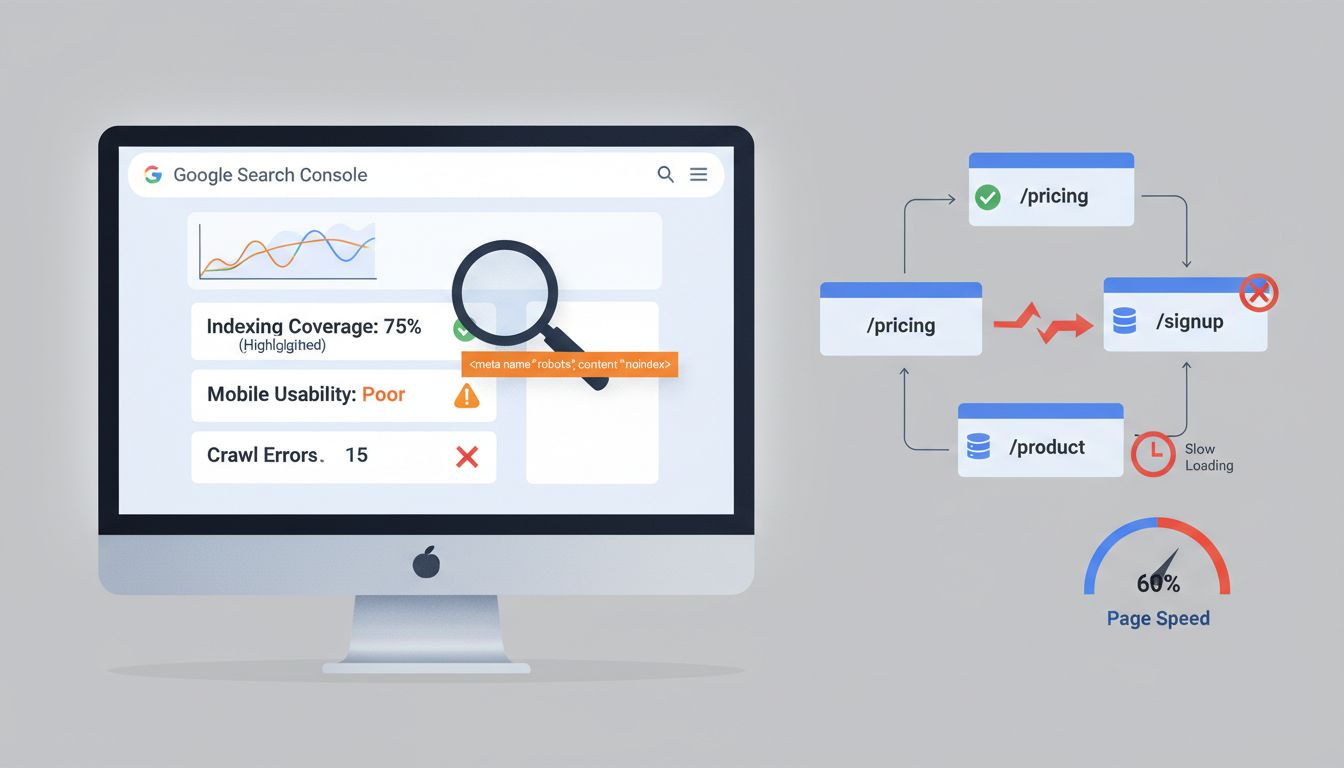
Goal here: make sure Google can crawl and index your most important pages. Especially /pricing, /signup, and your core product pages.
Set up Google Search Console (free). Run a basic crawl using Screaming Frog's free tier (500 URLs). Fix the obvious stuff: missing meta descriptions on key pages, broken internal links, slow-loading signup flows. Not glamorous, but a broken indexing directive on your pricing page will kill conversions no matter how clever your content strategy is.
Phase 2: Target & Intent Research (Weeks 3-4)
Goal: identify 5-10 high-intent keyword clusters that map to actual customer pain points.
Use Google Keyword Planner to size the market. Then switch to a freemium tool like Ubersuggest to uncover the specific questions and comparison searches your ideal users type. You're not looking for volume. You're looking for intent. A keyword with 50 monthly searches like "migrate from [competitor] to [your category]" is worth more than 5,000 searches for a vague industry term.
Phase 3: Create, Optimize, Measure (Weeks 5-12)
Goal: publish your first strategic content and track organic visit to trial conversions.
Create 1-2 cornerstone pieces targeting a core cluster. Optimize for both traditional search and AI Overviews by leading with direct, answer-focused content. Set up GA4 or Mixpanel to track which organic landing pages drive trial signups. This closes the loop between SEO effort and revenue impact.
Applying the 80/20 Rule to Your First 90 Days
The Pareto Principle applies ruthlessly in early-stage SEO. Roughly 80% of your initial results will come from 20% of the work: fixing technical blockers that prevent indexing and creating a handful of deeply relevant content pieces.
You don't need a full suite of tools in month one. You need the minimum viable stack that enables that critical 20%. A $200/month all-in-one platform won't accelerate your timeline if you haven't fixed a noindex tag on your homepage or identified which keywords actually correlate with trial signups.
Focus your tool budget on removing friction from this high-leverage work, not on features you'll explore "someday."
Forget Acronyms, Focus on This Funnel
SEO jargon loves frameworks. The "3 C's," the "4 Pillars," the "5 Phases." Most are repackaged common sense.
Here's a simpler mental model organized around the questions that actually matter for a SaaS founder:
- Can search engines find and understand my site? (Technical foundation: crawlability, indexing, site speed)
- Am I creating what my customers search for? (Content and intent alignment)
- Do other sites trust mine? (Authority and backlinks)
- Am I structured for AI agents? (Plain-text answers, schema markup, accessibility for LLM parsing)
This isn't a checklist you complete once. It's a continuous cycle. But in your first 90 days, questions 1 and 2 matter most. You can't build authority or AI visibility on a site that isn't indexed or content that doesn't match real search behavior.
Every tool you evaluate should map clearly to one of these four questions. If it doesn't, you don't need it yet.
The Zero-Cost Foundation: Your Essential Free SEO Tools
You don't need a budget to start. You need the right baseline.
Before spending a dollar on SEO software, three Google tools give you everything required to diagnose problems, measure progress, and find your first opportunities. They're free, they integrate seamlessly, and they answer the questions that actually matter for a SaaS founder.
Google Search Console: Your Diagnostic Hub
GSC is where SEO health lives.
It tells you what Google sees when it crawls your site, which pages are indexed, and where errors are blocking your visibility. Most founders install it and never look back. That's a mistake.
Your weekly GSC checklist:
- Coverage errors – Are your key product or feature pages actually indexed?
- Top performing pages – Which pages already drive organic clicks? Double down there.
- Mobile usability issues – Google indexes mobile-first; broken mobile pages kill rankings.
- Core Web Vitals – Speed and stability directly impact both rankings and trial conversion.
- Manual actions – Confirm you're not penalized (rare, but catastrophic if missed).
Treat GSC as your early-warning system. Check it before you optimize anything.
Google Keyword Planner: For Market-Sizing Questions
Yes, it requires an ad account. Yes, the volumes are broad ranges. But Keyword Planner does one thing better than any paid tool: it shows you Google's own commercial intent data.
Use it to validate whether a topic has enough demand to justify content. If you're debating "project management for remote teams" versus "async project tracking," Planner will show which one has actual search volume and advertiser competition (a proxy for buyer intent).
Google Analytics 4: The Funnel Connector
Traffic means nothing without conversions.
GA4 lets you build an "Organic Trial Conversion" exploration that tracks the exact path from organic landing page to signup completion. Set this up in your first week. Filter by "Session default channel group = Organic Search," then map the journey to your trial signup event. Now you're measuring what matters: visitor-to-trial conversion, not just sessions.
What is the best free SEO tool for beginners?
For a SaaS founder, the best free stack is: 1) Google Search Console for health monitoring, 2) Google Analytics 4 for funnel tracking, and 3) Google Keyword Planner for initial research. This trio provides diagnosis, measurement, and direction at zero cost.
This is your foundation. Master these three before adding anything else.
The Freemium Power User Stack (Under $50/Month)
You'll know when free tools stop cutting it. Google Search Console shows your indexing status, but not why competitors outrank you. Keyword Planner gives you vague ranges when you need real numbers. The questions that drive growth go unanswered.
That's when you add freemium tools. Not because they're exciting, but because they unlock workflows you literally can't complete otherwise.
Ubersuggest: When Keyword Planner stops being useful
Google Keyword Planner gives you ranges. Ubersuggest gives you numbers.
The freemium tier allows three searches per day. Enough to research one competitor or topic cluster each morning before your first coffee. Enter a competitor's domain, export the CSV, and you've got their entire keyword list. The question-based long-tail variations Keyword Planner misses? They're all there.
The Content Ideas tab shows which blog posts in your space are actually getting shared. That's proof of demand before you write a single word.
Upgrade when you're researching daily and hitting that three-search limit. Paid plans start around $17/month.
Screaming Frog (Free Tier): Your technical SEO safety net
The 500-URL crawl limit covers most SaaS sites under 100 blog posts. Run a weekly crawl and you'll catch ranking-killing errors before Google does.
Your starter workflow: crawl your site, filter for duplicate meta titles (Export > Page Titles > sort by duplicates), export the "All Inlinks" tab to spot pages with weak internal linking, then flag orphaned pages that exist but aren't linked anywhere. This single routine prevents 80% of the technical mistakes beginners make.
Mixpanel (Free Tier): Connect SEO traffic to product behavior
Google Analytics tells you someone signed up. Mixpanel tells you if they actually used your product.
The free tier supports 1M monthly events. More than enough to track trial signups, feature usage, and the specific actions that predict conversion. Set up one simple funnel: organic visit → trial signup → first project created. Now you can see which blog topics drive users who stick around, not just tire-kickers who bounce after a day.
Upgrade when you exceed 1M events or need advanced cohort analysis.
| Tool | Core Free Use Case | Upgrade When | Estimated Paid Cost |
|---|---|---|---|
| Ubersuggest | Competitor keyword lists & content ideas | Researching daily (>3 searches/day) | ~$17/month |
| Screaming Frog | Weekly technical audits (sites <500 pages) | You have 50+ blog posts to audit monthly | £199/year (~$250) |
| Mixpanel | Track trial signup → activation funnel | Exceeding 1M monthly events | Custom pricing |
This stack costs you nothing until you hit real growth milestones. That's the point.
2026 Essential: Tools That Adapt to AI Search

The landscape split in 2024, and most founders still haven't adjusted their toolkit.
On one side: AI Overviews now appear in roughly 30% of search queries, slashing traditional organic click-through rates. On the other: AI-originated traffic converts 23 times higher than conventional search traffic. You're not choosing between these realities. You're optimizing for both simultaneously.
Your tools need three new capabilities.
First: Plain-text and accessibility analysis. AI agents don't execute JavaScript the way browsers do. They parse raw HTML, semantic structure, and clean text hierarchies. This means your free Screaming Frog crawl (limited to 500 URLs) just became more valuable. Run it in "text-only" mode to see what AI sees. Check that your H1–H3 hierarchy makes sense without CSS, that your product benefit statements exist in actual paragraph tags, not dynamically injected divs.
Second: Answer-component mapping. Tools like Surfer SEO (starting around $69/month, above our freemium threshold but worth noting) analyze how top results structure their answers, not just which keywords they use. You're reverse-engineering what gets quoted in AI Overviews. Look for tools that break down featured snippet anatomy, list formats, and definition patterns. Even manually inspecting the "People Also Ask" boxes in your target SERPs gives you the template.
Third: Conversion tracking by source.
Use GA4's Exploration reports to create segments comparing direct-search vs. potential AI-referred traffic. Look for unusual referral patterns or direct traffic spikes correlating with ranking gains. The best SEO tools for beginners in 2026 aren't necessarily "AI SEO tools." They're the ones that help you measure what actually converts, regardless of how users arrived.
Dedicated AI-visibility platforms like Search Atlas are emerging, but they're overkill until you're converting 50+ trials monthly from organic. Stick to the fundamentals that serve both humans and machines.
The Role of AI: What ChatGPT (and Copilot) Can and Cannot Do
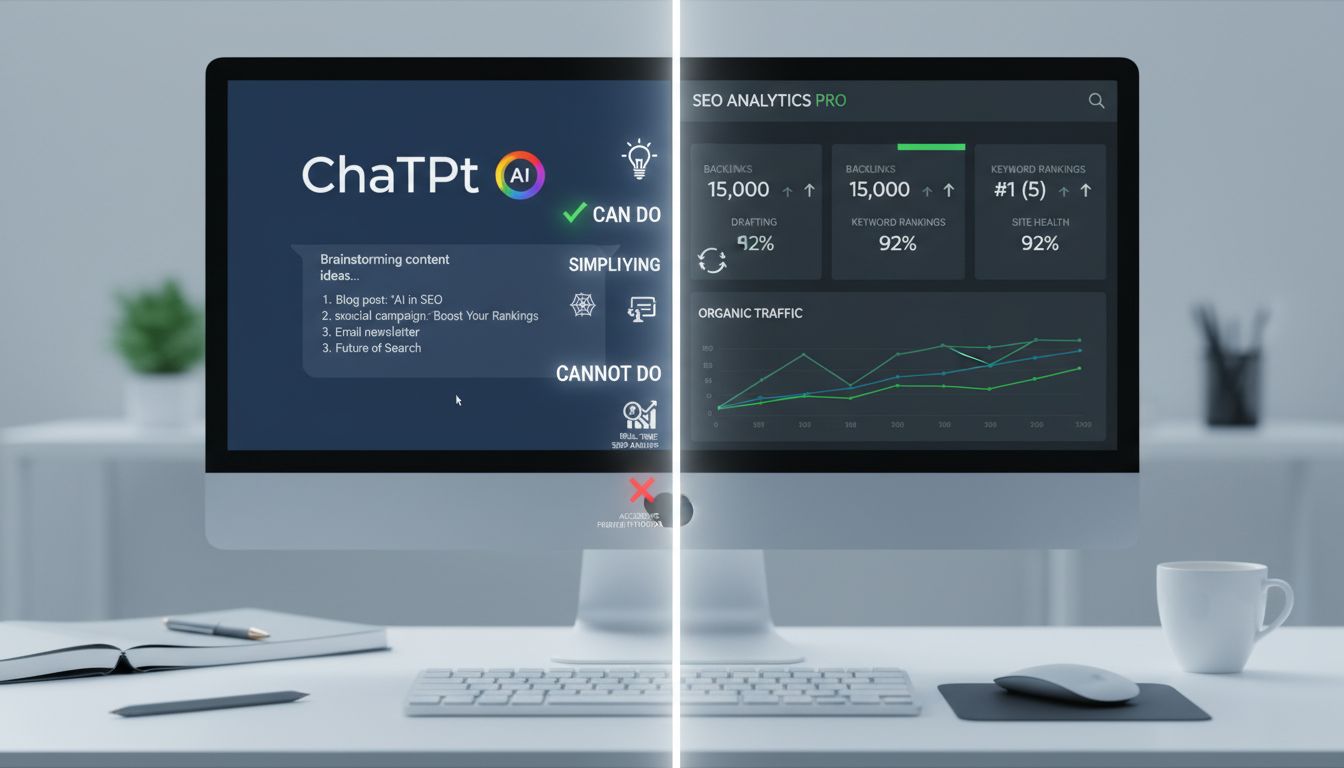
Can ChatGPT replace your SEO tools?
No. But it's useful when you understand where it actually helps versus where it just wastes your time.
Generative AI handles synthesis work well. It'll brainstorm topic clusters from a seed keyword, turn "project management software" into 30 related questions your audience might ask, and crank out meta description variations faster than you can write one manually. Paste a draft blog post and ask it to flag jargon or tighten readability. When you're stuck on technical documentation, it explains SEO concepts in plain language surprisingly well.
Here's what it can't do: run a technical site crawl, analyze your backlink profile, or touch your Google Search Console data. It has zero real-time SERP visibility. Ask "what ranks for X today" and you'll get confident fiction. Most importantly, it cannot replace your judgment about what your specific audience needs or how your product solves their problem.
A security note for founders: If you're using ChatGPT Team/Enterprise or Microsoft Copilot through your work email, your prompts are visible to administrators. For sensitive competitive research or product strategy, use a personal account with your own subscription.
Practical integration: use ChatGPT in your research phase to cluster keywords from Ubersuggest exports, and in content creation to break through writer's block on first drafts. Always edit. AI-generated content without human refinement is detectable, generic, and won't earn links.
Can ChatGPT Do an SEO Audit? (The Straight Answer)
No, it cannot perform a technical audit.
It has no access to your server, crawl budget, or indexing status. That's not how the technology works.
You can paste your page's HTML or body copy and ask it to check basic on-page elements: "Does this text include proper H2 tags? Are there broken internal link patterns in this markup?" Think of it as a syntax checker, not a diagnostic tool. Helpful for spot-checking individual pages before you publish, useless for site-wide health analysis.
For actual audits (crawl errors, redirect chains, duplicate content at scale), you still need Screaming Frog or Google Search Console. No way around it.
Common SEO Tool Mistakes SaaS Founders Make
You're going to waste money on tools. Most founders do. The question is how quickly you recognize it and correct course.
Mistake 1: Buying an expensive all-in-one tool first. You sign up for Semrush or Ahrefs at $129/month because a blog post said "serious SEOs use this." Then you spend three weeks lost in dashboards, tracking metrics you don't understand, optimizing for keywords that don't convert. The tool isn't bad. You're just not ready for it.
Master the free stack first. When you hit a specific, articulable limitation like "I need to track 50+ keywords daily" or "I can't find enough low-competition topics," then invest in a single paid tool that solves that exact bottleneck.
Mistake 2: Neglecting technical health of your conversion pages. Your pricing page loads in 4.2 seconds. Your signup flow has broken schema markup. Your product documentation isn't indexed properly.
These aren't "SEO pages." They're revenue pages. A slow, broken pricing page sabotages everything upstream.
Run Google Search Console and PageSpeed Insights on /pricing, /signup, and /docs before you touch a single blog post. Fix what's broken there first.
Mistake 3: Treating AI as a writer instead of a research assistant. ChatGPT drafts 10 blog posts in an hour. You publish them. They rank nowhere because 10,000 other founders did the same thing. AI-generated content without human strategy, editing, and unique insight is just faster mediocrity.
Use AI to outline, research, and suggest angles. Then write the parts only you can write: the specific examples, the contrarian takes, the workflow you actually use. The stuff nobody else has.
Mistake 4: Not connecting SEO data to trial conversions. You celebrate hitting 5,000 monthly visitors. Your trial signups didn't move. Traffic is a vanity metric. Trials are a business metric.
Build the "organic to trial signup" funnel report in GA4 or Mixpanel on day one, not month six. If you can't draw a line from keyword to trial, you're optimizing for the wrong thing.
Putting It All Together: Your Staged Tool Stack
Every founder asks the same question: "Which tools do I actually need?"
The answer changes as you grow.
Your SEO tool stack should evolve with your business model, not your aspirations. A pre-revenue founder needs validation tools, not enterprise dashboards. A $50k MRR SaaS needs systematization, not more free trials. Here's your staged roadmap:
| Stage | Primary Goal | Research Tool | Technical Tool | Content/AI Tool | Analytics Tool | Approx. Monthly Cost |
|---|---|---|---|---|---|---|
| Pre-Product/Market Fit | Eliminate blockers, validate demand | Google Keyword Planner | Google Search Console | ChatGPT (personal account) | Google Analytics 4 | $0 |
| Growth Stage (< $10k MRR) | Build predictable lead flow | Ubersuggest (paid) or Mangools | Screaming Frog (free up to 500 URLs) | ChatGPT Plus or Copilot | Mixpanel (free tier) | < $50 |
| Scaling Stage (> $10k MRR) | Systematize and outsource | Ahrefs ( |
Screaming Frog (paid) or Sitebulb | Surfer SEO or Scalenut | Mixpanel (paid) or Amplitude | $300+ |
The pattern is clear: best free seo tools validate your hypothesis, freemium tools prove your funnel, and paid tools scale what's working.
Notice what's missing? Rank trackers. Most early-stage founders obsess over daily position changes when they should be watching trial signups. Add dedicated rank tracking (AccuRanker, SE Ranking) only when you're managing 50+ target keywords across multiple content clusters.
Quick Tip for WordPress SaaS Sites:
If you're running your marketing site on WordPress, the Yoast SEO or Rank Math plugins are solid starting points for on-page basics. They'll handle meta descriptions, schema markup, and readability scoring without touching your budget. These are among the best seo tools for wordpress, but here's the thing: no plugin replaces actual keyword research or funnel tracking. Think of them as guardrails, not your entire SEO strategy. When people ask about the best seo plugin, they're usually looking for something to automate the tedious stuff. That's exactly what these do.
Your best seo tools for beginners aren't the ones with the most features. They're the ones that answer your current growth question.
Start minimal, add tools when you hit a specific constraint, and always tie new software to a measurable funnel outcome. This seo tools list isn't exhaustive because you don't need an exhaustive list. You need the right tool at the right stage. The best seo tools for small businesses look different at $0 MRR versus $50k MRR. Some of the best ai seo tools didn't even exist two years ago, but they're already outperforming expensive legacy software on specific tasks.
The reality is that most top seo tools started as single-purpose solutions that solved one problem really well. That's your framework: one problem, one tool, measured impact. Repeat only when necessary.
Conclusion
The best SEO tools for beginners aren't the ones with the longest feature lists. They're the ones that answer your specific growth question right now.
Start with the free foundation: Google Search Console, Google Analytics 4, and Keyword Planner. These three show you what's already working and where people drop off. Only add paid tools when you hit a clear, painful bottleneck. When you can't find the right keywords. When technical audits eat your entire Friday. When you lose track of which pages actually drive trials.
The staged approach matters because your constraints change. At zero users, you need keyword discovery and technical hygiene. At 100 trials per month, you need attribution clarity and content velocity. At scale, you need automation and AI-search visibility.
Picking the "perfect" tool matters far less than consistently executing the basics: keeping your site healthy, writing for intent, and measuring what moves people from visitor to trial.
Your next step isn't to buy another tool. Open Google Search Console and GA4 side-by-side this week. Find one disconnect between your top organic landing pages and your trial signup paths. Fix that gap first.
Look, the average SEO ROI for B2B SaaS is 702% over 12-18 months (Upgrowth.in). You're not just optimizing pages. You're building a compounding asset that gets stronger every month you stay consistent.