March 12th, 2026
Integrating Free Social Media Management Tools with Your AI SEO Content
 WD
WDWarren Day
Your AI just delivered a perfectly optimized, 2,000-word SEO article. It's live on your blog. And then... silence.
If promotion feels like a second, overwhelming job, you're not alone.
Here's what's actually happening: you've automated content creation but left distribution stuck in manual mode. The result? Articles that rank eventually, but sit dormant for weeks while you scramble between Slack, product demos, and investor updates. You know you should share on LinkedIn. You remember Twitter exists. Instagram? Maybe next quarter.
This disconnect between AI-powered creation and manual promotion is the biggest leak in the content funnel for SaaS founders. 5.66 billion people spend over 2.5 hours daily on social media. The traffic is there. Your content just isn't reaching it because you haven't closed the loop between publishing and distribution.
The highest-ROI move you can make right now is systematically connecting your AI content workflow to free social media management tools. Not as a "nice to have" add-on. As a closed-loop system where one published article automatically feeds a week of scheduled, platform-specific social posts with proper tracking back to your SEO goals.
This isn't about posting more. It's about building a production system that repurposes once and distributes everywhere without hiring a social manager or paying for enterprise software.
You'll walk away with a production-ready playbook: how to select and stack free tools based on your platform mix, specific LLM prompts that turn one article into seven days of tailored content, and a hybrid strategy to bypass API limits and free-tier caps. You'll also get a 2026 compliance checklist for AI-generated social copy and a measurement framework that connects social activity directly to organic traffic and conversions. The kind that proves (or disproves) what actually works.
The 2026 Toolbox: Mapping Your Free Social Media Management Stack
With 5.66 billion active social media users worldwide, your potential audience isn't hiding. They're scrolling right now. The problem? You're publishing stellar AI-generated content that gets zero social traction because you're manually copy-pasting links into Twitter once a week.
A social media management tool, in this context, is your scheduling and publishing hub: a platform that queues posts across multiple networks, ships them at optimal times, and (at minimum) shows you what's working. The "free" qualifier matters because most best social media management tools lock their core features behind $50–$200/month paywalls. Budgets you don't have at seed stage.
Here's the reality check: no single free tool will cover every platform with unlimited posts.
Instead, you'll build a hybrid stack by mapping each tool's free-tier limits to your platform priorities. Think of it like Tetris. Buffer gives you three channels and ten posts each. Meta Business Suite? Unlimited, but only Facebook and Instagram. Short AI handles video-first platforms. You're not looking for one perfect solution. You're assembling coverage.
Free Tool Comparison: 2026 Edition
| Tool | Free Plan Limits | Platforms Supported | Best For |
|---|---|---|---|
| Buffer | 3 channels, 10 posts per channel | LinkedIn, X, Facebook, Instagram, TikTok, Pinterest, Mastodon | Teams that post 1–2×/day and need AI caption assistance built-in |
| Meta Business Suite | Unlimited (native) | Facebook, Instagram only | B2C brands where FB/IG are primary channels; pairs well with other schedulers |
| Short AI | 3 channels, per-day post limits | YouTube, Instagram, TikTok, Facebook, X, Pinterest, LinkedIn, Google Business | Multi-platform creators who need YouTube Shorts + social in one flow |
| Planable | Limited posts/month | Facebook, Instagram, X, LinkedIn, TikTok, YouTube, Google Business | Visual planning and approval workflows for small teams |
| SocialBee | AI Post Generator (free tool) | N/A (standalone generator) | Quick caption + hashtag generation when you already have a scheduler |
Callout: Is Hootsuite no longer free?
Yes. As of 2026, Hootsuite discontinued its free plan for new users, pivoting entirely to paid tiers starting at $99/month. This shift makes the tools above (especially Buffer and Meta Business Suite) critical fallbacks for bootstrapped teams.
The Selection Principle
Stop searching for the one best social media management tools for small business.
Your stack will be a combination: Meta Business Suite for Facebook and Instagram (unlimited, native), Buffer for LinkedIn and X (where its AI Assistant shines), and Short AI or Planable if you're publishing video-first content to TikTok or YouTube Shorts. Most founders waste hours comparing feature matrices when the real constraint is simpler: posting volume per platform.
Map your posting frequency and platform mix to each tool's caps. If you publish 5× per week on LinkedIn, Buffer social media's 10-post limit gives you two weeks of runway per load. If Instagram is your volume play, Meta Business Suite has no ceiling. The constraint becomes the forcing function. You're not fighting the limits, you're designing around them.
The next section shows you exactly how to wire these best free social media management tools into your existing AI content workflow.
The Integration Playbook: Your 4-Step Workflow for AI-to-Social Automation
You've mapped your free social media management tools. Now wire them into a system that turns one SEO asset into weeks of scheduled content without manual copy-paste chaos.
This four-step workflow connects AI content creation to automated distribution. Each step builds on the last, creating a closed loop from draft to data.
Step 1: Create the SEO Content Asset (The Source)
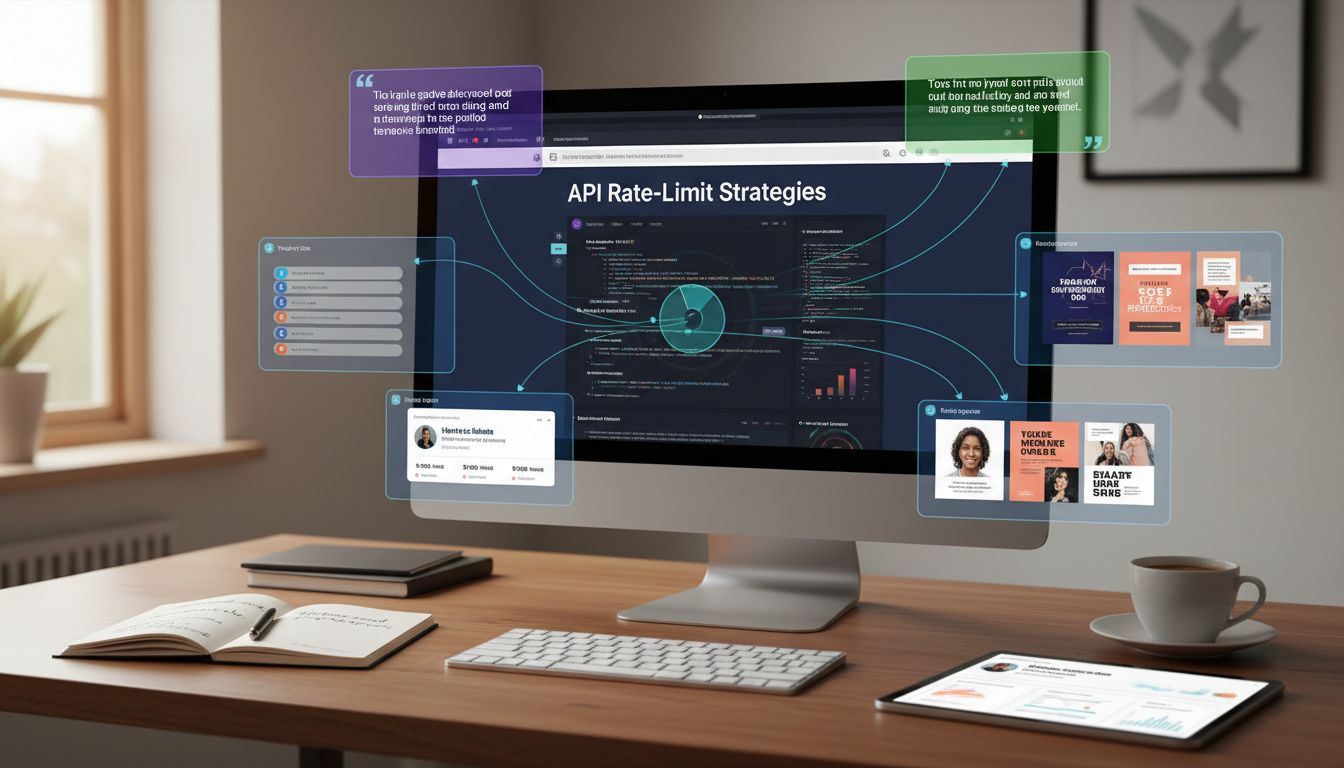
Your workflow starts with a single, high-quality piece of content optimized for search. This is the anchor: the blog post, case study, or guide that targets your primary keyword and provides real value.
Use your existing AI writing setup. If you're prompting ChatGPT, feed it your keyword research and outline. If you're using Surfer SEO or similar tools, let them handle on-page optimization while you focus on angle and depth. The key is making this asset substantial enough to fragment into 10–15 social posts without repeating yourself.
One 1,500-word article on "API rate-limit strategies" can yield Twitter threads on error handling, LinkedIn posts on developer experience, Instagram carousels on common mistakes, and quote graphics from expert opinions you cited. But only if the source material has layers.
Publish it. Get it indexed. Now you're ready to multiply.
Step 2: Repurpose with LLM Prompt Templates (The Multiplier)
Here's where most teams stall: staring at a finished article, knowing they should promote it, but defaulting to a single "New post live!" share.
Instead, use structured prompts to generate platform-specific variations that highlight different angles. Copy these templates. Swap in your article URL or paste key sections. Refine the outputs to match your brand voice, but let the LLM do the heavy conceptual lifting.
Prompt 1: Twitter/X Thread (Tactical Breakdown)
You are a growth marketer writing for a technical B2B SaaS audience. Read this article: [paste URL or full text].

Create a 7-tweet thread that:
- Opens with a hook about a common pain point related to the topic
- Breaks down the 3 most actionable takeaways as separate tweets
- Includes one contrarian or surprising insight
- Ends with a CTA to read the full post (I'll add the link)

Tone: Direct, no fluff. Use short sentences. No hashtags in thread body.
Prompt 2: LinkedIn Post (Authority + Insight)
You are a SaaS founder sharing a hard-won lesson with peers. Based on this article: [paste URL or key section].

Write 3 LinkedIn post variations (200–250 words each) that:
- Variation A: Opens with a personal story or mistake, then ties to the article's main point
- Variation B: Leads with a data point or stat from the article, then explains why it matters
- Variation C: Poses a question to the audience, then offers the article's framework as an answer

Each should end with "Link in comments" (I'll post the URL separately to avoid algorithm suppression). Include 3–5 relevant hashtags at the end.
Prompt 3: Instagram Carousel Hook + Captions
You are writing for a visual-first audience of early-stage founders. Based on this article: [paste key points].

Create:
- 5 carousel slide headlines (6–8 words each, designed to be readable as text overlays)
- A caption (150 words max) that teases the value, uses 2–3 emojis naturally, and ends with a CTA
- 10 relevant hashtags mixing high-volume and niche terms

The carousel should tell a compressed version of the article's story: problem → insight → solution → next step.
Prompt 4: Quote Graphic + Short-Form Caption
Extract the single most tweetable, screenshot-worthy sentence from this article: [paste text].

Then write 3 short captions (40–60 words) to accompany it as a quote graphic, each with a different angle:
- Angle 1: Amplify the quote's urgency
- Angle 2: Add context (why this matters now)
- Angle 3: Pose it as a question to spark comments

Format for quick copy-paste.
Run these prompts in ChatGPT, Claude, or your preferred LLM. You'll have 15–20 pieces of raw social content in under 10 minutes.
Edit for voice, fact-check any claims the AI extrapolated, and move to scheduling. One warning: AI loves generic transitions like "in today's landscape" and "it's worth noting." Kill them. Your brand voice is the only moat left when everyone has access to the same models.
Step 3: Build Your Hybrid Scheduling Stack (The Distributor)
No single free tool handles every platform perfectly.
API restrictions, post limits, and feature gaps mean your "stack" is actually 2–3 social media scheduling tools free working in parallel.
Example Stack A: LinkedIn + Twitter/X Focus
You're a developer-tools startup. Most of your audience lives on LinkedIn and X. Your content is text-heavy, minimal visual production.
- Buffer (free plan): Connect LinkedIn and X. Schedule your thread tweets as individual posts timed 3 minutes apart, and queue LinkedIn posts across the week. Use Buffer's AI Assistant to tweak tone if a prompt output feels off.
- Google Sheets: Maintain a simple content calendar with columns for publish date, platform, post copy, UTM link, and status. This is your single source of truth.
- Canva (free): Generate simple quote graphics or text-on-brand-color images when you need a visual anchor for LinkedIn.
Total cost: $0. Total tools to check daily: one (Buffer dashboard).
Example Stack B: Visual-First (Instagram + Facebook + LinkedIn)
You're a no-code SaaS with a design-forward brand. Instagram and Facebook drive awareness; LinkedIn closes deals.
- Meta Business Suite: Schedule all Instagram and Facebook posts here. Native tools avoid API headaches and give you access to Reels scheduling and first-comment pinning.
- Buffer social media (free plan): Handle LinkedIn separately. The 10-post limit per channel gives you 2+ weeks of coverage if you're posting twice weekly.
- Zapier (free tier): Set up a simple Zap. When you save a new row in your Google Sheet content calendar tagged "LinkedIn," trigger ChatGPT to generate a caption, then add it to your Buffer queue. This eliminates manual prompt re-running.

The hybrid approach solves the "one place" myth. Your "one place" isn't a dashboard, it's a process. You draft in your LLM, organize in a spreadsheet, schedule in 2–3 platform-specific tools, and review in GA4. Trying to force everything into a single app just means paying for enterprise features you don't need or hitting free-tier walls.
Map your highest-volume platforms to the best social media management tools with the strongest native support or highest post limits. Use your secondary platforms to test content angles before committing budget.
Step 4: Implement UTM Tracking & GA4 Hookup (The Measurement Layer)
Social posts without tracking are just noise.
UTM parameters turn every link into a data point that connects social activity to on-site behavior.
UTM Tagging Checklist:
- utm_source: The platform (linkedin, twitter, instagram, facebook). Always lowercase, no spaces.
- utm_medium: Always "social" for these campaigns.
- utm_campaign: The specific content piece or campaign (e.g., api-rate-limits-post, q1-feature-launch). Use dashes, not underscores or spaces.
- utm_content: (Optional) Differentiate variants of the same post (e.g., thread-version, carousel-slide-3).
Example tagged URL:
https://yoursite.com/blog/api-rate-limits?utm_source=linkedin&utm_medium=social&utm_campaign=api-rate-limits-post&utm_content=insight-angle
Build these in Google's Campaign URL Builder or any free UTM tool. Save your naming conventions in a shared doc so your team stays consistent. GA4 treats "LinkedIn" and "linkedin" as separate sources, which will wreck your reporting.
GA4 Setup (5-Minute Version):
- Open GA4 → Reports → Acquisition → Traffic acquisition.
- Add a filter for "Session medium" = "social."
- Check that your tagged links appear under the correct source/campaign names in real-time reports (Reports → Realtime). Click your own tagged link in an incognito window to test.
- Create a custom report or Exploration to track: social session count, engaged sessions, conversions by campaign, and average engagement time. This is how you prove a LinkedIn post drove 12 demo requests, not just 140 likes.
Never add UTM tags to internal links (links within your own domain). It breaks attribution and makes GA4 think users are arriving from external sources when they're just navigating your site.
Test every tagged URL before you schedule 50 posts. One typo in your campaign name means a week of data filed under the wrong label. Automation is only as clean as your inputs.
You now have a closed loop: AI writes the source content, prompts generate social variants, the best free social media management tools schedule and distribute, and GA4 captures which posts actually move the needle. The next section covers what breaks this loop and how to fix it before it costs you traffic.
Avoiding the Pitfalls: API Limits, AI Compliance, and Strategy Blunders
Automation multiplies your output until something breaks. Marketing teams that automate social-media posting see an average engagement lift of 20-30% per post, but that assumes you set it up correctly. Mess it up and you'll slam into rate limits, trip spam filters, or wake up to compliance flags.
Most founders spin up their automation in a weekend, queue two weeks of posts, and by Monday half the content never published. Or it published fine, but engagement tanked because the platform throttled their reach for looking like a bot.
Here's how to avoid that.
Navigating API Rate Limits and Free-Tier Quotas
Every platform treats automated posts differently. X enforces strict per-user limits that reset every 15 minutes. Instagram won't even let you schedule through third-party tools unless you're using a Business or Creator account and hitting the Graph API. LinkedIn has unpublished throttles that kick in when you post too often from the same app, and they won't tell you the exact threshold.
Free tools inherit these platform limits and pile on their own. Buffer's free plan caps you at 10 scheduled posts per channel. Short AI restricts daily volume even within its three-channel allowance. Schedule 15 LinkedIn posts in one sitting and you might burn through your weekly quota before Wednesday.
The fix is boring but it works: treat your scheduler like a queue, not a firehose.
Space posts at least 90 minutes apart on the same platform. If you're turning one blog post into eight social variants, spread them across three days minimum. Track your weekly post count per tool and per platform in a spreadsheet or Notion doc. Not exciting, incredibly effective.
For high-frequency platforms like X, skip third-party tools entirely. Use X's native scheduling (free, built into the composer) or TweetDeck. For Facebook and Instagram, Meta Business Suite gives you free native scheduling without touching API limits. This is the hybrid stack strategy: save your free scheduler slots for platforms that don't offer solid native tools (LinkedIn, Pinterest, TikTok), and handle the rest directly.
One more rule: never auto-post identical content to multiple platforms at the same time. Platforms can detect cross-posting patterns, and some (Instagram especially) will suppress your reach if they think you're spamming. Stagger by at least an hour and tweak the copy or image crop for each network.
The 2026 AI Compliance & Copyright Checklist
AI governance isn't just for enterprise teams anymore. Regulations in 2026 increasingly require documentation of model selection, training data sources, and output review, even for small teams. Using AI-generated content without proper attribution or review can trigger copyright claims, platform penalties, or trust issues with your audience.
You don't need a legal team. You need a simple checklist and the discipline to log what you create.
1. Document the model and prompt for each asset.
Keep a shared doc (or add a column to your content calendar) noting which AI tool generated each piece. Example: "LinkedIn post 3/12 - GPT-4 via ChatGPT, prompt: 'Write 3 LinkedIn posts highlighting…'" This takes 10 seconds and covers you if a client, investor, or regulator asks how content was made.
2. Review all outputs for accuracy and voice.
AI hallucinates. It invents statistics, misattributes quotes, and drops phrasing that's just slightly off-brand. Read every social post before scheduling. If you're batch-creating 20 captions, scan for factual claims and verify at least one per batch. This step also catches the awkward phrasing that screams "I didn't read this before publishing."
3. Understand image licensing.
DALL·E images come with usage rights from OpenAI, but terms can change. Canva's AI-generated images are covered under your Canva license (free or paid). Freepik AI has specific attribution requirements on free plans. Before you publish an AI image, check the tool's terms. Most free plans allow commercial use but prohibit redistribution or resale.
4. Disclose AI use when it matters.
Platform policies are shifting fast. LinkedIn's 2026 guidelines encourage (but don't mandate) labeling AI-generated content in professional contexts. If your post makes a strong factual claim or professional recommendation, a simple tag like "Research assisted by AI" builds trust. If it's a caption or throwaway social snippet, disclosure is overkill. Use judgment, but lean toward transparency.
This isn't paranoia. It's setting up a system that scales without creating future liability. Spend 15 minutes building your logging process now and you'll save hours (and potential legal fees) later.
Common Content Strategy 'Rules' - Decoded
You've probably seen cryptic references to the "5-5-5 rule" or the "80-20 rule" in social media guides. These are heuristics that work in some contexts and fail in others. Here's what they actually mean and when to use them for promoting SEO content:
| Rule | What It Means | When to Use It |
|---|---|---|
| 5-5-5 Rule | For every 5 posts you share from others, publish 5 pieces of original content, and include 5 personal/human posts. | Good for building community on LinkedIn or X. Helps you avoid looking like a content bot. |
| 5-3-2 Rule | Out of every 10 posts: 5 curated from others, 3 original, 2 personal/fun. | Lighter than 5-5-5; works if your audience values curation (e.g., a niche newsletter or founder account). |
| 80-20 Rule | 80% value/education, 20% promotional. | The default for B2B SaaS. Use this ratio when repurposing blog content - most posts should teach or inform, not pitch. |
| 33-33-33 Rule | Split posts evenly: 1/3 promote your content, 1/3 share others', 1/3 personal interaction. | Balanced but generic. Useful if you're just starting and have no intuition for what works. |
| The 3 C's | Content, Community, Conversion. Every post should serve one of these goals. | A mental model, not a posting schedule. Ask "Which C is this?" before you hit publish. |
Here's the reality: none of these rules matter if your posts don't align with your actual goal. You're not building a lifestyle brand. You're driving traffic to SEO content. That means your ratio should skew heavily toward sharing your own articles, with enough commentary and interaction to avoid looking robotic.
A practical starting point for early-stage SaaS: 60% posts linking back to your blog (with varied angles and hooks), 20% engaging with your audience's questions or comments, 20% sharing relevant third-party insights. Test for 30 days, check GA4 to see which posts drove sessions, and adjust.
The rules are training wheels. Your analytics are the real strategy.
Measuring What Matters: Connecting Social Activity to SEO ROI
Most founders track the wrong numbers. Likes and shares feel good, but they don't tell you if your social promotion workflow is actually working.
The shift you need to make is simple: stop asking "how do I post more?" and start asking "what am I learning?"
Track three metrics in GA4, not thirty. Sessions from social (utm_source = linkedin, twitter, etc.), goal completions attributed to those sessions (sign-ups, demo requests, content downloads), and assisted conversions where social was a touchpoint in a multi-step journey. These metrics connect social activity directly to revenue, which is what your board cares about.
Native platform insights will show you engagement. Comments, saves, click-through rates. Use those to refine your LLM prompts and posting cadence. But keep them separate from business outcomes.
Here's what this looks like in practice. Before: "We posted our SEO guide to LinkedIn and Twitter. Got 50 likes." After: "LinkedIn drove 12 trial sign-ups from that guide. Twitter drove traffic but zero conversions. Next time, we'll write three LinkedIn-specific posts instead of splitting effort."
Build a content feedback loop. When a social post about "API rate limits" gets 3x the engagement of your usual posts, that's a signal. Feed it back into your AI content brief for next month's blog calendar. Generate a long-form SEO article on that topic, then use your repurposing prompts to create five more social posts.

This is compound growth: social tells you what resonates, AI scales the creation of that content, free social media management tools distribute it, and GA4 closes the loop by showing you what actually converts.
Run this cycle monthly. Export your top five social posts by engagement and your top five GA4 landing pages by conversions from social. Look for patterns. Topics, formats, CTAs. Adjust your AI prompts to emphasize what's working and kill what isn't.
The workflow you built in sections 1-3 is the engine. Your analytics are the steering wheel.
Conclusion
You already have the pieces: AI writing tools generating SEO content, free social media management tools with scheduling and analytics, and a target audience spending over 2.5 hours daily scrolling feeds Source: sproutsocial.com. The only thing missing was a process to connect them.
That's what this workflow solves.
Free tools like Buffer, Meta Business Suite, and Short AI aren't charity offerings. They're feature-complete platforms designed for the exact use case you're running. When you pair them with LLM repurposing prompts, UTM tracking, and a hybrid-stack approach to sidestep API limits, you build a closed-loop system that turns one blog post into weeks of scheduled, trackable social content.
The founders who win in 2026 aren't the ones with the biggest budgets. They're the ones who automate intelligently, measure what connects social activity to pipeline, and avoid the compliance and rate-limit traps that kill momentum.
Your next step: Pick one tool from the stack. Buffer, Meta Business Suite, or Short AI. Grab one repurposing prompt from Step 2. Apply it to your most recent blog post and schedule that first batch with UTM tags. You'll see measurable referral traffic in GA4 within a week, and you'll have a repeatable system that costs nothing but compounds daily.
Frequently Asked Questions
What is the best social media management tool for free?
The honest answer? Whichever one you'll actually use.
Buffer's free plan handles 3 channels and includes AI caption generation plus 10 scheduled posts per channel [Source: buffer.com]. That's enough for most founders repurposing blog content. If you're only working Facebook and Instagram, Meta Business Suite gives you native scheduling and analytics without paying a cent.
Don't pick based on feature bloat. Pick based on where your audience already scrolls.
Can ChatGPT analyze social media accounts?
Not directly. ChatGPT can't access your account data or pull live analytics the way Buffer or Meta Business Suite can.
What it does handle: analyzing text you paste in. Captions, comments, audience replies. It'll spot patterns in what's resonating, flag sentiment shifts, and suggest engagement tactics based on your best-performing content. For actual performance metrics like reach, clicks, and conversions, you need platform analytics or GA4 with UTM parameters doing the heavy lifting.
What are the 7 C's of social media strategy?
The framework lists Content, Context, Connection, Community, Conversation, Collaboration, and Conversion. All seven sound nice in theory.
In practice, focus on four: Content (your repurposed SEO article), Context (platform-specific formatting through LLM prompts), Connection (writing posts that invite replies instead of broadcasts), and Conversion (UTM-tagged links tying social activity back to signups and traffic). The other three matter eventually, but these four directly impact whether your posts generate measurable results or just vanity metrics.
What are 5 things you should not share on social media?
First, unreleased product details or IP that hands competitors a roadmap. Second, customer data, testimonials, or case studies without explicit written permission. Legal headaches aren't worth the engagement.
Third, off-brand hot takes unrelated to your business. They backfire more often than they convert. Fourth, constant "buy now" promotional posts. Even the 80/20 rule feels too sales-heavy when your audience is still small.
Fifth, AI-generated captions or images without human review. Factual errors, tone mismatches, and compliance issues slip through constantly. You'll catch them in 10 seconds. Your audience will catch them in 10 milliseconds and remember for months.