March 6th, 2026
Free Social Media Management Tools to Boost SaaS Content Visibility in 2026
 WD
WDWarren Day
You're managing a SaaS on a shoestring budget, manually posting content that gets lost in the noise. You know social media should drive sign-ups, but the free social media management tools you've tried seem either useless or dangerously unstable in 2026.
Here's what actually matters: the best free social media management tool for a SaaS business isn't the one with the most features. It's the one that fits how you actually grow while avoiding the platform chaos and free-tier traps that'll waste your time.
The landscape changed fast. X/Twitter gutted its free API access in August 2025. Hootsuite killed its free plan years ago. TweetDeck now hides behind a paywall. Meanwhile, AI-powered features promise to automate your content, but lean too hard on them and you end up with generic feeds nobody reads.
Choosing tools based on outdated listicles or feature checklists? You're setting yourself up for broken workflows.
This guide skips the noise. You'll learn how to evaluate the best social media management tools for small business based on your actual SaaS growth model, not some generic marketing playbook. Which free tiers actually work. Which limitations will derail you three weeks in. How to build a simple content framework that turns scheduled posts into measurable sign-ups.
No fluff. No affiliate spam. Just the filter you need to choose wisely.
The 2026 Reality Check: What 'Free' Really Means (And What's Gone)
Is Hootsuite no longer free? Yes. Hootsuite killed its free plan in March 2023, and it's not coming back. If you're still searching for it in 2026, you're chasing a ghost.
What's cheaper than Hootsuite? Buffer, Publer, and Zoho Social all offer genuinely free tiers, but with hard limits you need to understand upfront. Buffer's free plan caps you at three social accounts and 10 scheduled posts per channel. Publer matches those numbers. Zoho Social gives you six channels but locks you to one brand and one user.
The landscape is ruthlessly unstable. Most "best free social media management tools" listicles won't tell you this part.
In August 2025, X (Twitter) yanked the ability to like posts or follow users from its free-tier API. Tools that relied on those features for automation? Broken overnight. Later dropped X support entirely in 2025. TweetDeck, once the gold standard for real-time monitoring, now sits behind an $8/month X Pro paywall. The pattern is clear: platforms are tightening free access, and third-party tools are either charging or cutting features to survive.
Quick note on a common search error: If you're wondering "Is Kahoot not free anymore?" you've got your wires crossed. Kahoot is a quiz platform, not a social media tool. Wrong category entirely.
Free tiers in 2026 are trial zones, not permanent solutions. They work brilliantly for testing workflows or managing a single product launch, but they're designed to convert you to paid plans. Your job isn't to find a "free forever" unicorn. It's to extract maximum value from free tiers while they last, then upgrade strategically or move to the next tool before the rug gets pulled.
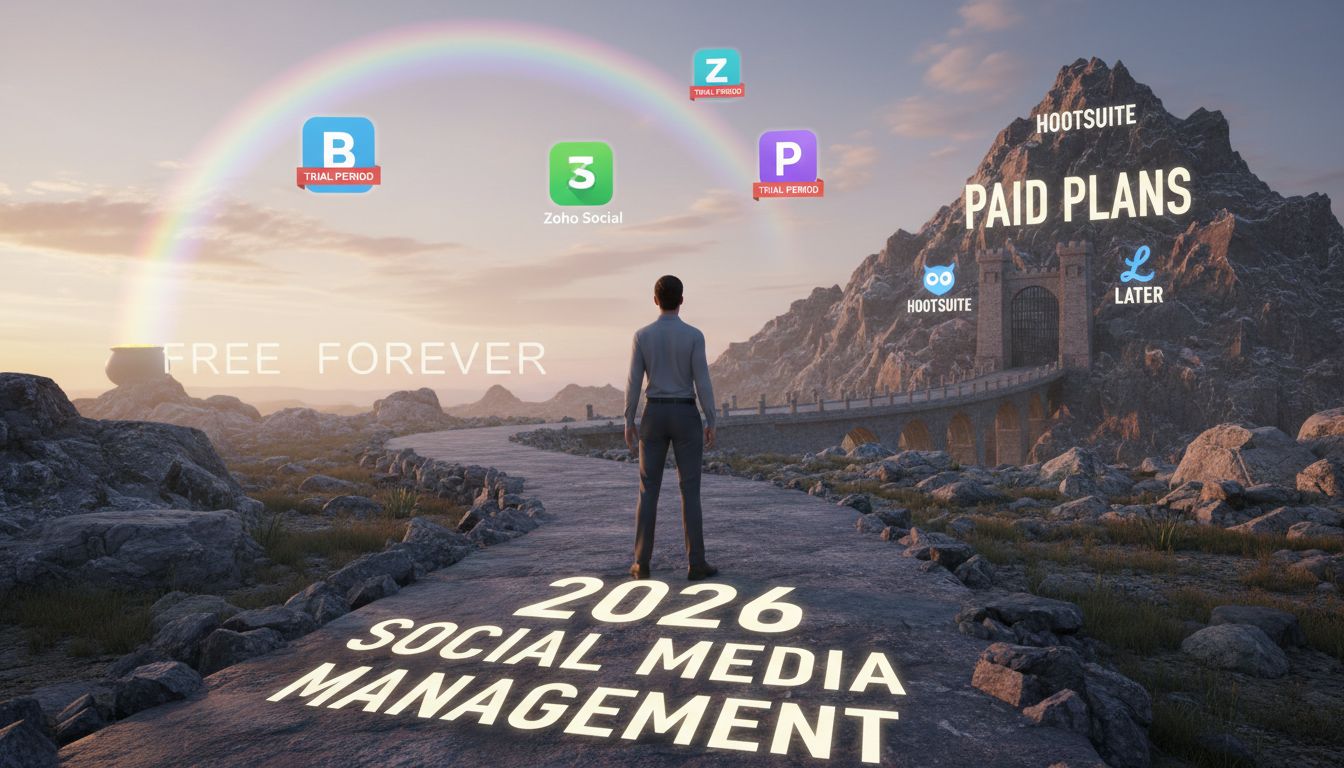
That's the 2026 game.
The Strategic Filter: Choosing a Tool for SaaS Content Goals
Most "best social media management tools" lists just dump features on you. Ignore that noise. You don't need a feature buffet. You need the one tool that fixes your actual bottleneck.
Here's the real question: What's breaking right now?
The SaaS Social Tool Decision Matrix
Run through this quick self-assessment:
1. Scheduling Volume: Are you batching weeks of content on Mondays, or posting reactively a few times per week? If you're queuing up product updates, changelog posts, and customer stories in bulk, you need generous post limits. If you're mostly riffing on industry news, speed matters more than volume.
2. Multi-User Collaboration: Solo founder or do you have a product marketer drafting posts while your CEO hovers over approval rights? Single-user free plans collapse the second your team grows past one. This happens faster than you think.
3. Deep analytics: Vanity metrics like shares and likes, or business metrics that actually matter? Click-through to sign-up pages. Referral traffic by post type. Free-tier analytics almost never connect social engagement to your actual conversion funnel. They show you pretty graphs that don't translate to pipeline.
4. API Integration: Do you need to pull social data into your CRM, trigger posts from product events, or build custom dashboards? Most free tiers don't expose API access. That's a paid-plan feature, full stop.
The 7 C's Reality Check for SaaS
Before you pick a tool, audit your content strategy against the 7 C's of social media: Content, Context, Connection, Community, Conversation, Conversion, Consistency.
SaaS content isn't lifestyle blogging. Your posts should ladder up to qualified sign-ups, not just engagement. That means:
- Content = product updates, use cases, thought leadership
- Conversion = clear CTAs to free trials, demos, or gated resources
- Consistency = posting cadence that matches your buyer's research cycle (weekly for enterprise SaaS, daily for PLG tools)
A tool that can't schedule LinkedIn carousels or track UTM parameters on your links won't move the needle on pipeline. Choose accordingly.
The Best Free Social Media Management Tools for SaaS in 2026
Most free social media management tools were built for influencers and DTC brands chasing likes. Not pipeline.
The table below shows which free tools actually work for B2B SaaS. We're talking about content that drives sign-ups, not engagement theater.
| Tool | Free Plan Limits | Best For SaaS | Key Constraint | Verdict |
|---|---|---|---|---|
| Buffer | 3 accounts, 10 posts/channel | Teams needing AI-assisted drafting + benchmark data | Post cap fills fast on active accounts | Strong for data-driven solo marketers |
| Zoho Social | 1 brand, 1 user, 6 channels, unlimited posts | High-frequency content calendars | Single-user only; shallow analytics | Best for consistent volume, one operator |
| Publer | 3 accounts, 10 posts/account | Multi-platform reach (Threads, Bluesky) | Limited post history (24 hours) | Good for niche B2B platform testing |
| Meta Business Suite | Unlimited (FB/IG only) | SaaS focused on Facebook & Instagram ads + organic | FB/IG only; no Threads support | Free native option if you're all-in on Meta |
| Crowdfire | 3 accounts, 10 posts/account | Content curation & hashtag research | No AI content generation | Niche use: discovering shareable industry content |
| SocialOomph | 1 profile, 3 posts/hour | RSS-to-social automation for blog content | Very limited free tier | Specialty: auto-sharing new blog posts |
Let's break down what each tool actually does when you're trying to turn social content into qualified leads.
Buffer: The AI-Powered Scheduler for Data-Driven SaaS Teams
Free Plan Limits: Three connected social accounts and 10 scheduled posts per channel. Buffer social media's free tier includes their AI Assistant for drafting captions and repurposing content, plus basic analytics.
Best For SaaS Because: Buffer isn't just a scheduler. It's a benchmarking tool.
Their platform pulls engagement data from over 52 million Facebook posts by 213,000 accounts, giving you industry medians to measure against. When your CEO asks "Is a 2% engagement rate on LinkedIn good?", you'll have an answer grounded in real data instead of guessing.
The AI Assistant cuts drafting time in half. Feed it a blog post URL and it'll generate three variations for LinkedIn, X, and Facebook. You'll still need to add your voice, but the heavy lifting is done.
Key Constraint: That 10-post-per-channel cap fills up fast if you're scheduling a week ahead across multiple platforms. You'll need to publish and clear the queue frequently, or upgrade.
Verdict: If you're a solo founder who needs quick scheduling plus credible benchmarks to justify your strategy, buffer social media delivers. Just don't expect to batch-schedule a month of content.
Zoho Social Forever Free: The Unlimited Poster for Consistent Volume
Free Plan Limits: One brand, one user, supports up to six channels (Facebook, Instagram, LinkedIn, X, Google Business), and unlimited scheduled posts.
Unlimited. That's the whole ballgame here.
Best For SaaS Because: Consistency beats perfection in early-stage SaaS social. Zoho's unlimited post scheduling means you can load your entire quarter's content calendar without hitting an artificial ceiling. If your growth strategy depends on showing up daily with educational content, this removes the constraint other best free social media management tools impose.
The Google Business Profile integration matters more than you'd think. Local SaaS targeting dentists or law firms can manage both social and local search presence from one dashboard.
Key Constraint: Single-user only. If you need approval workflows or team collaboration, you're stuck. The analytics are also shallow compared to Buffer. You'll get basic engagement numbers, but no competitive benchmarks or deep audience insights.
Verdict: Perfect for solo SaaS marketers running a high-frequency content engine. If you're a one-person team posting daily tips, case studies, and feature updates, the unlimited scheduling changes the game.
Publer: The Broad Platform Specialist with API Potential
Free Plan Limits: One user, one workspace, three social accounts, and 10 scheduled posts per account. Post history limited to 24 hours on the free tier.
Best For SaaS Because: Publer supports platforms your competitors might be ignoring. Threads, Bluesky, Mastodon, alongside the usual suspects. If your ICP hangs out in emerging B2B communities, this gives you a testing ground without paying for enterprise tools.

The real edge? API access on paid tiers. If you're a technical founder planning custom integrations (auto-posting when a user hits a milestone in your app, for example), Publer's architecture supports that roadmap.
Key Constraint: The 24-hour post history on free means you can't review what you published last week. For teams that need audit trails or performance retrospectives, that's a dealbreaker.
Verdict: Works best for SaaS targeting niche B2B audiences across multiple networks, or technical teams who might want API access later. Skip it if you need long-term analytics.
Meta Business Suite: The Native Manager for Facebook & Instagram
Free Plan Limits: Completely free, unlimited scheduling, messaging, and cross-platform analytics for Facebook and Instagram. Does not include Threads management.
Best For SaaS Because: If your acquisition strategy leans heavily on Facebook ads paired with organic content, or Instagram for visual product demos, Meta Business Suite is the obvious choice. It's native, so there's zero API risk (unlike third-party tools that can lose access overnight).
The unified inbox is quietly powerful for SaaS customer support. DMs from both platforms land in one place. When prospects ask pre-sales questions, you're not toggling between apps.
Key Constraint: Facebook and Instagram only. If LinkedIn is your primary B2B channel, this tool does nothing for you.
Verdict: The right answer for SaaS companies all-in on Meta's ecosystem. Free, reliable, and built by the platform owner. Just don't expect it to manage your LinkedIn thought leadership.
Niche & Legacy Options: Crowdfire, SocialOomph, Later Free
Crowdfire (3 accounts, 10 posts/account) excels at content curation. It surfaces trending articles in your industry that you can reshare with commentary. No AI content generation, but solid for SaaS marketers who build authority by curating smart takes.
SocialOomph (1 profile, 3 posts/hour) is the RSS automation specialist. Connect your company blog's feed and it auto-posts new articles to X or LinkedIn. The free tier is extremely limited, but if you publish weekly and just need automatic distribution, it works.
Later Free (1 social set, 30 posts/profile) was built for visual-first brands. It's great for Instagram and TikTok planning, but dropped X/Twitter support in 2025. If your SaaS relies on video demos or design showcases, the visual calendar helps. But the platform coverage gaps hurt B2B reach.
Verdict on niche tools: Use them for specific jobs. Crowdfire for discovery, SocialOomph for blog automation, Later for visual content. But don't expect them to be your primary social media scheduling tools free option. They're supplements, not foundations.
Beyond Scheduling: Frameworks to Maximize Your Free Tool
Scheduling posts is table stakes. The real leverage comes from what you schedule and how you structure your content mix.
The social media ratio rules decoded:
You've probably seen frameworks like the 5-5-5 rule (five posts promoting your content, five shares from others, five personal interactions), the 5-3-2 rule (five curated posts, three original, two personal), or the 33-33-33 rule (one-third promotional, one-third curated, one-third conversation). They're all variations on the same theme: stop selling in every post.
For SaaS, here's a better split: 50% thought leadership (industry insights, data breakdowns, contrarian takes), 30% product education (use cases, feature explainers, customer wins), 20% engagement (polls, questions, commentary on trends). This keeps you visible without sounding like a press release.
What not to do (the four deadly sins):
- Publishing AI-only content without editing. Your audience can smell generic ChatGPT captions from a mile away. Use AI to draft, then add your voice.
- Ignoring your analytics. If you're not checking which posts drive clicks to your landing page, you're guessing.
- Posting inconsistently. With only 10 scheduled posts per platform on buffer social media or Publer's free tier, you need a rhythm. Two posts per week beats seven posts one week and zero the next.
- Treating every platform the same. LinkedIn B2B engagement patterns differ sharply from TikTok's 4.86% median. Tailor your content type accordingly.
Your two-week SaaS content calendar (buffer social media free tier example):
- Week 1: Monday (thought leadership post), Wednesday (product tip), Friday (customer quote or win)
- Week 2: Monday (industry trend commentary), Thursday (poll or question), Saturday (repurposed blog snippet)
That's six posts across two weeks on one platform, leaving four slots in your 10-post queue for timely reactions or promotions. Use Buffer's AI Assistant to turn one long-form blog post into those six snippets. Write once, distribute six times.
The framework matters more than the tool. Pick your ratio, stick to it, and let your free tier enforce discipline instead of feeling like a limitation.
Common Pitfalls & How to Avoid Them
Free social media management tools can break your workflow faster than you'd expect. Here's what actually goes wrong.
API capabilities vanish without warning.
X/Twitter removed free-tier API access for likes and follows in August 2025. If you built automation around those features, your engagement workflows stopped overnight. The business risk? A dead automation pipeline means weeks of manual work to rebuild on a paid tier or different platform. Always maintain a backup publishing method that doesn't rely on third-party APIs.
You'll hit post caps at the worst possible moment.
Buffer's free tier allows 10 scheduled posts per channel. Sounds reasonable until you're launching a product and need to coordinate 15 posts across LinkedIn, Twitter, and your blog. Publer has the same 10-post limit. Plan your content calendar around these constraints before launch week, or you'll scramble to upgrade mid-campaign when your card might not process instantly.
AI-only publishing creates ghost-town accounts.
Tools now offer AI caption generators, but audiences spot generic AI voice quickly. I've watched engagement rates drop 40-60% on accounts that switched to fully automated posting. People stop interacting when every post sounds like it came from the same template. Use AI to draft, then edit for your brand's actual voice and insert specific product details or customer stories. The difference shows up in your metrics within two weeks.
Platform support changes kill multi-channel strategies.
Later dropped X/Twitter support in 2025. TweetDeck moved behind a paid X Pro subscription. If you built workflows assuming those connections, you're rebuilding from scratch. Audit your tool's supported platforms quarterly, especially before renewing annual contracts or planning campaigns.
Free analytics disappear when you need historical data.
Most free tiers limit analytics retention to 30-90 days. When your VP asks "how did our LinkedIn engagement trend over Q1?" and you have no data, you can't answer. Export key metrics monthly to a simple spreadsheet: engagement rate, top post, follower growth. That way you own the history regardless of tool changes.
Your 2026 SaaS Social Media Starter Kit: Next Steps & FAQ
You've got the frameworks, the tool landscape, and the pitfalls. Now actually do something with it.
Your four-step launch plan:
-
Audit your current presence (30 minutes): Export your last 30 days of social analytics. Which platforms actually send traffic to your site? Which posts got real engagement versus vanity likes? Where are you posting once a month and pretending it matters?
-
Pick one tool and set it up (1 hour): Based on your primary platform. Buffer if you're LinkedIn-heavy. Zoho Social if you need unlimited posting across six channels. Meta Business Suite if you're Facebook/Instagram-only. Connect your accounts, schedule your first week using the 70/20/10 mix, and stop overthinking it.
-
Implement the content mix framework (ongoing): The 70/20/10 rule from earlier works because it mirrors how people actually consume content. Schedule educational stuff for Tuesday through Thursday when B2B engagement peaks. Save promotional posts for end-of-week when decision fatigue makes people more likely to click "learn more."
-
Set a quarterly review (15 minutes every 90 days): Check if your free tool's limits still match your growth. Export your analytics before they expire. Are you hitting the 2-4% engagement benchmark for tech content? If not, your content needs work, not a bigger tool budget.
Where AI-powered content fits:
If you're burning more than 5 hours a week writing social posts, you've outgrown manual workflows. Tools that automate research, draft captions, and repurpose long-form content into social snippets let you scale without hiring a social media coordinator you don't need yet. That's where systems like AI content automation compress weeks of busywork into hours.
FAQ
What is the best social media management tool for free?
For SaaS companies: Buffer wins for LinkedIn plus solid analytics. Zoho Social if you need unlimited posts across six channels. Meta Business Suite if you only care about Facebook and Instagram. Choose based on where your audience actually lives, not which tool has the longest feature list.
How can I manage all my social media in one place?
Use a multi-platform scheduler like Buffer, Publer, or Zoho Social. Connect 3-6 accounts depending on the tool's free limit. Schedule posts in batches once or twice a week. Monitor a unified inbox for replies so you're not logging into five different platforms daily.
What's cheaper than Hootsuite?
Literally everything. Hootsuite killed its free plan in 2023 and now starts at $99/month. Buffer, Zoho Social, Publer, and Meta Business Suite all offer free tiers covering scheduling, basic analytics, and multi-platform posting. You're comparing free to $1,200 annually.
What are four things you should not do when it comes to social media?
Don't publish AI-only content without editing it first. The generic voice kills engagement within two weeks. Don't assume platform support lasts forever (X API changes, Later dropping Twitter). Don't ignore free-tier post caps or you'll hit your limit mid-campaign when upgrading takes 24 hours to process. Don't treat free analytics as permanent storage because they're not. Export monthly or lose your history.
Conclusion
The best free social media management tools for your SaaS aren't the ones with the longest feature lists. They're the ones that align with your specific growth needs without collapsing when platforms shift their policies overnight.
You've seen the landscape: Buffer for quick wins with AI assistance, Zoho Social for unlimited posting on a tight budget, Publer for multi-platform breadth. Each has constraints. Each carries platform risk.
The real skill is choosing the tool that matches your content velocity, analytics needs, and team size, then building a repeatable system around it. Platform volatility isn't hypothetical anymore. X gutted its free API. Hootsuite killed its free tier. Later dropped Twitter support. Your job is to stay nimble: monitor your tool's changelog, export your analytics monthly, and keep a backup scheduling method ready.
Start simple. Pick one tool from this guide. Implement the SaaS content mix framework. Schedule two weeks of posts. Measure what drives clicks to your landing page, then iterate based on data, not guesswork.
Look, free social media management tools won't run your growth engine alone. But paired with the right strategy, they'll give you the consistency and visibility to turn social traffic into qualified sign-ups without burning your budget before you've proven traction.
Frequently Asked Questions
What is the best social media management tool for free?
There isn't one. Your answer depends entirely on what you're trying to accomplish.
Buffer works well if you want AI help drafting posts and need engagement benchmarks across 11 platforms [Source: buffer.com]. Zoho Social is the winner for unlimited posting across six channels, and Publer covers the most platforms including Threads and Bluesky [Source: zoho.com, publer.com]. Go back to the strategic filter in section 2 and match your actual content goals (thought leadership, product updates, customer stories) to what each tool does best.
Is Hootsuite no longer free?
Yep. They killed the free plan in March 2023 and haven't brought it back [Source: socialchamp.com].
If you were relying on Hootsuite's free tier, your alternatives are Buffer (up to 3 accounts, 10 posts per channel), Publer (3 accounts, 10 posts each), and Zoho Social (6 channels, unlimited posts) [Source: buffer.com, publer.com, zoho.com]. This is exactly the platform volatility we talked about in section 1. Free tiers disappear overnight.
What is the 5 3 2 rule for social media?
It's a content mix framework: share 5 pieces of curated industry content, 3 pieces of original content, and 2 personal or engagement-focused posts out of every 10.
For B2B SaaS, you'll want to adapt this. Prioritize thought leadership (original insights on the problem you solve), product updates (feature launches, use cases), and customer stories (testimonials, case snippets). The ratio keeps your feed from turning into a non-stop sales pitch while maintaining your brand presence.
Can ChatGPT analyze social media accounts?
No. ChatGPT is a language model without direct access to your social accounts or real-time platform data.
That said, many free social media management tools use similar AI under the hood. Buffer's AI Assistant drafts captions and suggests hashtags, and Publer's paid tiers add AI repurposing features [Source: buffer.com, publer.com]. If you want AI to actually analyze engagement trends or suggest optimal post times, look for tools with built-in analytics dashboards instead of standalone language models.
What is the #1 most used social media platform?
Globally? Facebook usually wins on total user count. But raw size doesn't equal relevance for B2B SaaS.
LinkedIn drives higher B2B engagement (Buffer benchmarks show LinkedIn medians outpace consumer platforms for professional audiences), and TikTok posted a 4.86% median engagement rate in 2026, higher than most text-heavy networks [Source: buffer.com]. Choose platforms where your ideal customer actually spends time evaluating solutions, not just where the largest crowd gathers.
How can I manage all my social media in one place?
Free tools like Buffer (3 connected accounts), Zoho Social (6 channels including Facebook, Instagram, LinkedIn, X, and Google Business), or Meta Business Suite (Facebook and Instagram only) let you schedule posts and review analytics from a single dashboard [Source: buffer.com, zoho.com, metricool.com].
Check each tool's platform support carefully. Later dropped X/Twitter in 2025, and TweetDeck moved behind a paid X Pro subscription [Source: viraly.io, socialrails.com]. Always confirm current integrations before committing, because vendor support shifts constantly.