June 7th, 2026
How to Do On-Page SEO: A Step-by-Step Framework for SaaS Sites
 WD
WDWarren Day
What's the actual problem with your SaaS site's organic traffic?
You've tweaked meta tags, published blog posts, done everything the checklist said. And the traffic is still stuck. The generic guides aren't built for you, they're built for static blogs, not dynamic applications with complex buyer journeys.
The problem isn't your effort. It's your framework.
Most guides on how to do on page SEO treat it like a simple recipe: add keywords, write meta descriptions, publish, repeat. For SaaS, that's surface-level at best. Your site isn't a blog. It's a multi-faceted application with product pages, documentation, feature deep-dives, pricing tables, and blog content, all of which need to serve different intents across a non-linear buyer journey.
That's a different problem entirely.
This guide gives you a prioritised, engineering-aware framework for SaaS on-page SEO, from foundational technical signals to high-conversion page optimisation. Four steps: map keywords to SaaS intent and page architecture, execute foundational technical fixes, layer on advanced signals, then optimise every page for conversion.
The stakes are real. B2B SaaS SEO delivers an average ROI of around 702% with a break-even point of roughly seven months [Source: Ahrefs]. But the game has shifted. AI Overviews are reshaping click behaviour, and Google's E-E-A-T demands have made thin content a liability. Superficial is no longer safe.
Here's exactly how to do on-page SEO for a SaaS company:
- Map keywords to specific SaaS intents and your site's page architecture.
- Execute foundational technical and on-page optimisations for crawlability and clarity.
- Layer on advanced SaaS-specific signals like structured data and internal linking silos.
- Optimise every page, not just for rankings, but for conversion.
Before You Start: Assemble Your Toolkit and Mindset
Before you touch a single meta tag, get your toolkit sorted. Most SaaS founders start SEO reactively, tweaking a title here, publishing a blog there, without any system to measure whether any of it is working.
First, inventory your tools. You need Google Search Console installed and verified. That's non-negotiable. Pair it with a site crawler like Screaming Frog to audit technical health, and invest in Ahrefs or SEMrush for keyword research and tracking.
You cannot build a real strategy on free tools alone.
Also make sure your analytics (Google Analytics, Mixpanel, whatever you're using) are actually configured to track conversions from organic traffic. Without that, you're just watching numbers move and guessing why.
Next, assess your starting point. Can you edit meta tags, structured data, and URL structure? If you're on Next.js, check you can modify next.config.js and page-level metadata. Headless CMS users: verify the fields for title, description, and canonical URLs are exposed.
More importantly, write down the top three problems your software solves. SEO that optimises for features instead of user problems fails. Every time.
On the internal side: frame SEO as a product growth lever when you talk to your engineering team, not "marketing stuff." You'll need their help on Core Web Vitals fixes and potentially server-side rendering for key pages. Give them the data to work with: sites with excellent Core Web Vitals scores see up to 40% better search visibility Source: Queens Digital Agency. That reframes technical debt as a revenue problem, which is a much easier conversation.
Finally, set realistic expectations. Effective SEO compounds over 3-6 months, not weeks. B2B SaaS SEO shows an average 702% ROI, but the break-even point is around 7 months Source: Ahrefs.
This is about building something that lasts, not chasing a quick bump.
Step 1: Map Keywords to SaaS Intent and Page Architecture
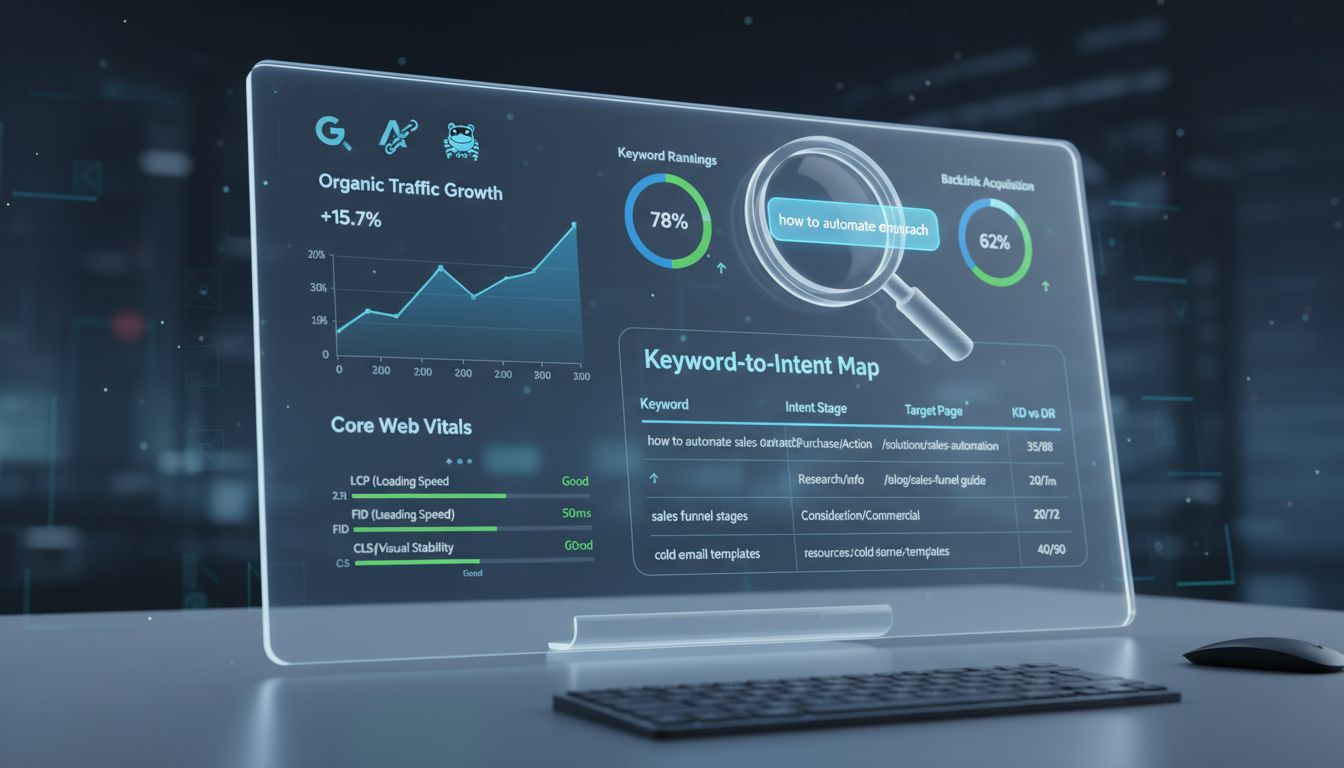
Stop treating keywords as isolated search terms. Your first job is understanding why someone is searching, then mapping that intent to your site's architecture.
A B2B buyer doesn't just search "CRM." They move through stages: recognising a problem, evaluating solutions, comparing specific products. Your site has to meet them at each one.
Open your keyword research tool (Ahrefs, SEMrush, etc.) and categorise every target term by buyer intent. This is really what people mean when they ask how to do on page seo, it starts with strategy, not syntax.
| Keyword Example | Intent Stage | Target Page Type | Primary CTA |
|---|---|---|---|
| "lead scoring definition" | Problem-Awareness | Blog Post / Guide | Ebook / Newsletter Signup |
| "how to automate sales outreach" | Solution-Consideration | Feature Page / Use Case | Demo / Free Trial |
| "Salesforce vs HubSpot pricing 2025" | Product-Decision | Comparison Page / Landing Page | Demo Request / Pricing Page |
A searcher for "lead scoring definition" is educating themselves, not ready to buy. Send them to a product page with a "Book Demo" CTA and you're looking at a 90%+ bounce rate. The page's purpose has to match the searcher's mindset.
Now apply the 80/20 rule for SEO to your SaaS. Forget trying to rank for everything. 80% of your qualified leads will come from 20% of your content, the high-intent, commercial pages. Prioritise "Product-Decision" keywords first. Lower search volume, but the conversion value isn't even close.
Here's what most guides skip: your Domain Rating (DR) dictates what you can actually rank for. If your DR is 30, targeting "best CRM software" is just burning engineering time. You're competing with DR 80+ sites that have thousands of backlinks pointing at them.
Filter your keyword list by "Keyword Difficulty" and target terms where the difficulty score sits at or below your DR. A DR 30 site should go hard on long-tail, low-competition, high-intent keywords, things like "[your niche] CRM for [specific industry]" or "[competitor] alternative for small teams."
Action: Export your keyword list. Add three columns: "Intent," "Target Page," and "KD vs Our DR." Manually label the intent for your top 50 terms. Every meta tag you write, every page you build, flows from this spreadsheet. Without it, you're just publishing into a void.
Step 2: Execute Foundational & Technical Optimisations
You have your keyword-to-intent map. Now stop writing new content.
Fix the technical foundation first. No amount of brilliant copy will rank if your site fails these basics.
Craft Title Tags, Meta Descriptions, and Headers for CTR
Open your site crawler (Screaming Frog, Ahrefs Site Audit), run a crawl, and export every page's title and meta description. Your first job is eliminating duplicates.
For each key page, write a unique <title> tag. Put your primary keyword near the front, keep it under 60 characters to avoid truncation in SERPs. The meta description should be action-oriented and under 155 characters. Done right, this alone can move click-through rates 10-30%.
The H1 must match the page's primary intent and mirror the title tag. Include your keyword in the first 100 words of body copy. Not keyword stuffing, signal alignment.
Implementation specifics: React SPA? Install React Helmet for per-route metadata. Next.js uses next/head. In a headless CMS like Contentful or Sanity, make sure your content model has dedicated fields for SEO title, meta description, and H1 that editors can't skip past. Duplicate meta tags are a silent killer, especially in JavaScript frameworks where one component serves multiple routes.
Define a Clean URL Structure and Canonicalisation
Your URL is a persistent signal. It should be hierarchical and descriptive: /features/lead-scoring, not /page?id=123. Hyphens, not underscores.
Every indexable page needs a self-referencing canonical (<link rel="canonical" href="https://yoursite.com/this-page"/>) in the <head>. This tells search engines: "This is the definitive version." It matters a lot for CMS platforms like WordPress or Webflow that generate multiple URL variants (parameters, trailing slashes, etc.).
Critical pitfall: Check for accidental noindex directives. I've seen staging site configs (<meta name="robots" content="noindex">) push to production after a deployment and wipe pages from Google overnight. Your site crawler will catch these. Also check that robots.txt isn't blocking /sitemap.xml or your CSS/JS files, which are needed for rendering.
Hit Core Web Vitals Targets (The 2026 Benchmarks)
Google's Core Web Vitals are a core ranking factor now. The 2026 thresholds: LCP ≤2.5s, CLS ≤0.1, INP ≤200ms. Sites with excellent Core Web Vitals scores see up to 40% better search visibility versus those with poor scores.
Use PageSpeed Insights for field data (CrUX) and Lighthouse for lab diagnostics. Fix the "poor" URLs before anything else.
The SPA crawlability trap: You can have perfect lab CWV scores and still be invisible to Google. If your React or Vue app renders content entirely client-side, crawlers might see an empty shell. The initial HTML response has to contain your critical metadata and content. Push for SSR with Next.js or Nuxt, SSG with Gatsby, or at minimum pre-render key marketing pages. This is how you make sure your <title>, <meta>, and <h1> are in the HTML Google actually receives on its first fetch.
Implement Image Alt Text and Semantic HTML
Low-hanging fruit. Every image needs descriptive alt text, not alt="screenshot-01", but something like alt="Lead scoring dashboard showing priority tiers". Good for accessibility, good for E-E-A-T.
Enforce a proper heading hierarchy. One <h1> per page. <h2> for major sections, <h3> for subsections. Don't style a <div> to look like a heading, use the actual <h2> tag. Crawlers and users both benefit from the structure.
Run one final crawl. Every indexable page should have a unique title, meta description, H1, self-referencing canonical, and zero noindex blocks.
That's the foundation. Everything else in how to do on page seo, structured data, internal linking, content depth, only compounds on top of this. If this layer is broken, none of it matters.
Step 3: Layer on Advanced SaaS SEO Signals
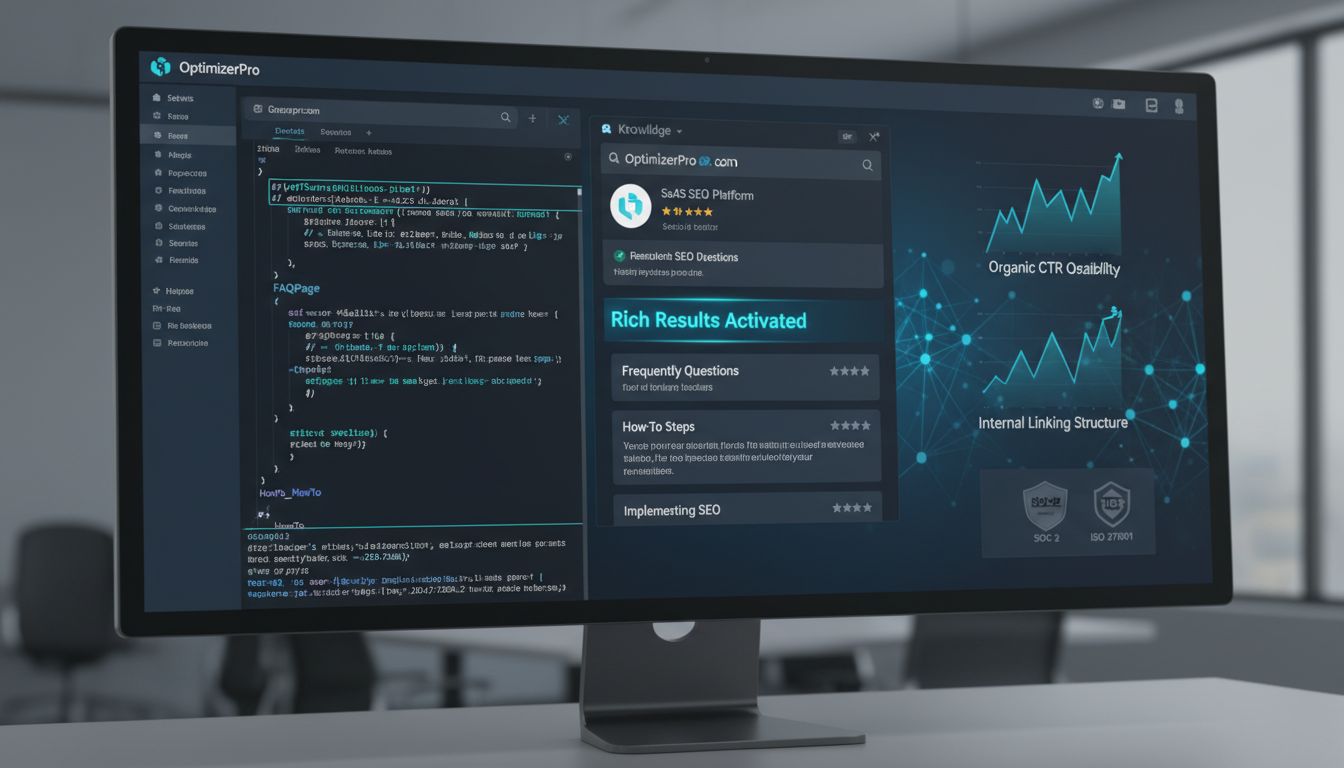
With your technical foundation solid, what actually moves the needle next? Structured data and internal linking. These are the signals that disproportionately benefit SaaS sites, rich results, topic authority, link equity flowing where you actually need it.
Deploy Schema Markup (Structured Data) for Rich Results
Implement JSON-LD schema markup immediately. It's one of the highest-ROI actions in how to do on page seo, full stop. Pages with schema markup get around 40% higher click-through rates than those without, and properly implemented schema can lift SEO visibility by ~36.6%.
For SaaS, focus on these Schema.org types:
SoftwareApplicationfor your product pagesFAQPagefor pricing and feature pagesHowTofor tutorials and documentationArticlefor blog contentOrganizationfor your company information
Here's a practical JSON-LD example for a project management tool:
<script type="application/ld+json">
{
"@context": "https://schema.org",
"@type": "SoftwareApplication",
"name": "ProjectFlow Pro",
"applicationCategory": "BusinessApplication",
"operatingSystem": "Web, iOS, Android",
"offers": {
  "@type": "Offer",
  "price": "29",
  "priceCurrency": "USD",
  "priceSpecification": {
    "@type": "UnitPriceSpecification",
    "billingIncrement": "1",
    "priceType": "Subscription",
    "unitCode": "MON"
  }
},
"aggregateRating": {
  "@type": "AggregateRating",
  "ratingValue": "4.7",
  "reviewCount": "1243"
}
script>
Critical implementation detail: if you're running a React SPA or similar JavaScript-heavy framework, make sure JSON-LD is server-side rendered or injected via dangerouslySetInnerHTML. Client-side-only schema may never get crawled by Google's JavaScript rendering process.
Quick win: add FAQPage schema to your pricing page today. It can trigger rich FAQ results in SERPs within days, sometimes before your rankings even move.
Build Internal Links and Topic Silos
Internal linking isn't just navigation. It's how you move link equity from your highest-authority pages to the commercial pages that actually need ranking power.
Start with topic clusters. Build a pillar page (something like "Complete Guide to Marketing Automation") that links out to cluster content ("Email Marketing Automation," "Lead Scoring Software," and so on). Each cluster piece links back to the pillar. This tells Google you own the topic, not just a corner of it.
The most common mistake I see: the "walled garden" problem. Your app subdomain (app.yoursite.com) and your docs site are authoritative pages that should be linking back to your marketing site. Most engineering teams never think about this. Those internal links pass real authority.
Run a Screaming Frog crawl, find your orphaned pages, especially feature and pricing pages, and add 2-3 relevant internal links to each from your blog and pillar content. One case study found 82% of internal linking opportunities were missed. Fixing this alone can move traffic meaningfully.
Bolster E-E-A-T with Concrete Page Elements
E-E-A-T (Experience, Expertise, Authoritativeness, Trust) has gone from a quality guideline to a real ranking factor. This matters especially if your SaaS touches finance, security, or health, anything in the YMYL category.
Experience: don't just say you solve problems. Show it. Case studies with specific numbers ("Reduced processing time by 73%"), customer video testimonials, founder stories that demonstrate firsthand experience. Concrete, not vague.
Expertise: author bios with actual credentials. If your CTO writes a technical deep-dive, put their 15 years in DevOps in the bio, not "John writes about technology." Publish whitepapers, architecture diagrams, detailed API docs. Things that take real knowledge to produce.
Authoritativeness: backlinks from industry publications are a long-term play, but in the meantime, partnership logos, industry certifications, and media mentions (even nofollow) all signal that other people vouch for you.
Trust: make it concrete. Security badges (SOC 2, ISO 27001), a physical address and phone number in the footer, transparent pricing, clear refund policies. For enterprise SaaS, a dedicated "Security" or "Compliance" page will answer procurement questions before they're even asked.
E-E-A-T signals compound. One case study won't change your rankings. But a consistent pattern of expertise across your product pages, docs, and blog, that builds the kind of authority profile Google keeps rewarding.
Step 4: Optimise Every Page for Conversion
SEO traffic that doesn't convert into trials, demos, or pipeline is just vanity. This last step is about making sure every ranking page actually does something.
Design a Clear, Funnel-Aligned CTA Strategy
Map your calls-to-action to searcher intent. A problem-aware blog post should offer something educational, like a whitepaper or webinar. A product-comparison page needs a direct conversion CTA, like a free trial.
Single CTAs on key landing pages convert 29% better than multi-CTA designs. For enterprise SaaS, personalised CTAs that reference the visitor's industry or company size can convert 202% better than generic ones.
Cut friction wherever you find it. Trial sign-up forms should have three fields max: name, email, company. Add OAuth flows (Sign in with Google, GitHub) where you can, every click you eliminate helps.
Structure Content for Depth and Decision-Making
Top-of-funnel content needs to educate fully. If you're writing about "project management best practices," answer every related question in that one guide. Google rewards depth that actually satisfies what someone came looking for.
Middle and bottom-of-funnel pages need comparison tables, feature breakdowns, and implementation details. "X vs Y" pages convert high-intent searchers who've already narrowed their options. Pricing calculators, integration lists, security docs, all of that matters for enterprise buyers.
Here's the counterintuitive part: longer, more detailed content often converts better because it builds trust before asking for anything. A 3,000-word feature comparison demonstrates expertise that a 500-word product page can't.
Refine the 3 C's: Content, Code, Credibility
You'll sometimes hear SEOs talk about "the 3 C's of SEO." Here's what that means in practice for your SaaS:
Content (Steps 1 & 4): Your keyword-to-intent mapping and conversion optimisation. It's structured information that guides users toward solutions.
Code (Step 2): The technical foundation, Core Web Vitals, crawlability, structured data. Your content can't rank if search engines can't access and understand it.
Credibility (Step 3): E-E-A-T signals, internal linking, and topical authority. Google keeps rewarding sites that demonstrate real expertise through consistent patterns.
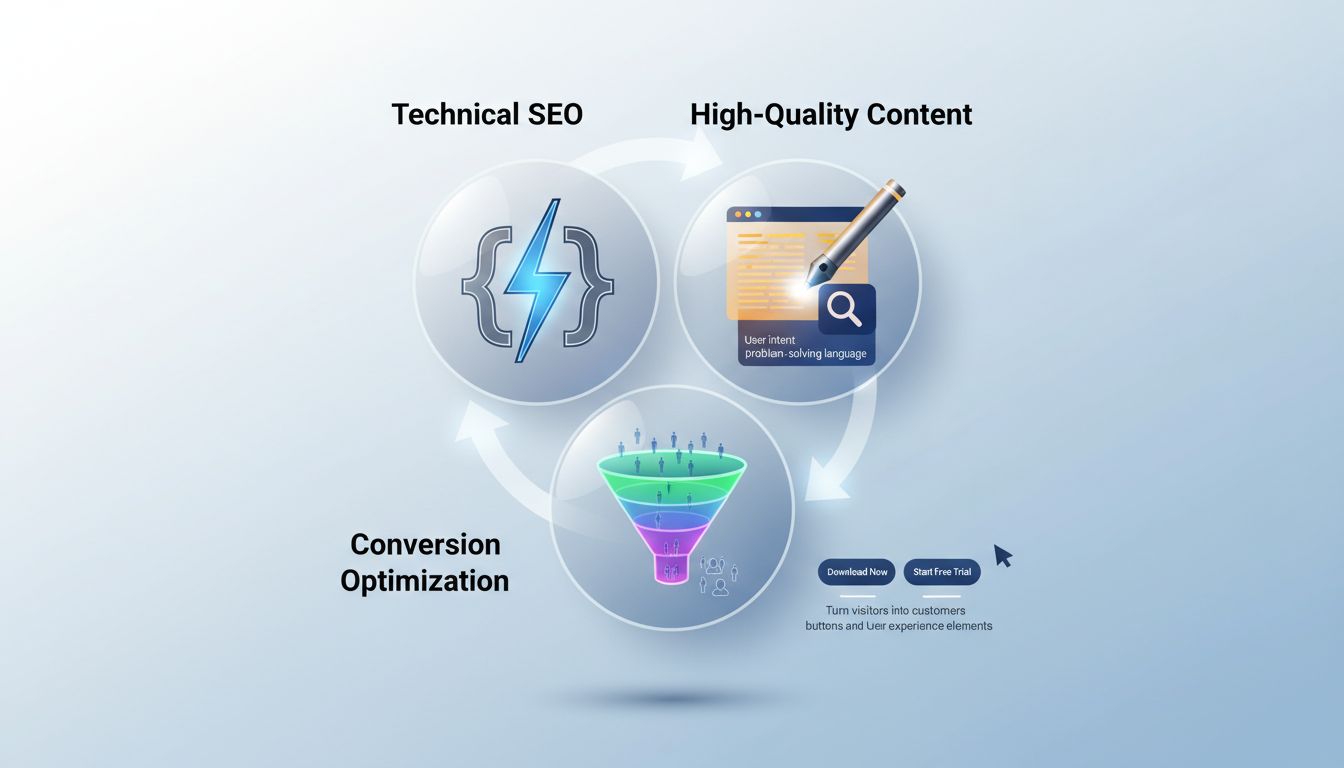
Knowing how to do on page seo means getting all three right. Great content on broken code won't rank. Perfect code without credible content won't convert. All three working together is where the compounding returns actually come from.
Prioritise Your Work: The SaaS SEO Impact/Effort Matrix
Limited time, limited engineering resources. You can't do everything at once, so the question is just: what do you do first?
Plot each task by expected business impact versus implementation effort. That matrix tells you most of what you need to know.
Quick Wins (High Impact/Low Effort)
These are your Monday morning tasks. Rewrite title tags and meta descriptions for your top 5 traffic-driving pages to better match buyer intent, StraightNorth puts the click-through rate lift at 10-30% from this alone. Add FAQ schema to your pricing and feature pages using JSON-LD. Check Google Search Console for accidental noindex directives and fix broken canonical tags pointing to the wrong URLs.
Submit your XML sitemap if you haven't already. Each of these takes minutes to hours, not sprints.
Major Projects (High Impact/High Effort)
Save these for quarterly planning. Implement server-side rendering or static generation for your JavaScript-heavy marketing site so it's actually crawlable. Overhaul your site architecture to match the intent mapping from Step 1. Build out full topic clusters around your core product pillars.
Get your Core Web Vitals where they need to be (LCP ≤2.5s, CLS ≤0.1, INP ≤200ms), Queens Digital Agency found sites hitting those thresholds see up to 40% better search visibility. These take real engineering time, but they're what compound over years.
Fill-Ins (Low Impact/Low Effort)
Batch these during maintenance windows. Add alt text to legacy images that don't have it. Make small internal link tweaks when you're already in a doc. Update stale author bios. Good hygiene, but none of this moves the needle on its own.
Time Sinks (Low Impact/High Effort)
Just don't. Over-optimising low-traffic posts for keyword density. Manually building links to pages that don't convert. Chasing "best [category]" keywords when your domain rating isn't there yet. These eat resources that should go somewhere else.
Your first month is all quick wins. After that, roughly 70% of your SEO time goes to major projects, 20% to quick wins, 10% to fill-ins. That's it.
Avoid These Common On-Page SEO Mistakes for SaaS
What actually derails on-page SEO for SaaS teams? Usually not the big stuff. It's small, avoidable errors that compound quietly until your rankings stop moving.
Here are the six I see most often.
1. Optimising for features, not problems. Writing "Our AI Dashboard" instead of "How to Track Marketing ROI." Google ranks solutions, not product brochures. Your feature pages need to answer the user's actual job-to-be-done, not describe what your product looks like.
2. The staging site leak. Leaving noindex directives on a public staging subdomain like staging.yoursaas.com that gets crawled anyway. Google indexes both versions, which creates duplicate content that cannibalises your live site. Password-protect staging environments. Full stop.
3. Ignoring mobile and Core Web Vitals. Mobile drives roughly 64% of global web traffic, and Google's mobile-first indexing is already complete. If your LCP exceeds 2.5 seconds on mobile, you're losing rankings and conversions at the same time.
4. Crawlability sabotage with JavaScript. "Load More" buttons and client-rendered content (think product descriptions in React SPAs) that Googlebot can't execute. Test your pages with Google's URL Inspection Tool. If the rendered HTML comes back empty, you're invisible.
5. The orphaned pricing page. Not linking to your pricing page from blog posts, case studies, or your homepage. This creates a page depth issue where Google crawls it less frequently and users can't find it. Internal linking fixes here tend to deliver real traffic lifts.
6. Thin content on commercial pages. A 200-word feature page trying to rank for "project management software" isn't going to work. Commercial intent terms need depth. Build out solution pages that actually address comparisons, integrations, and implementation, not just a few bullet points.
Conclusion
On-page SEO for SaaS isn't about ticking boxes. It's a framework that matches your site's technical setup to how software buyers actually move through a decision, non-linearly, slowly, across a lot of touchpoints.
You map intent to page types, fix the crawlability issues in your stack, layer in structured data and internal linking, and make sure everything points toward conversion.
Prioritisation matters more than effort. Use the Impact/Effort Matrix to go after Quick Wins first, rewriting meta tags for buyer intent, fixing accidental noindex directives, implementing FAQ schema. These move the needle fast. Then work through the slower stuff: internal linking silos, architecture overhauls, the projects that take months.
One thing that's not optional: technical implementation. If you're running React, Next.js, or a headless CMS and search engines can't render your content, nothing else you do here matters. And traffic that doesn't turn into pipeline is just a vanity metric.
Your action this week: Pick one Quick Win from this guide and ship it. Then audit your top five commercial pages against the four-step framework. If you need to scale content production to actually feed this system, turning intent maps into published, optimised pages, an AI-powered tool like Spectre can handle the research and drafting so you can stay focused on strategy.
Frequently Asked Questions
Can I do SEO by myself?
Can you handle SEO without hiring an agency? Yes. Especially early on.
In the early stages of a SaaS company, you can and should be doing this yourself. The knowledge isn't the hard part, systematic execution is. Keyword research, content creation, technical optimisation... it adds up fast.
Tools like Spectre can automate the heavy lifting on content research and generation, so you can stay focused on strategy and conversion rather than drowning in the operational side.
Can ChatGPT do SEO?
It's a solid assistant for ideation, drafting outlines, generating meta descriptions at scale. That's genuinely useful.
But it doesn't have firsthand experience. It can't provide the E-E-A-T signals (Experience, Expertise, Authoritativeness, Trust) that search engines are increasingly looking for. You need practitioner insights, specific tool workflows, and conversion-focused editing layered on top.
That's the gap Spectre is built to close, AI efficiency with actual strategic oversight, not just generated text.
What is the 3-3-3 rule in sales?
It's a sales methodology: three hours researching a prospect, three hours preparing outreach, three hours following up. Fine for outbound.
For inbound SEO, the more useful version of "three stages" is the search funnel itself: awareness (informational content), consideration (comparison and feature pages), and decision (pricing and trial pages).
Map your keyword strategy to those intents and you're most of the way there.
How is on page SEO done?
How to do on page SEO comes down to a framework, not a checklist you run through once.
Start with keyword-to-page mapping, match each keyword to a specific page type and user intent. Then fix the technical foundations: unique title tags, proper heading hierarchy, canonical tags.
After that, layer in the advanced stuff. Schema markup, internal linking silos, and conversion optimisation on every page. Rankings are a means to an end.
What is Schema Markup?
Schema markup is structured data code (Schema.org vocabulary) added to your HTML so search engines can actually understand what your content is about.
For SaaS, the relevant types are SoftwareApplication, FAQPage, and Product schema. Get it right and you can trigger rich results, FAQ displays, product carousels, which see around a 40% higher click-through rate than standard listings [Source: singlegrain.com].
What are the Core Web Vitals targets?
Google's current targets: Largest Contentful Paint (LCP) ≤2.5 seconds, Cumulative Layout Shift (CLS) ≤0.1, Interaction to Next Paint (INP) ≤200 milliseconds.
Sites hitting those thresholds see up to 40% better search visibility than sites with poor scores [Source: queensdigitalagency.com].
These aren't optional. They're the floor.