March 1st, 2026
Link Whisper vs. AI Internal Linking Tools: Which is Best for SaaS in 2026?
 WD
WDWarren Day
You've published 200 blog posts, but only your 10 latest articles get any traffic. Your older, cornerstone content is fading into obscurity, and manually connecting it all feels like a full-time job.
This is the silent SEO struggle of scaling a SaaS content library.
Here's the real problem: You know internal linking matters. You've read the case studies showing strategic interlinking can lift organic traffic by 40%, and you've seen tools like Link Whisper help B2B SaaS sites grow 31% in four months. But when you search for solutions, you're drowning in options. WordPress plugins, AI-powered SaaS platforms, lifetime deals on AppSumo. Everyone claims to be the answer.
In 2026, choosing between Link Whisper and an AI SaaS linking tool isn't about features. It's a strategic decision between optimizing for WordPress simplicity and investing in a scalable, API-first platform for future-proof SaaS growth.
Most comparison articles treat this like a spec-sheet battle: "Tool A has bulk linking, Tool B has orphan detection." That's unhelpful.
What you actually need is clarity on which architecture fits your SaaS company's maturity, tech stack, and growth trajectory. Are you running a monolithic WordPress blog with 150 posts, or a headless CMS powering 2,000 pages across multiple product lines? The answer changes everything.
This guide gives you three things most reviews skip: a SaaS Internal Linking Maturity Model to assess where you are today, a Total Cost of Ownership breakdown that goes beyond sticker price, and conditional recommendations you can take to your manager tomorrow. No hype, no affiliate spin. Just the strategic clarity you need to pick the right tool and move on.
Link Whisper vs. AI SaaS Tools: Your 2026 Strategic Guide for SaaS SEO
You're staring at a decision that feels smaller than it is.
Link Whisper costs $97 a year. Some AI SaaS alternative costs $49 a month. Both promise to fix your internal linking mess. Both claim to boost your organic traffic. And both have case studies showing 30-40% traffic lifts that sound too good to be true, except intelligent internal linking tools really do improve crawl efficiency by 23% compared to manual linking, and strategic implementation can push organic growth past 40%.
The real question isn't which tool has better AI or a slicker dashboard.
It's whether you're choosing a WordPress plugin that solves today's problem efficiently, or betting on a platform architecture that scales with your SaaS as you move toward headless CMS, multi-site management, and API-first marketing stacks. Most comparison articles miss this entirely. They compare features in a vacuum ("Link Whisper has orphan detection, but Tool X has semantic entity linking!") without asking what actually matters for a B2B SaaS content operation running on limited budget and zero dedicated SEO headcount.
Here's what that framing misses: Link Whisper isn't just cheaper. It's architecturally different. It's a tightly coupled WordPress plugin that lives inside your CMS, suggests links as you write, and stores everything in your database. AI SaaS tools are decoupled platforms that connect via API, work across any CMS, and charge you monthly for flexibility you may never use.
Neither is "better." They're built for different futures.
If your content strategy in 2027 looks like your content strategy today (WordPress, one main blog, steady publishing cadence), Link Whisper is probably the smarter buy. If you're planning a migration to headless, launching regional sites, or integrating content workflows with product data APIs, the SaaS tools start to justify their cost.
State of Play: Why Internal Linking is a 2026 Priority for SaaS
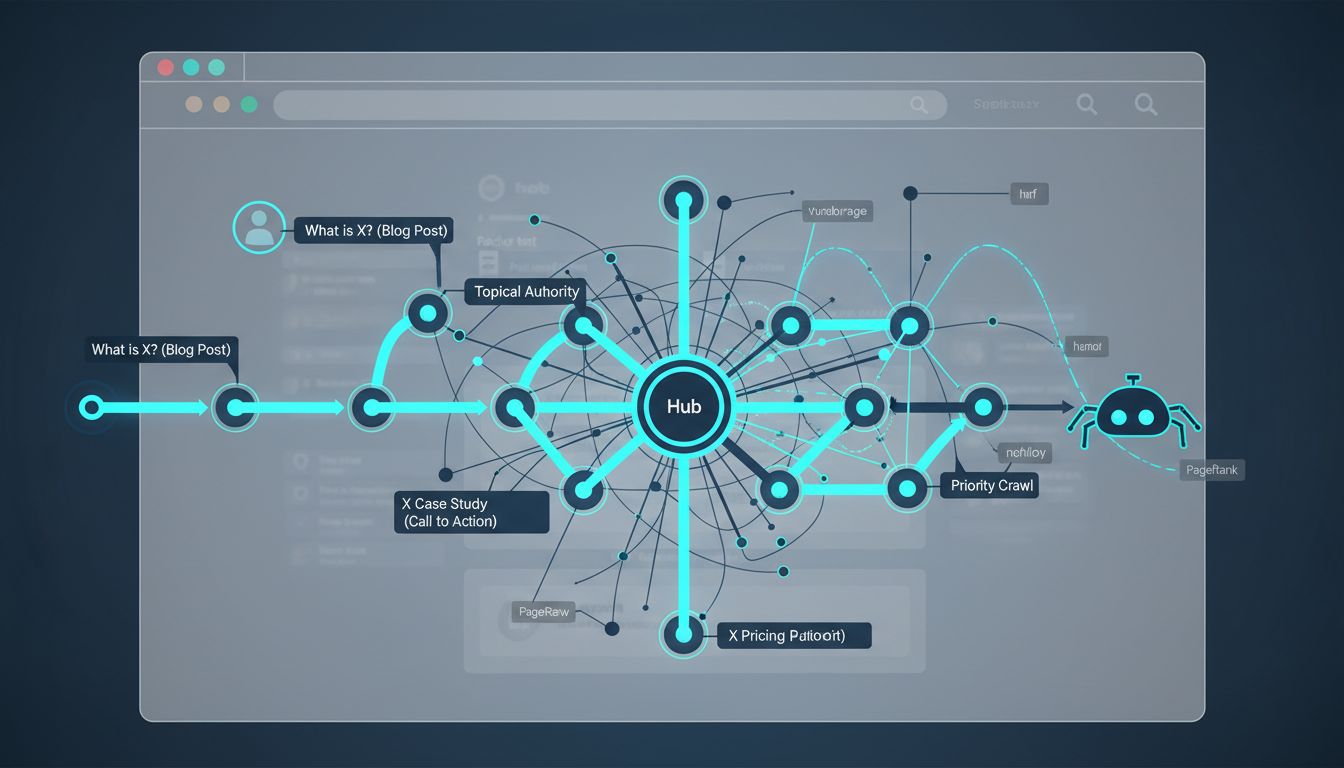
Internal linking does two things at once. For visitors, it's how they navigate from a problem they're googling to the solution you sell. For search engines, it's proof you know what you're talking about and a map showing which pages deserve to rank.
In SaaS, this matters more than most industries. Your buyers don't show up and convert. They read a "what is X?" post, compare you against alternatives, skim three case studies, then maybe circle back two weeks later to check pricing. If your internal links don't guide that journey from awareness content straight through to your trial signup, you're losing people who were already interested.
What shifted in 2026: Google's AI Overviews and answer engines like Perplexity now reward sites built around tight topical clusters. A blog with weak internal linking reads like a pile of disconnected articles. A well-linked content hub reads like authority. Doesn't matter if you have 500 posts or 50 if half of them are orphaned and the algorithm can't see how they relate to each other.
The data's pretty clear on this. Strategic internal linking can increase organic traffic growth by up to 40%, and intelligent tools improve crawl efficiency by 23% compared to doing it manually. For a SaaS team managing 200+ articles, that's not a nice-to-have. It's the line between content that grows in value over time and content that just sits there.
The problem is manual linking doesn't scale. You publish a new feature comparison today. Now you need to dig through 150 old posts to find every relevant place to link to it. You update a pillar page, but three related articles still point to the outdated version. Most teams only add internal links inside new content as they write it, which fragments authority across isolated silos instead of building it up.
Automation isn't a hack anymore. It's the baseline. The real question isn't whether you need a tool, but which one fits how your team actually works and where you're headed. That's where the link whisper decision gets interesting.
Link Whisper Explained: The WordPress-Centric Workhorse
What is Link Whisper? Link Whisper is a WordPress plugin that uses AI to automatically suggest relevant internal links as you write or edit content, analyze your site for orphaned pages, and manage bulk linking operations across thousands of posts, all from within your WordPress dashboard.
That's the 30-second answer. Here's what it actually does for your content operations.
Link Whisper embeds directly into the WordPress editor, both Gutenberg and Classic, surfacing contextual link suggestions in a sidebar as you type. You're drafting a post about API security? The plugin scans your content library and recommends linking to your existing articles on authentication protocols, zero-trust architecture, or compliance frameworks. One click adds the link with pre-written anchor text.
The real workhorse feature is orphaned page detection. Link Whisper flags content that has zero internal links pointing to it, those 200 blog posts gathering dust in your archive. You can bulk-review suggestions and apply links across your entire site in minutes, not hours. Link Whisper's bulk export handles up to 40,000 linking opportunities in a single operation, which means even SaaS sites with massive content libraries aren't outgrowing the tool.
Google Search Console integration pulls in actual search performance data, so link whisper prioritizes suggestions based on pages that are already earning impressions but underperforming on clicks. Smart way to triage where internal links will move the needle.
Why SaaS Teams Choose It
The value proposition is simple: native WordPress integration with zero configuration.
You install the plugin, activate it, and suggestions start appearing. No API keys, no external dashboards, no onboarding calls. For content teams without dedicated SEO headcount, that's a forcing function. Link Whisper removes the excuse. Your writers don't need to understand PageRank distribution or hub-and-spoke architecture. They just need to click "Add Link" when a suggestion makes sense.
Pricing reinforces the accessibility angle. A single-site license costs $97 per year. Multi-site tiers scale to $297 for three sites and $497 for ten sites, predictable, budget-friendly annual costs that don't require CFO approval. Black Bear Media, a digital agency managing multiple niche sites, adopted link whisper specifically for this reason: one tool, multiple clients, straightforward licensing.
Where It Shows Its Age
Link Whisper is a WordPress plugin first, which means it lives and dies by WordPress architecture.
If you're running a headless CMS, a React-based marketing site, or managing content across Contentful and HubSpot, link whisper won't help you. It's Shopify-compatible as of 2025, but that's the extent of its multi-platform reach. The AI isn't as semantically sophisticated as newer SaaS competitors. Users report occasional irrelevant suggestions, linking a product page to a tangentially related blog post because they share a keyword, not because the connection serves the reader. You'll still need human oversight to filter out noise.
And while 40,000-link bulk operations sound impressive, the tool doesn't offer the granular control that enterprise SEO teams expect: custom linking rules by post type, exclusion lists by taxonomy, or API-driven automation that plugs into your broader martech stack.
Link Whisper is a workhorse, not a racehorse. It does one job exceptionally well for a specific architecture. The question is whether that architecture is yours.
The AI SaaS Contenders: API-First Platforms for Modern Stacks
If Link Whisper is a WordPress plugin, these tools are platforms. They don't live inside your CMS. They connect to it.
Tools like Linkbot, SEOJuice, LinkBoss, and Internals represent a fundamentally different architecture: cloud-based SaaS platforms that use REST or GraphQL APIs to read your content, analyze relationships, and inject links across any stack. They're CMS-agnostic by design, which means they work equally well with WordPress, headless CMSs like Contentful or Sanity, custom Next.js apps, or even a hybrid setup where your marketing site runs on Webflow and your docs live in Notion.
What makes them different?
First, they offer visual site architecture tools. SEOJuice and Linkbot both include silo builders: drag-and-drop interfaces that let you map topic clusters and see your internal link graph in real time. This isn't just aesthetics. It's strategic clarity. You can spot orphaned content, identify weak clusters, and redistribute link equity without exporting CSV files or running SQL queries.
Second, multi-site management from a single dashboard. If your SaaS runs separate domains for different regions, products, or brands, platforms like SEOJuice let you manage all of them under one login. Link Whisper requires a separate license and plugin installation per site. These tools treat multi-site as the default.
Third, semantic entity linking. Link Whisper matches keywords and phrases. Enterprise platforms analyze entities, people, products, concepts, and link based on topical relationships, not just text overlap. This aligns better with how Google's Knowledge Graph and large language models understand content.
The integration imperative
Here's where the API-first model becomes non-negotiable: headless CMS support.
If you're running a decoupled architecture, say, Contentful feeding a Next.js frontend, link whisper can't help you. It needs WordPress's database and editor hooks.
SEOJuice, by contrast, connects via API. A multinational SaaS provider adopted SEOJuice to manage internal linking across 5,000 pages spread across three headless CMSs. The platform's API integrated directly with their content pipeline, enabling automated link updates every time new content published. No manual intervention, no WordPress required.
Pricing: flexibility at a cost
These platforms typically charge monthly subscriptions. SEOJuice starts at €49/month. Linkbot offers tiered plans from $19 to $199/month depending on content volume and features. Over three years, that's €1,764 to €7,164 versus Link Whisper's $97/year.
The trade-off is flexibility. Monthly billing means you can scale up during a content sprint, pause during a hiring freeze, and avoid the sunk-cost trap of an annual license you're not using. For SaaS companies with volatile growth or seasonal content cycles, that matters.
The real question: does your stack demand this flexibility, or are you paying for architecture you don't need?
The ROI Verdict: Is Link Whisper Worth It for Your SaaS?
Let's cut through the noise with numbers.
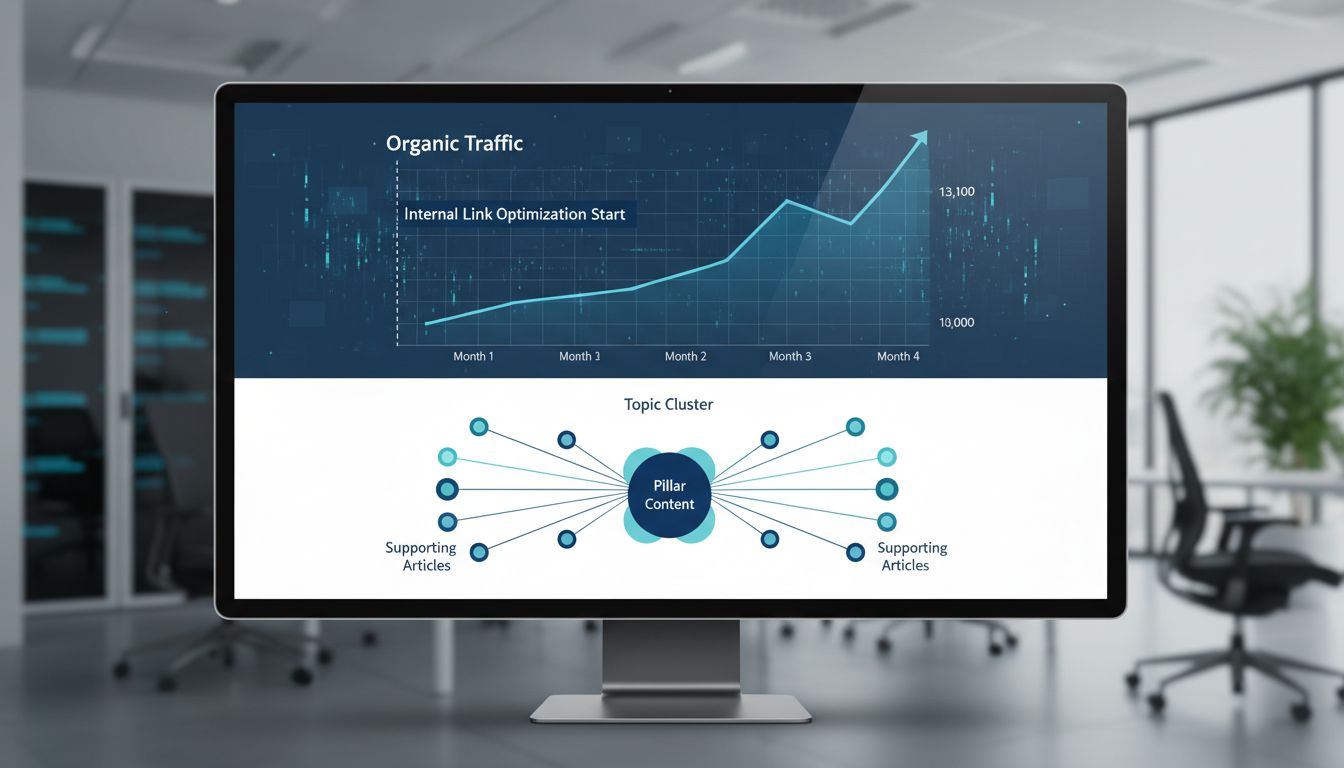
A B2B SaaS company with 400 blog posts restructured their internal links using Link Whisper's topic-cluster approach. The result: a 31% increase in organic traffic in four months. No new backlinks. No SEO consultant. No site rebuild. They just connected their existing content more intelligently.
Here's the math that matters: Link Whisper costs $97 per year. Automated linking tools save content creators 3-4 hours per week. That's 12-16 hours per month you get back. Enough to publish 1-2 additional high-quality articles or run experiments on conversion optimization. Value your time at $50/hour? You're looking at $600-800 in monthly labor savings for a tool that costs $8 per month.
The traffic lift compounds this. Even a conservative 15% traffic increase on a SaaS blog generating 10,000 monthly visitors translates to 1,500 additional opportunities for demo signups, email captures, or product-qualified leads. At a 2% conversion rate, that's 30 new leads per month from existing content. Content you already paid to create.
There's a threshold where link whisper stops making sense, though.
If you're running a headless CMS or multi-platform content operation, the WordPress-only architecture becomes a liability. Fewer than 50 published posts? You don't yet have enough content mass for internal linking to move the needle. Manual linking still works fine at that scale.
The verdict: Link Whisper is overwhelmingly worth it for WordPress-based SaaS companies that have crossed 100 posts and want to extract more value from content they've already paid to create. You're not buying features. You're buying back time and unlocking dormant traffic.
Strategic Decision Framework: Finding Your SaaS's Perfect Fit
You don't need another feature comparison chart. You need a framework that maps your actual situation to the right tool.
Most SaaS companies fall into one of three maturity stages when it comes to internal linking. Where you sit determines which tool architecture makes sense. Not marketing promises or feature lists.
The SaaS Internal Linking Maturity Model breaks down like this:
Startup (0-100 posts): You're publishing consistently but haven't hit critical mass. Internal linking is manual and ad-hoc. Your biggest risk is orphan pages, not optimization sophistication.
Scaling (100-500 posts): You've built a content library that's generating traffic, but older posts are fading. You need systematic linking without hiring a specialist. Time savings matter more than advanced features.
Enterprise (500+ posts, multi-site, or headless): Your content operation spans multiple properties, languages, or a decoupled tech stack. Manual linking is impossible. Basic WordPress plugins create integration headaches.
Most readers of this guide sit squarely in the Scaling phase. That's where the Link Whisper decision gets interesting.
Decision Factor 1: Your Tech Stack Reality
Here's the uncomfortable truth: if you're running headless WordPress, Next.js, or managing content across Contentful + WordPress + a docs platform, Link Whisper will frustrate you.
Monolithic WordPress sites get the full benefit. Link Whisper hooks directly into the WordPress editor, database, and post relationships. Installation takes five minutes. Suggestions appear immediately.
Headless/JAMstack architectures break that integration. Link Whisper can analyze your WordPress content, but if your front-end pulls from an API or static site generator, implementing suggestions requires developer time to sync changes. You're paying for automation but adding manual steps.
Multi-CMS environments are where API-first platforms like SEOJuice or Linkbot justify their higher cost. These tools expose REST endpoints that your engineering team can wire into any stack. One dashboard manages links across WordPress, HubSpot, and your custom docs site.
The integration deep dive: WordPress-native tools win on speed-to-value for standard setups. API-first platforms win on flexibility but demand technical resources to unlock that flexibility. If "headless CMS" isn't in your roadmap conversations, you don't need to pay for API-first architecture.
Decision Factor 2: Team Structure & Workflow Friction
A solo content marketer benefits most from Link Whisper's in-editor suggestions. You're writing, the plugin suggests links, you click to add them. Zero context switching.
A distributed team faces more friction. Writers draft in Google Docs, editors review in Notion, and a developer publishes to WordPress. Link Whisper only works inside WordPress, so suggestions happen late in the workflow. SaaS platforms with browser extensions or API integrations can surface linking opportunities earlier, but they require setup and training.
Ask yourself: does your team live in WordPress, or does WordPress serve as a final publishing step?
The answer determines whether embedded suggestions feel seamless or like an afterthought.
Decision Factor 3: Content Volume & Publishing Velocity
Publishing 2-4 posts per month with a library under 200 articles? Link Whisper's single-site license at $97/year is overkill. Manual linking still works.
Once you cross 100 posts and publish weekly, automated linking tools save 3-4 hours per week. That's 15+ hours per month. Nearly half a full-time employee's capacity.
At 500+ posts or multiple sites, evaluate whether Link Whisper's multi-site pricing ($297/year for 10 sites) beats a SaaS subscription. The crossover point depends on how many properties you manage and whether you need centralized reporting.
Decision Factor 4: Total Cost of Ownership Over 24 Months
Price tags lie. TCO tells the truth.
| Scenario | Link Whisper | SEOJuice (SaaS) | Hidden Costs |
|---|---|---|---|
| Single WordPress Site | $194 (2 years) | €1,176 ($1,250) | Link Whisper: ~2 hrs setup. SEOJuice: ~8 hrs integration + training |
| 5-Site Agency | $594 (10-site license) | €1,176 + multi-site fees | Link Whisper scales flat; SaaS may charge per-site |
| Enterprise Headless | $194 + ~20 dev hours ($3,000) to bridge gaps | €1,176 + ~10 dev hours ($1,500) for API setup | Link Whisper requires ongoing workarounds; SaaS is one-time integration |
For standard WordPress setups, Link Whisper wins on TCO by a landslide. For headless or multi-CMS environments, the SaaS premium pays for itself in reduced engineering overhead.
The Decision Flowchart
Start here: Are you running standard WordPress (not headless)?
Yes → Do you manage 1-3 sites? → Choose Link Whisper
Yes → Do you manage 4+ sites or need cross-CMS linking? → Evaluate SaaS platforms
No (headless/JAMstack) → Do you have developer resources to integrate APIs? → Choose API-first SaaS
No → Can you adapt your workflow to WordPress-only linking? → Choose Link Whisper with caveats
The best internal linking tool for SaaS isn't the one with the longest feature list.
It's the one that disappears into your existing workflow and delivers results without requiring a new hire to manage it.
Pitfalls to Avoid: Maximizing Your Tool Investment
Buying the tool is easy. Using it well is where most SaaS teams stumble.

The biggest mistake? Treating automation as a substitute for judgment. Link Whisper or any AI platform will suggest hundreds of linking opportunities, but not all of them make sense. A tool might recommend linking "customer retention strategies" to a post about "email deliverability" because both mention "engagement metrics." Contextually plausible, but editorially weak. Always review suggestions before bulk-accepting them.
Your second trap is keyword-stuffed anchor text.
Yes, Google understands "best project management software" as a signal, but when 40% of your internal links use exact-match anchors, you're optimizing for 2015. Use natural phrases like "we covered this approach" or "our guide to project workflows" instead. Readers click links that sound human.
Even when your tool flags orphan pages (content with zero internal links), nothing changes until you act. Detection without execution is just expensive reporting. Schedule a monthly sprint to fix orphans, not a quarterly review when you've accumulated 50 more.
Architecture mismatch will cost you later. If you're planning a headless migration in 12 months but buy a WordPress-only plugin today, you're creating technical debt. Choose based on your 18-month roadmap, not your current CMS.
Internal linking isn't a one-time project. Your content library grows, topics shift, and link equity redistributes. Set a quarterly audit cadence to review your top 20 traffic drivers and make sure they're linking to your current conversion priorities. Tools surface opportunities, but strategy determines which ones matter.
Final Recommendation: Clarity at the Crossroads
Look, here's the reality without any sales spin: Link Whisper works for 95% of WordPress-based SaaS companies under 50 employees with content libraries under 1,000 posts. You'll spend $97 annually, see immediate ROI, and skip the headache of API integrations.
Choose Link Whisper if: You run WordPress, need results this quarter, and want something your content team can actually use without bugging engineering. The single-site license pays for itself in saved time within weeks. And you're not migrating to headless architecture anytime soon.
Choose an AI SaaS platform like Linkbot or SEOJuice if: You're managing multiple product sites, planning a headless CMS migration, or your content library exceeds 2,000 pages. The higher monthly cost buys you CMS flexibility and multi-site dashboards, but only if you'll actually use them.
The wrong move? Paralysis.
Pick the tool that matches your current stack and ship links this month. You can always graduate to a platform later. Most SaaS tools offer migration paths anyway.
Before you decide: Pull a site crawl or check Google Search Console to identify your orphan pages and underlinked cornerstone content. That baseline tells you whether you need a scalpel or a bulldozer. More importantly, it justifies the investment to your manager with actual numbers instead of hunches.
Conclusion
Choosing between Link Whisper and AI internal linking tools isn't about feature checklists. It's about what actually fits your setup and where you're headed.
WordPress shop needing quick wins? Link Whisper at $97/year is the obvious call. It works out of the box, your content team can run with it, and you'll see returns fast if you're managing 50-500 posts without headless complications.
Running headless CMS, juggling multiple product sites, or scaling programmatic SEO? You need an API-first platform like SEOJuice or Linkbot. Higher cost, sure, but you're buying infrastructure that grows with you instead of working around limitations later.
Here's what matters more than the tool itself: your strategy.
Set-it-and-forget-it automation is how you end up with garbage links that hurt more than they help. Actually review the suggestions. Maintain editorial standards. Audit orphaned content regularly instead of letting it pile up.
Do this before anything else: Pull your internal links report from Google Search Console or fire up Screaming Frog. Count your orphan pages. Find your underlinked cornerstone content. That's your baseline, and it makes your tool decision (and budget request) defendable with real data instead of gut feeling.
Frequently Asked Questions
What is Link Whisper?
Link Whisper is a WordPress plugin that automates internal linking through AI-driven content analysis. It scans your existing posts in real-time to suggest contextually relevant internal links as you write, flags orphaned pages with zero inbound links, and handles bulk operations to restructure your link architecture across thousands of pages. Everything happens inside the WordPress editor. No spreadsheets, no manual audits.
Is Link Whisper worth it?
For SaaS companies on WordPress with content libraries under 1,000 pages? Absolutely.
The $97 annual cost typically pays for itself within weeks when you factor in the 3-4 hours saved per week on manual linking [Source: sheikhshadi.com]. One B2B SaaS site documented a 31% organic traffic increase in four months after implementing Link Whisper's topic-cluster approach, with no new backlinks acquired [Source: linkwhisper.com].
The ROI calculation is straightforward: if those saved hours go toward creating one additional high-quality post per month, you've already won.
What is the alternative to Link Whisper?
The primary alternatives are API-first SaaS platforms like Linkbot, SEOJuice, and LinkBoss that operate independently of WordPress. These tools connect to any CMS (or no CMS at all) via REST or GraphQL APIs, making them ideal for headless architectures, multi-site SaaS brands, or teams running Contentful, Sanity, or custom stacks.
They trade Link Whisper's WordPress-native simplicity for broader technical compatibility and enterprise-grade features like visual site architecture builders and semantic entity mapping.
What is the 80/20 rule for SEO?
The 80/20 rule (Pareto Principle) in SEO means 80% of your organic traffic and conversions come from 20% of your content. Usually your pillar pages and core product content.
Applied to internal linking strategy, this means you should concentrate the majority of your internal link equity on that critical 20%: your flagship guides, comparison pages, and product documentation that drive pipeline. Link Whisper's reporting can identify which pages currently receive the most inbound links, helping you verify whether your link distribution matches this principle or needs rebalancing.
Is WordPress still relevant in 2026?
WordPress remains the dominant CMS for early- and mid-market SaaS content operations in 2026, powering roughly 40% of B2B SaaS blogs. Its ecosystem of SEO plugins (Link Whisper, Rank Math, Yoast) gives non-technical content teams powerful tools without developer dependency.
That said, enterprise SaaS increasingly adopts headless architectures (Next.js + headless CMS) for performance and omnichannel delivery, which limits WordPress plugin utility. The inflection point typically occurs around 100 employees or when you need to publish the same content across web, mobile app, and product UI simultaneously.