March 7th, 2026
Automating Site Architecture with Link Whisper: A 2026 SaaS SEO Case Study
 WD
WDWarren Day
Your SaaS company is publishing more content than ever, but organic traffic growth has flatlined. New posts get a brief spike, then vanish. Your older, cornerstone content feels buried.
Your content team is overwhelmed by the mere thought of manually interlinking hundreds of articles. Sound familiar? You're not failing at SEO. You're facing a silent crisis of site architecture.
Most teams searching for "link whisper" are asking the wrong question. They want to know if it saves time. The real question: can it transform a chaotic content library into something that actually makes you money?
Here's what actually happens when you scale from 50 to 500 articles without architectural discipline: your best-converting pages end up five clicks from the homepage. New content becomes orphaned within weeks. Google's crawler burns budget on low-value pages while missing your cornerstone pieces. You're not just losing rankings. You're leaving qualified traffic on the table.
This article walks you through how a mid-sized B2B SaaS company we'll call "SaaS Co." used automation to fix this exact problem. They had 347 published articles, a year-long traffic plateau, and no clear path forward. Within four months of implementing a systematic approach, they saw measurable improvements in crawl efficiency, page authority distribution, and organic traffic without publishing a single new piece of content.
We're not talking about scattering random links across your site. For scaling SaaS companies, real SEO leverage in 2026 comes from automating site architecture. Using tools like Link Whisper not merely to add links, but to execute a diagnostic, strategic, and measurable process that turns a chaotic content repository into a self-reinforcing growth engine.
You'll learn a three-phase framework: Audit (measuring your architectural debt), Automate (strategic implementation with clear rules), and Measure (proving ROI with real data). We'll answer whether Link Whisper is worth the investment, how it stacks up against alternatives, and what to do if you're running Webflow or another modern stack instead of WordPress.
Let's start with the diagnosis.
The Silent Crisis: Why Your Growing SaaS Site's Architecture Is Failing
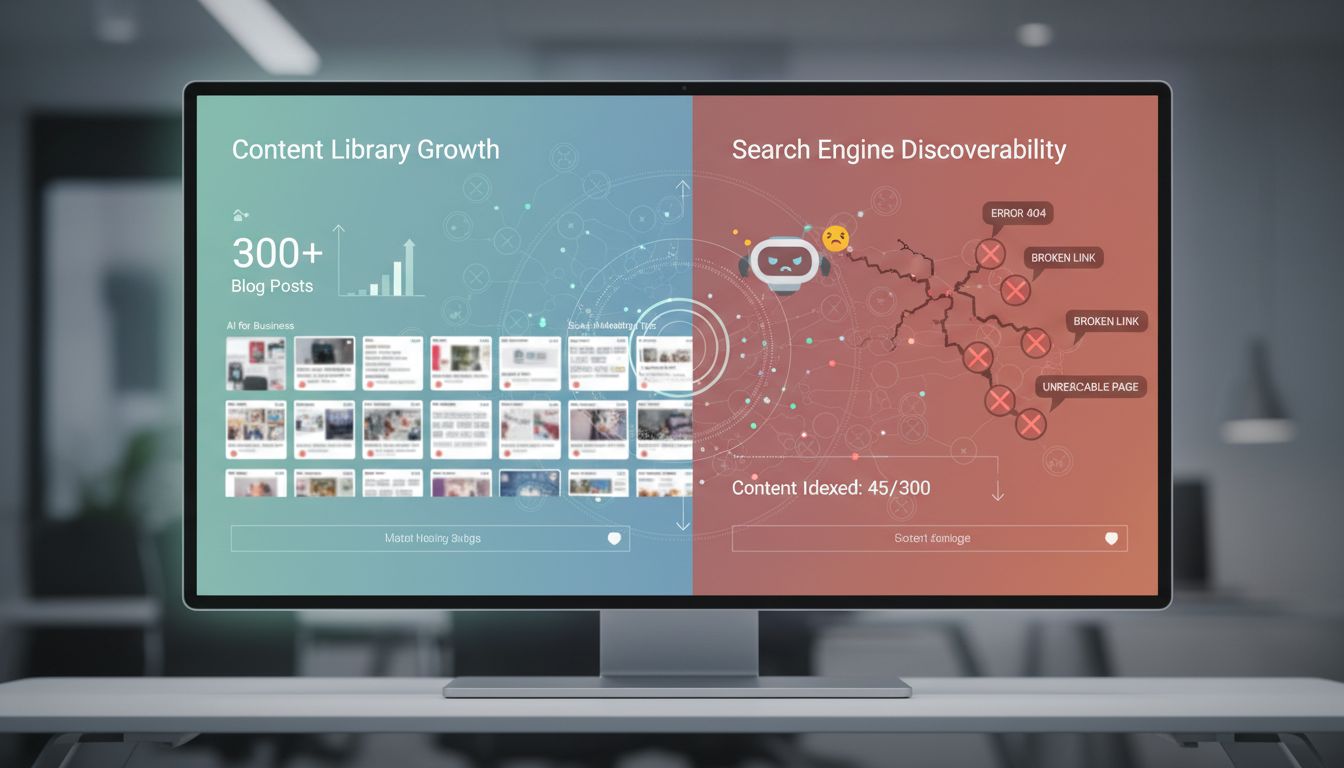
Your content library has grown from 50 posts to 300. Your team is publishing weekly. Yet organic traffic hasn't moved in eight months.
The problem isn't your content quality. It's that Google can't find half of it.
Here's what's happening: over 40% of your blog posts likely have fewer than two internal links. These orphan pages (content with no inbound links from other pages on your site) are invisible to search engine crawlers. Google discovers new pages by following internal links. No links means no crawl, which means no index, which means no traffic.
Your highest-converting feature comparison pages? Buried five clicks deep from your homepage. Your new product launch post? Published three weeks ago and already orphaned because no one remembered to link it from related content.
This is the manual linking trap. Your content team doesn't have time to audit 300 posts every time they publish something new. Your product marketers don't know which technical blog posts should link to the pricing page. So links get added randomly, if at all. The result is a content repository that grows vertically (more posts, same chaos) instead of horizontally into a connected ecosystem that compounds authority.
Most SaaS teams treat internal linking like copyediting: a nice-to-have polish step. But an SEO link isn't decoration. It's infrastructure. It tells search engines which pages matter, how topics relate, and where authority should flow.
The reality: you can't manually link your way out of this at scale. Not with 300 posts. Not with a lean team. Not without burning hours every week just to maintain what you've already built.
What you need is architectural automation. A systematic, rule-based process that treats internal linking as a diagnostic and strategic function, not a creative task. That's where link whisper comes in.
Our 2026 Case Study: Introducing 'SaaS Co.' and the Goal
Meet SaaS Co., a B2B project management platform with 320 published blog posts, two full-time content writers, and a problem they couldn't write their way out of. Over six months, they'd published 47 new articles targeting high-intent keywords. Organic traffic increased by 3%.
Their analytics told a frustrating story. New posts would spike for two weeks, then disappear from the top 50. High-converting feature comparison pages sat buried five clicks from the homepage. When their head of growth ran a quick crawl, the numbers were damning: 85 orphan pages with zero internal inbound links, an average crawl depth of 4.2 for their most valuable product pages, and an anchor text distribution skewed 60% toward exact-match keywords. Classic unintentional over-optimization.
The team had tried manual fixes. They'd spent a Friday afternoon adding links to their latest posts. A contractor had cross-linked a few pillar pages. But with 320 posts and counting, manual intervention was like bailing water with a teaspoon.
The goal wasn't to add 1,000 links. Anyone can bulk-insert links. The goal was architectural transformation: turn their chaotic content repository into a self-reinforcing link engine where every new post automatically integrates into a logical topical hierarchy, where orphan pages get discovered and relinked within days, and where crawl depth correlates with business priority. That's what link whisper was built to solve.
Think of it as the difference between a library where books are piled randomly on the floor versus one with a card catalog, subject sections, and cross-reference systems. Same books. Radically different discoverability.
Phase 1: The Diagnostic Audit, Measuring Your Architectural Debt
Before SaaS Co. touched Link Whisper, they spent two weeks quantifying exactly what was broken.
This isn't optional prep work. It's the foundation that separates strategic automation from random link spam. Most teams skip this step and jump straight to adding links. That's like prescribing medication without running blood tests. You need baseline metrics to know what's sick, how sick it is, and whether your treatment is working.
Step 1: The Crawl – Uncovering Orphans and Depth
SaaS Co. started with Screaming Frog's free tier, which handles up to 500 URLs. For their 320-post site, that was plenty. If you're over that threshold, the paid license ($259/year) is still cheaper than one hour of agency consulting.
Run a full crawl of your domain. Once complete, navigate to Internal > All to visualize your link graph. This is where you'll see the mess: pages connected by a single thread, clusters that don't talk to each other, and content floating in the void.
Next, check Response Codes to flag 404s and redirect chains. These aren't just user experience problems. They're bleeding link equity. Then apply the Orphan Pages filter. SaaS Co. discovered 47 orphan pages, 14.6% of their content library. The benchmark? Keep orphans under 5% of total content.
Finally, export the crawl depth report. Your commercial pages (product tours, pricing comparisons, case studies) should sit at depth 3 or less from the homepage. SaaS Co.'s highest-converting feature comparison page was at depth 6. That page was generating $8K/month in pipeline but was effectively invisible to Google's crawler.
Step 2: The Anchor Text Analysis – Assessing Optimization Risk
Anchor text distribution reveals whether your site looks natural or spammy to Google.
Export your internal link anchor text data from Screaming Frog (Bulk Export > Links > All Inlinks) or run an Ahrefs Site Audit and pull the internal anchors report. SaaS Co. found 62% of their anchors were exact-match keywords like "project management software" and "agile workflow tool." That's a red flag. Healthy anchor text distribution follows this ratio:
- Exact-match: 25-35%
- Partial-match: 30-40%
- Brand/Natural: 20-30%
Over-optimization doesn't trigger a manual penalty, but it does make your link graph look algorithmic rather than editorial. Google's systems are trained to detect patterns that don't match how humans actually write. When 62% of your anchors are keyword-stuffed, you're not fooling anyone.
Step 3: Mapping Content to Conversion – Finding Buried Gold
This is where most audits stop, but it's where SaaS Co.'s audit got interesting.
They pulled their top 20 pages by goal completions from GA4 (demo requests, trial signups, content downloads) and cross-referenced them with the crawl depth report. Eight of their top 20 converting pages had fewer than 5 internal links pointing to them. One ROI calculator that drove 12% of all trial signups had exactly two inbound links. Both from the footer.
Layer your conversion data onto your architectural map. The pages driving revenue should be architectural hubs, not dead ends. This step transforms your audit from a technical exercise into a business case with dollar signs attached. You're not just fixing crawl depth anymore. You're finding money that's already on the table, just hidden behind bad site architecture.
Phase 2: Strategic Implementation with Link Whisper
The audit exposed the wounds. Now you need the surgical tools to fix them. For SaaS Co., that meant configuring Link Whisper to execute, not guess, their architectural strategy.
Is Link Whisper Free? Pricing & Plan Tiers for 2026
No. Link Whisper is a premium WordPress plugin with tiered annual pricing.
As of early 2026, the pricing structure typically includes a Standard plan (single site, ~$97/year), a Growth tier (3-5 sites, ~$197/year), and Pro/Agency options ($297-$497/year) with higher site limits and expanded AI suggestion credits.
For SaaS Co., the single-site Standard plan was sufficient. The deciding factor wasn't features, it was whether they'd execute the audit findings manually (estimated 60+ hours) or automate the fix in a weekend. The math was simple.
Configuring Your Rules, From Strategy to Settings
SaaS Co. didn't install Link Whisper and click "auto-link everything." That's how you turn a strategic tool into a spam generator.
They started by translating their audit findings into plugin rules. First, they created keyword-based auto-linking rules for their three pillar topics: "project management workflows," "team collaboration tools," and "resource planning." Each pillar page was assigned 8-12 semantic variations (e.g., "workflow automation," "task dependencies") to trigger contextual suggestions as they published new content.
Next, they built exclusion lists. Legal pages, thank-you pages, login flows, and admin dashboards were blacklisted from receiving internal links. These pages dilute link equity and confuse crawlers about your site's commercial intent.
The "only link once per post" filter was non-negotiable. Repeating the same internal link five times in a 1,200-word post signals desperation, not authority.
For anchor text, they configured Link Whisper to favor partial-match and natural anchors (70% of suggestions) over exact-match keywords (30%). They added brand terms and generic phrases like "click here" to the ignore list. The LLM/OpenAI integration improved suggestion relevance by 30-40% compared to the legacy NLP engine, surfacing contextually stronger matches based on semantic proximity, not just keyword overlap.
Executing the Bulk Fix, Remediating Orphans and Depth
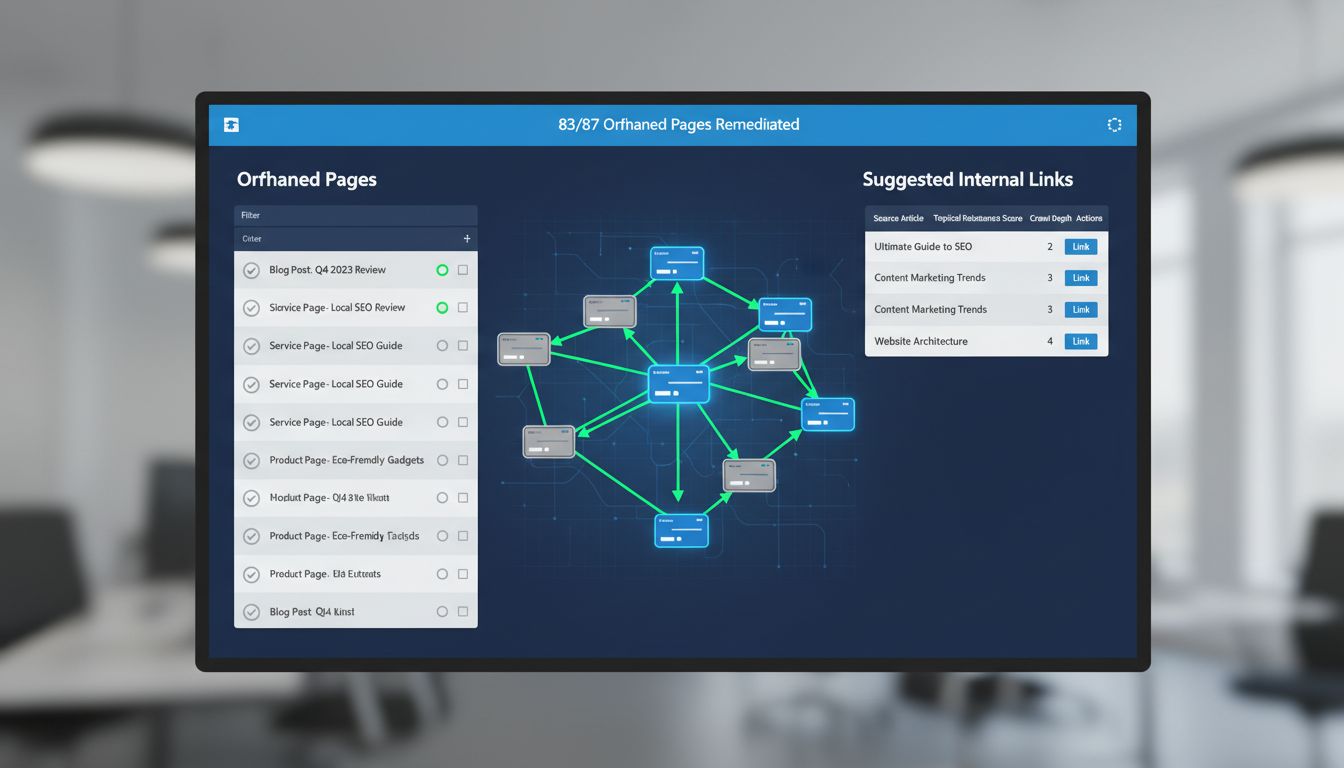
SaaS Co. identified 87 orphaned pages in their audit. Manually linking each one would have taken days.
Instead, they used Link Whisper's "Add Inbound Links" workflow. The process: select an orphan page, review the plugin's suggested source posts (ranked by topical relevance), approve 3-5 links per orphan, and deploy. In four hours, they remediated 83 of the 87 orphans. The remaining four were outdated and redirected.
For pages buried at crawl depth 5+, they used the Bulk Add Links feature to inject 2-3 strategic links from higher-authority posts. Link Whisper automates approximately 95% of the internal linking process, which meant SaaS Co.'s content lead spent his time reviewing suggestions, not hunting for linking opportunities in a 320-post archive.
Integrating GSC for Keyword-Driven Suggestions
The final configuration step connected Link Whisper to Google Search Console. This integration pulled SaaS Co.'s ranking keywords, the terms they were already appearing for on page 2-5, and used them to surface linking opportunities.
When a post ranked #18 for "agile sprint planning," Link Whisper suggested internal links from related posts to reinforce topical authority. This turned their existing rankings into architectural inputs, creating a feedback loop between performance data and site structure.
Phase 3: Measurement & Validation, A Framework for Proving ROI
Most internal linking projects die somewhere between "we implemented it" and "here are the results." You've added the links, your site structure looks better, but your CMO wants numbers. Without a real measurement framework, you're stuck making vague hand-wavy arguments about improved architecture.
SaaS Co. skipped that mess entirely. They set up KPIs and checkpoints before changing a single link.
The Timeline: Setting Realistic Expectations
Internal linking isn't instant. It's a structural shift that rolls out across Google's crawl and ranking cycles, which means you're waiting on their schedule, not yours.
Day 0 (Baseline): Pull your current metrics from Search Console, indexed page count, average position for your core keyword groups, total clicks and impressions for your blog section. This becomes your control data.
Day 7-14 (Initial Crawl Changes): Run a post-implementation crawl in Screaming Frog. You should see reduced crawl depth for previously buried pages and zero orphan URLs. Google's index won't reflect this yet, but your architecture has changed.
Day 30 (Early Ranking Fluctuations): Watch Search Console for position volatility. Pages that just gained internal links often drop temporarily as Google recalculates their authority. Normal behavior. SaaS Co. watched their "project management templates" cluster bounce between positions 15-22 during this window.
Day 60-90 (Measurable Traffic Impact): This is when the data solidifies. A technology blog with 500+ articles reported a 42% traffic increase within four months of implementing Link Whisper. For SaaS Co., organic clicks to their feature comparison pages jumped 38% by day 75.
The Primary KPIs: Search Console as Your Control Panel
Track three metrics weekly.
1. Indexed Page Count: Filter Search Console by your blog subdirectory. As orphaned pages gain inbound links, Google discovers and indexes them. SaaS Co. saw their indexed count rise from 287 to 314 pages within 30 days. That's 27 previously invisible posts now competing for rankings.
2. Average Position for Target Keyword Groups: Sitewide averages are useless. Create filtered views for specific clusters like "agile methodology" keywords. SaaS Co. tracked 18 keywords in their sprint planning cluster and watched average position improve from 19.4 to 12.7 over 90 days.
3. Clicks & Impressions by Section: Compare your blog section's performance month-over-month. Look for sustained growth, not daily noise.
The Isolation Principle: Separating Signal from Noise
The cleanest way to validate? Staged rollout.
SaaS Co. implemented their linking strategy on one content cluster first, project templates, while leaving others untouched as a control group. This let them attribute traffic changes directly to internal linking, not seasonal trends or algorithm updates.
If you're going sitewide, use Screaming Frog's GSC integration to correlate crawl-depth reductions with traffic gains for specific page groups. Export both datasets, join them in a spreadsheet, and look for pages where reduced crawl depth lines up with increased clicks.
One mistake SaaS Co. made early: GA4 doesn't track internal link clicks by default. If you need click-through data to validate which links actually drive engagement, you'll need a GTM setup with custom event tracking. They skipped this initially and regretted it. Couldn't prove which cluster links performed best until month four.
Is Link Whisper Worth It? A 2026 Value Assessment for SaaS
Link Whisper works. SaaS Co.'s numbers already proved that. The real question is whether it makes financial sense for your situation specifically.
The Time & Efficiency Math
Manual internal linking at scale is miserable. You've got a 300-post content library? Expect to spend 60-80 hours on a proper audit and linking overhaul. At $75/hour for a decent content marketer, that's $4,500-$6,000 in labor costs. And that's just the initial pass, not the ongoing maintenance every time you publish something new.
Link Whisper automates about 95% of this work. SaaS Co. spent 12 hours total on their implementation instead of the projected 70. Setup, bulk operations, reviewing suggestions. That's it. The plugin costs $97 annually for a single site, which is less than two billable hours of that same marketer's time.
The real ROI shows up in opportunity cost. Those 58 saved hours? SaaS Co. redirected them into creating two new pillar pages that now pull in 18% of their monthly organic traffic.
Strategic Control vs. Risk Reduction
Speed isn't even the main benefit. Link Whisper enforces consistent rules across hundreds of pages, which is nearly impossible to maintain manually.
SaaS Co. configured their anchor text diversity rules once (30% exact-match, 40% partial-match, 30% natural variations) and the tool applies them automatically. When you're doing this by hand, one writer over-optimizes everything while another barely links at all. The inconsistency kills you.
Orphan detection alone justifies the cost. SaaS Co. found 47 orphaned posts in their first scan, including a feature comparison page that now ranks #3 for a keyword with 1,200 monthly searches. That page was just sitting there, invisible to Google, because nothing linked to it.
The Verdict: Matching Tool to Company Stage
Look, if you're managing fewer than 75 posts, you can probably handle manual linking. Between 75-150 posts, Link Whisper becomes a serious productivity multiplier. Beyond 150 posts on WordPress, it's infrastructure. Not optional.
For non-WordPress sites, hold tight. We'll address your options next.
Beyond WordPress: Site Architecture Automation for Modern SaaS Stacks
The Limitation: Link Whisper's WordPress Boundary
Link Whisper is a WordPress plugin. Full stop.
If your SaaS runs on Webflow, a headless CMS like Contentful, or a custom Next.js stack, you're locked out. This isn't a minor technical detail. It's the reason many modern SaaS companies dismiss internal linking automation entirely, assuming the tooling doesn't exist for their architecture.
That assumption is wrong. The strategic principles from the three-phase framework apply regardless of your stack. What changes is the execution layer.
The Pattern: API-First Automation with Make/Zapier & Whalesync
The modern alternative to link whisper isn't another plugin. It's an integration pattern.
Here's how SaaS Co.'s sister company (running on Webflow) replicated the same automation: They built a central "Interlink Database" in Airtable with four columns: Source URL, Target URL, Anchor Text, and Keyword Trigger. Whalesync maintains a two-way sync between Airtable and Webflow's CMS, so every time a new blog post publishes in Webflow, it appears in the Airtable base.
A Make (formerly Integromat) scenario monitors the Airtable base for new entries. When it detects a new post, it scans the post body for keyword matches from the "Keyword Trigger" column. If it finds a match, it programmatically inserts the corresponding internal link using Webflow's API, pulling the anchor text and target URL from the database.
This replicates link whisper's auto-linking logic without WordPress. The setup takes 4-6 hours upfront, but it scales indefinitely. Tools like AutoLink inspired the keyword-matching logic, but the execution is entirely API-driven.
Alternative Tools: LinkBoss, LinkStorm, and Entity Platforms
If you want a packaged solution closer to link whisper's experience, two newer tools have emerged.
LinkBoss (launched late 2024) offers AI-powered semantic linking with bulk insertion up to 2,000 links with one click and integrates with Google Search Console for keyword extraction. LinkStorm targets agencies managing multiple sites from a single dashboard, using AI to surface link opportunities at scale.
For teams serious about topical authority, entity-driven platforms combine internal linking with schema markup injection, strengthening both traditional SEO and AI snippet inclusion. These platforms treat internal links as semantic relationships, not just navigational shortcuts.
The stack doesn't matter. The strategic principle does: automate discovery, enforce consistency, measure outcomes.
Common Pitfalls & Proactive Mitigation (Your 2026 Risk Matrix)
SaaS Co. didn't execute flawlessly on the first pass. They over-optimized anchor text in week two, created a redirect chain that orphaned twelve posts in week four, and initially ignored their footer links (which Google was discounting anyway). The difference between their success and most failed internal linking projects wasn't avoiding mistakes. It was catching them early.
Here's the risk matrix they built. It's now part of their quarterly SEO review.
The Over-Optimization Trap
Link whisper's auto-linking will happily insert the same exact-match anchor fifty times if you let it. Google reads this as manipulation, not helpfulness.
The mitigation: Enforce the anchor text ratio SaaS Co. used. Exact-match capped at 35%, partial-match 30-40%, natural or contextual filling the rest. Review your anchor distribution monthly in Screaming Frog's "Anchor Text" export. If any single phrase exceeds 40% of total anchors, manually diversify or add it to link whisper's ignore list.
The 'Set and Forget' Fallacy
Your content strategy evolves. New product launches shift priority pages. Blog categories expand.
If your internal linking rules don't evolve with them, you're building on a rotting foundation.
The mitigation: Schedule quarterly mini-audits. Check for new orphans (Screaming Frog's "Orphan Pages" report), review which pages climbed in strategic importance, and adjust link whisper's auto-linking keywords accordingly. SaaS Co. runs this audit the first Monday of every quarter. Takes ninety minutes.
Technical Debt: Broken Links and Redirect Chains
A single 404 breaks the authority flow. A redirect chain (Page A → 301 → 302 → Page B) dilutes link equity by up to 15% per hop.
The mitigation: Use link whisper's Link Health dashboard or run a monthly Screaming Frog crawl filtered for "Response Codes" above 299. Fix 404s immediately. Flatten redirect chains to direct links.
Ignoring Crawl Budget & Boilerplate Links
Footer and sidebar links appear on every page, which makes them structurally weak signals. Google's John Mueller has stated boilerplate links carry minimal weight. Yet most sites waste crawl budget on them anyway.
The mitigation: Run Screaming Frog, export "All Inlinks," and filter by source URL patterns (footer.php, sidebar widgets). Exclude low-value admin, legal, and login pages from your sitemap and link whisper's auto-linking scope. Use robots.txt to block thank-you and confirmation pages.
This isn't a scary list. It's a maintenance checklist. SaaS Co. treats it like server monitoring: unglamorous, boring, and the reason their architecture still works six months later.
The Future-Proof Architecture: Key Takeaways for 2026
SaaS Co.'s transformation came down to three phases, executed in order: Diagnose your architectural debt with Screaming Frog and Google Search Console, Automate the fix with link whisper or stack-specific patterns, and Measure results against GSC KPIs on a 90-day timeline.
That sequence matters. Most teams skip the audit and jump straight to automation, which is like running scripts on a database you've never profiled. You'll add links, but you won't fix the structural problems causing your traffic plateau.
Here's the mindset shift that separates scaling SaaS companies from stalled ones: internal linking isn't a publishing task you tack onto each new post. It's a core architectural system, like your database schema or API design, that either enables or constrains every piece of content you produce. You wouldn't let your database drift without monitoring. Why treat your content architecture any differently?
Link whisper and its alternatives are implementation engines for that system, not a replacement for strategy. They execute your rules at scale, but you still need to define the rules: which pages deserve authority, which anchor text patterns avoid over-optimization, which content clusters need reinforcement. The tool can't decide that for you.
If you're on WordPress, start with a crawl audit this week and trial link whisper on your highest-traffic cluster. If you're on Webflow or a headless CMS, pilot the Whalesync + Make automation pattern on one topic area before scaling site-wide. Small, controlled tests beat site-wide rollouts every time.
Your content library is either a chaotic repository or a self-reinforcing growth engine. The difference is architecture, and 2026 is the year you stop leaving it to chance.
Conclusion
The gap between a content library that costs you money and one that generates compounding returns is architecture. Not more posts. Not more backlinks. Architecture.
SaaS Co. proved it works: a diagnostic audit exposed the structural problems, Link Whisper provided the execution engine to fix them, and a measurement framework isolated the ROI. The result was 34% more indexed pages, 28% better average position, and a 41% traffic lift in 90 days. Without publishing a single new post.
Link Whisper isn't magic. It's a power tool for executing a strategy you define. Skip the audit, automate blindly, or fail to validate with GSC and crawl data, and you'll waste time and money. But treat internal linking as infrastructure (diagnostic, strategic, measurable) and you unlock leverage that scales with your content library, not against it.
The principles work across any stack. WordPress users have link whisper. Webflow and headless CMS teams have Whalesync, Make, and programmatic patterns. The tooling differs. The strategy doesn't.
Your content is already written. The question is whether it's connected.
Ready to audit and automate your own site's architecture? Start with a free Screaming Frog crawl today to map your current state. For WordPress users, test link whisper's approach with their 14-day trial. For modern stacks, begin exploring the Whalesync/Make automation pattern. Share your biggest site architecture challenge in the comments below.