April 3rd, 2026
The Best Free AI Content Generator for SEO (And How to Scale With It)
 WD
WDWarren Day
You're looking for a free AI content generator that can actually move the needle on your SEO output , without the invoice at the end of the month. The promise sounds great: more content, faster, with rankings to show for it.
The reality is usually messier.
Generic drafts that read like they were written by a committee. Credit limits that disappear mid-campaign. And a low-level anxiety about whether Google is quietly penalising the whole operation.
The noise doesn't help. There are dozens of tools each claiming to be the best ai writer generator on the market, and the advice online swings wildly between "AI will replace your content team" and "never publish a single AI word." Neither camp is particularly useful if you're just trying to ship content that ranks.
Here's what I've learned from building content systems at scale, including an AI-powered SEO platform I run myself: you're probably asking the wrong question. The best free AI content generator isn't the one with the highest word count or the slickest interface. It's the one that fits cleanly into a repeatable, human-supervised pipeline you can actually operate, measure, and grow without engineering resources or a bloated budget.
Semrush's 2024 research found that 65% of businesses generate better SEO results using AI. The differentiator isn't the tool. It's the workflow built around it.
What follows is a pragmatic blueprint: how to evaluate tools on system compatibility rather than feature lists, how to build a hybrid workflow that holds up at scale, and how to avoid the mistakes that quietly kill most free-tier content operations before they get traction. Worth flagging upfront: some tools that looked promising on paper have changed their free tiers significantly. ContentBot's 10k monthly word bucket, for example, was a 2022 policy that no longer exists. Machined AI's free plan still works but requires you to bring your own OpenAI API key, with a cap of 10 articles per month. The best free ai text generator for your situation depends heavily on what constraints you're actually working within, not what the landing page promises.
What Does 'Free' Actually Mean? Decoding the Three Models
Before you build any workflow around a free AI content generator, you need to understand what "free" actually means. The marketing rarely matches the operational reality.
Three distinct models exist, and they behave very differently once you're inside a real publishing cadence.
Model 1: The True Free Tier A permanent, ongoing allowance with no expiry. Copy.ai is the clearest example: its free plan gives you 2,000 words per month with no credit card required. That's genuinely free, indefinitely. But 2,000 words is roughly one short blog post, so it's useful for testing, not for scaling.
Model 2: The One-Time Trial A generous-sounding credit bucket that doesn't replenish. Writesonic's free option falls into this category , you get a one-time 10,000-word allowance, then you're done unless you pay. It's a trial dressed as a free plan. Plenty of people build early workflows around those credits, hit the wall, and scramble.
Model 3: The Gateway (Bring-Your-Own-API-Key) The platform is free. The generation costs are not. Machined AI's free plan gives you 10 articles per month, but you must supply your own OpenAI API key and pay OpenAI directly per token, typically £0.01-£0.30 per article depending on length and model. Platform cost: £0. Running cost: not £0. This model works well for technical users who want full cost transparency, but it's a hidden variable for anyone who doesn't account for API spend upfront.
Here's a quick reference across the main contenders:
| Tool | Model | Free Allowance | Replenishes? | Credit Card Required? |
|---|---|---|---|---|
| Copy.ai | True Free Tier | 2,000 words/month | ✅ Yes | ❌ No |
| Writesonic | One-Time Trial | 10,000 words | ❌ No | ❌ No |
| Machined AI | Gateway (BYOK) | 10 articles/month | ✅ Yes | ❌ (for platform) |
| ChatGPT (Free) | True Free Tier | Unlimited (GPT-4o mini) | ✅ Yes | ❌ No |
| Gemini (Free) | True Free Tier | Unlimited (Gemini 1.5 Flash) | ✅ Yes | ❌ No |
Honestly, free tiers exist to prove value and acquire users. They're not designed to sustain a production content pipeline. That doesn't make them useless, but you need to know which model you're working with before you architect anything around it. The best free ai text generator for your situation depends on understanding these constraints first, not what the landing page promises.
⚠️ Important: Free plan details are accurate as of April 2026. Limits, allowances, and pricing structures change frequently , sometimes without notice, as ContentBot demonstrated when it quietly retired its free monthly bucket in 2022. Always verify on the provider's official pricing page before committing to any tool as a workflow dependency.
The Golden Rules for AI-Assisted SEO Content (Beyond the 30% Rule)
Let's address the elephant in the room first. You've probably heard about the "30% rule" , the idea that you should rewrite or add to at least 30% of any AI-generated content before publishing. It's circulated widely enough that it feels like official guidance. It isn't. There's no documented source for it, no Google policy, no research backing it. It's a heuristic someone invented that got repeated until it sounded authoritative.
The 30% rule isn't wrong, exactly. It just answers the wrong question. The question isn't "how much have I changed this?" It's "is this content genuinely useful to someone who searched for it?"
That distinction matters enormously.
Google's own guidance on AI-generated content is unambiguous: automation used primarily to manipulate rankings violates their spam policies. But AI-generated content that's original, helpful, and demonstrates E-E-A-T gets treated no differently from human-written work. The system evaluates quality, not origin.
Worth looking at what the data actually shows here. An Ahrefs analysis of 600,000 pages found that 86.5% of top-20 search results contain AI-generated content, yet the correlation between AI content percentage and ranking position was essentially zero (0.011). The hybrid model isn't a workaround. It's the norm.
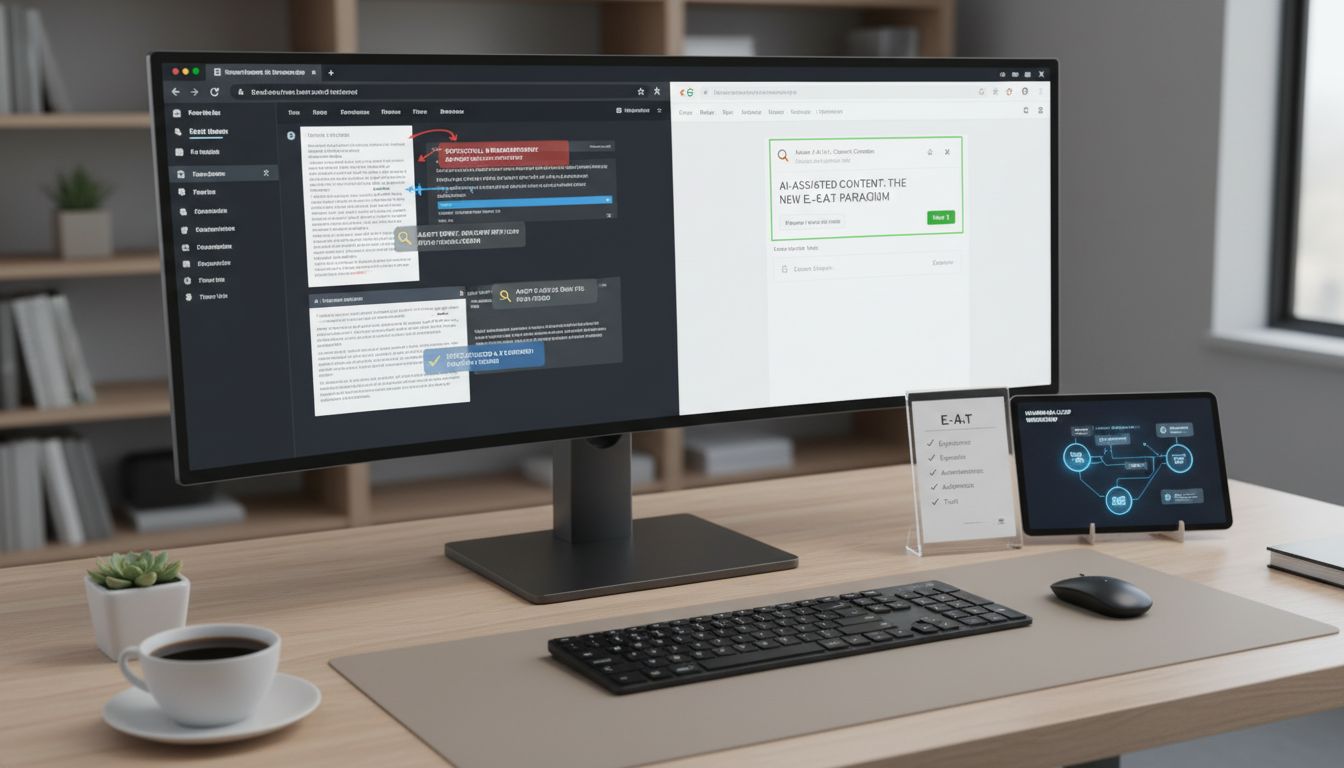
So instead of asking "can I get away with this?", the more useful question is: what does quality-controlled AI-assisted content actually look like in practice?
Here are the four rules I work to. Not a compliance checklist. The operating principles behind any content pipeline I'd put my name on.
Rule 1: You are the expert. AI is the scribe. AI generates structure and prose. You supply the substance. That means manually adding data points, case studies, real-world observations, or specific examples that no language model could fabricate. A post about SaaS onboarding that references a specific retention metric from your own product, or a comparison drawn from a campaign you actually ran, that's what separates content that ranks from content that merely exists.
Rule 2: Edit for intent, not just grammar. Most people run AI output through a grammar check and call it done. The more important edit is structural: does this content actually answer what the searcher is trying to accomplish? AI frequently produces technically correct content that misses the real question. A human editor needs to ask honestly whether someone who landed here would leave satisfied, or would they hit back.
Rule 3: Verify every claim. AI is a pattern-matching system trained on historical data. It will confidently cite statistics that are outdated, attribute quotes to the wrong person, and state things that sound plausible but aren't. Every factual claim, a date, a percentage, a product feature, needs a source check before publication. No exceptions. HubSpot's 2024 data shows 86% of marketers who use AI edit content before publishing. The ones who don't are generating the low-quality noise that makes the rest of us look bad.
Rule 4: Own the final voice. AI defaults to a neutral, corporate register that reads like it was written by committee. Injecting actual personality is the editor's job, a direct opinion, a counterintuitive observation, a specific analogy that makes the point land. In my experience scaling content pipelines, the drafts that perform are consistently the ones where the editor's fingerprints are most visible.
None of this is burdensome if it's built into your workflow from the start. The next section covers exactly how to do that.
Head-to-Head: The Top Free AI Content Generators for SEO in 2026
Before getting into the tools, I want to explain how I'm evaluating them -- because most comparisons you'll find online are just feature tables that tell you nothing useful.
I'm using three criteria. Output Quality covers the fluency and coherence of what the tool actually produces. SEO Specificity covers whether the tool has built-in awareness of SEO tasks -- keyword integration, meta generation, structured output -- rather than just being a general-purpose text generator. System Scalability is the one that most comparisons miss entirely, and it's the one that matters most if you're trying to build a repeatable content operation.
A high scalability score means the tool outputs structured data or has an API, so you can automate the next step in your pipeline without manually copying text from one tab to another. A low score means the tool is a dead end -- useful for a single draft, but impossible to build around. Think of it as the difference between a tool that fits into a system and one that is the system, which is a fragile position to be in.
Writesonic , The Powerful Trial
Writesonic's free tier is genuinely useful for getting a feel for the platform -- you get access to basic content and SEO tools, with a one-time trial allowance -- but the full article writer and GEO tracking features are locked behind paid plans starting at $39/month. The output quality for first drafts is solid. It produces readable, structured long-form content quickly, and the built-in SEO checker (available on paid tiers) gives you a content score with actionable keyword suggestions pulled from SERP analysis.
The honest limitation: Writesonic's free access is a taster, not a workhorse. You can evaluate the quality, but you can't build a workflow on it. Scalability Score: High Potential (paid) / Low (free tier). The API and Surfer integration exist, but they're behind the paywall.
Copy.ai , The Reliable Workhorse
Copy.ai's free plan gives you 2,000 words per month with no credit card required, plus access to GPT-3.5 and Claude 3. That's genuinely free -- not a trial. It's a small allocation, but it's consistent and predictable, which matters when you're building a process.
Where Copy.ai earns its place in a free SEO toolkit is in short-form tasks. The free Meta Description Generator is a legitimate standalone tool -- paste in your content, add your target keyword, and it returns NLP-optimised meta descriptions in seconds. For an ai writer generator workflow focused on top-of-funnel content -- hooks, introductions, social snippets -- Copy.ai's template library covers the bases well. The 2,000-word monthly cap means you're not writing full articles here, but you're not meant to. Use it for the micro-copy that surrounds your long-form content.
Scalability Score: Low-Medium. The free tier has no API access. Workflow automation lives behind the Advanced plan at $249/month. What you get is a steady, small-scale drafting tool -- useful, but not programmable.
ContentBot , The Integrator
ContentBot's key differentiator is its WordPress plugin, which lets you generate and publish content without leaving your CMS. For a solo operator managing a WordPress site, that's a meaningful reduction in friction. The AI Flows feature -- which can chain tasks like "generate post → extract key points → create social captions" -- is the closest thing to a free pipeline builder in this category.
The free tier caveat is significant: ContentBot moved away from a permanent free plan in 2022, and current pricing runs on a pay-as-you-go model or subscriptions starting around $19/month. It's not free in the way Copy.ai is free. But if you're choosing a best ai text generator that can slot directly into a WordPress publishing workflow without Zapier gymnastics, ContentBot earns consideration at its entry price point.
Scalability Score: Medium. The WordPress and Zapier integrations are real. The API is limited on lower tiers. The pipeline potential is there, but you'll pay for it.
Quattr's Free SEO Tools , The Optimisation Layer
Quattr deserves a separate mention because it serves a different function. Rather than generating long-form content, Quattr's free tool suite handles the optimisation layer -- meta descriptions, title tags, H1 headings, and SEO-friendly URLs. No sign-up required for the individual tools. If you're using any of the above tools as your free ai content generator for drafts, Quattr fills the gap where most free AI writers fall short: structured on-page metadata. Stack it on top of whichever drafting tool you choose.
Honestly, there's no single winner here. Copy.ai wins on genuine free access and reliability. Writesonic wins on output quality and SEO depth -- but only once you're paying. ContentBot wins on integration potential. Quattr fills the optimisation gap that all three leave open.
The right choice depends on which constraint you're actually trying to solve for: budget, quality, or workflow automation. Pick the one that matches where you're bottlenecked right now, not the one with the longest feature list.
The Scalable Workflow: A 5-Step System Using Only Free Tools
Knowing which tools to use is the easy part. Connecting them into something that runs consistently, week after week, without reinventing the process each time -- that's the harder problem.
What follows is the operational blueprint I'd use starting from scratch with zero budget. It's not theoretical -- it mirrors the pipeline logic behind proper content operations, stripped back to what's achievable with free tools and a single pair of hands.
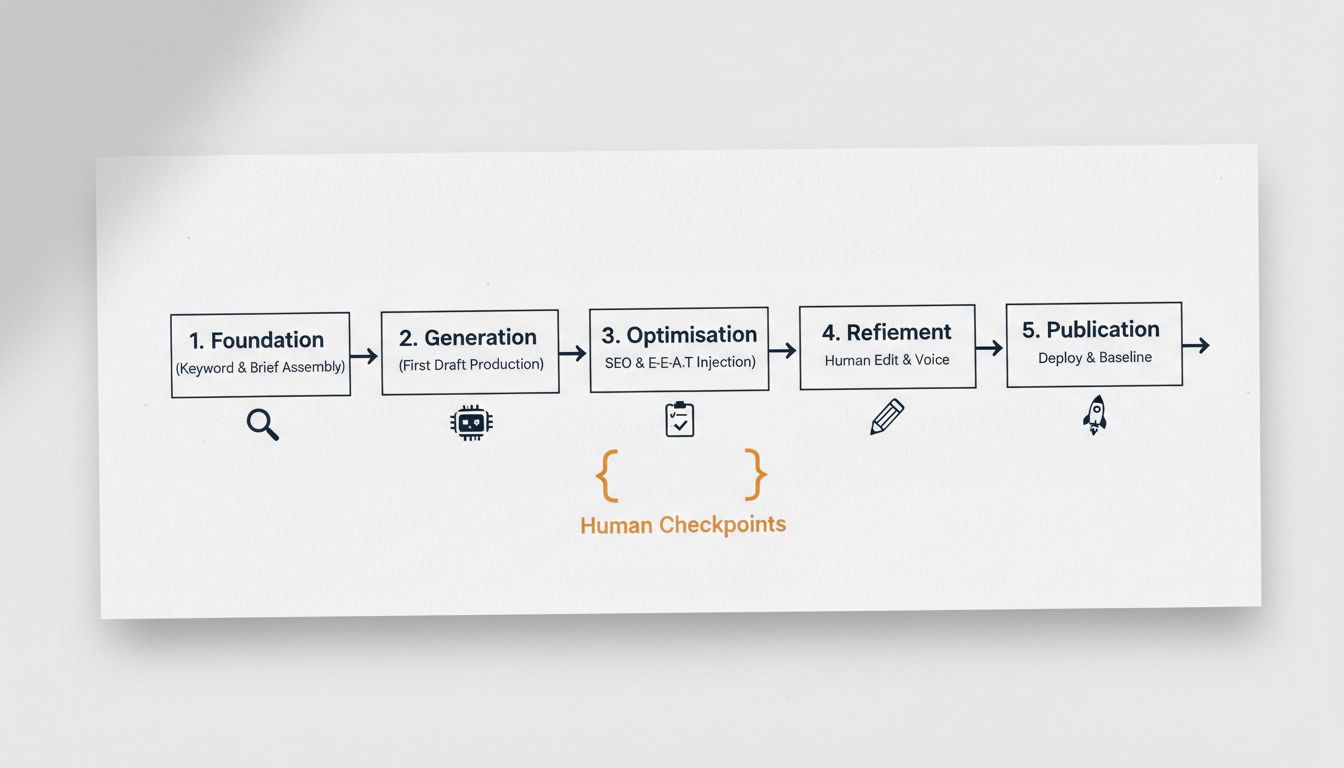
IMAGE PROMPT: A clean, minimal flowchart on a white background with five numbered sequential steps connected by right-pointing arrows. Each step has a bold label and a short subtitle. Step 1: "Foundation" (Keyword & Brief Assembly) , icon: magnifying glass. Step 2: "Generation" (First Draft Production) , icon: robot/AI chip. Step 3: "Optimisation" (SEO & E-E-A-T Injection) , icon: checklist with a tick. Step 4: "Refinement" (Human Edit & Voice) , icon: pencil. Step 5: "Publication" (Deploy & Baseline). , icon: rocket. Below the arrow flow, a label reads: "Human Checkpoints" with bracket indicators pointing to Steps 3 and 4. Colour palette: dark navy text, amber accent for checkpoint indicators. Sans-serif font. Professional but not corporate.
Step 1 , Foundation: Keyword & Brief Assembly
Before a single word gets generated, the AI needs a proper instruction set. Skipping this step is the single biggest reason free AI output comes back unusable.
Use Google Keyword Planner or the free tier of Semrush to identify your target keyword, confirm search intent, and pull 3--5 semantically related terms. Then use AnswerThePublic's free daily searches to surface the questions your audience is actually asking -- these become your H2 subheadings.
Your brief should specify: the primary keyword, the search intent (informational, commercial, transactional), a working title, a suggested outline, word count target, and any competitor URLs worth referencing. The quality of your output is directly proportional to the quality of this input. That's not a platitude -- it's a workflow constraint that punishes you immediately if you ignore it.
Step 2 , Generation: First Draft Production
With your brief ready, open your chosen free ai content generator -- Copy.ai for steady monthly output, or Writesonic's trial allocation for a larger initial project -- and feed it the brief in full. Don't just paste in a keyword and hit generate.
Treat the output as a raw draft, nothing more. The AI has given you structure and coverage. It hasn't given you a finished article.
Expect factual gaps, generic phrasing, and zero first-hand perspective. That's fine -- it's done the heavy lifting on scaffolding, which is genuinely where the time gets saved.
Step 3 , Optimisation: SEO & E-E-A-T Injection ✅ Human Checkpoint
This is the first mandatory human checkpoint, and it has two distinct jobs.
First, the SEO mechanics. Use Quattr's free tools to generate an optimised meta description, title tag, H1, and URL slug. These take two minutes and are consistently better than what most ai writer generator tools produce by default. Check your heading structure -- H2s should map to your brief's question list, not whatever the AI decided to invent.
Second, the E-E-A-T layer. This is where you earn the ranking. Go through the draft and ask: where is the proof that a real person with real experience wrote this? Add it. That might look like a screenshot from your own Google Search Console showing a traffic pattern, a reference to a specific client campaign outcome, or a named Semrush study cited with its actual figure. It might mean rewriting a generic paragraph about "best practices" with a concrete example from your own work.
The AI cannot do this. You can.
Fact-check every claim the AI makes. Hallucinations are common, especially around statistics and tool features.
Step 4 , Refinement: Human Edit & Voice ✅ Human Checkpoint
The second human checkpoint is non-negotiable. This is where the article becomes yours rather than a cleaned-up template.
Rewrite the introduction and conclusion from scratch -- these are the sections readers use to decide whether to trust you. Break up any paragraph running longer than four sentences. Cut filler. Replace abstract claims ("AI can improve your content strategy") with specific ones ("AI draft generation cut my first-draft time from three hours to forty minutes, but the edit still takes the same time it always did").
Then check the tone. Does it sound like your brand, or does it sound like every other article on the topic? If it's the latter, it needs another pass.
Step 5 , Publication: Deploy & Baseline
Publish to your CMS -- manually, or via ContentBot's WordPress integration if you're using it. Before you close the tab, document three baseline metrics: current Google Search Console impressions (zero at first), the date of publication, and your target keyword position. Set a calendar reminder for 90 days.
This tracking habit is what separates a content operation from a content lottery. The ResultFirst case study showing a 61% increase in website visits didn't happen because someone published AI content and hoped for the best -- it happened because there was a systematic approach to content refinement and performance tracking over time.
📺 RECOMMENDED VIDEO: Search YouTube for "AI content workflow for SEO beginners step by step" -- look for videos from channels like Ahrefs, Semrush, or Matt Diggity published in 2024--2025. A walkthrough showing the brief-to-publish pipeline will reinforce the steps above visually, particularly Steps 1 and 2 where prompt structure makes the biggest difference to output quality.
Run this five-step system across ten articles before you judge it. One article tells you nothing. Ten articles start showing you where your brief quality needs work, which topics the best free ai content generator handles well, and where human input has the highest leverage.
The Hidden Friction: Common Scaling Mistakes and How to Sidestep Them
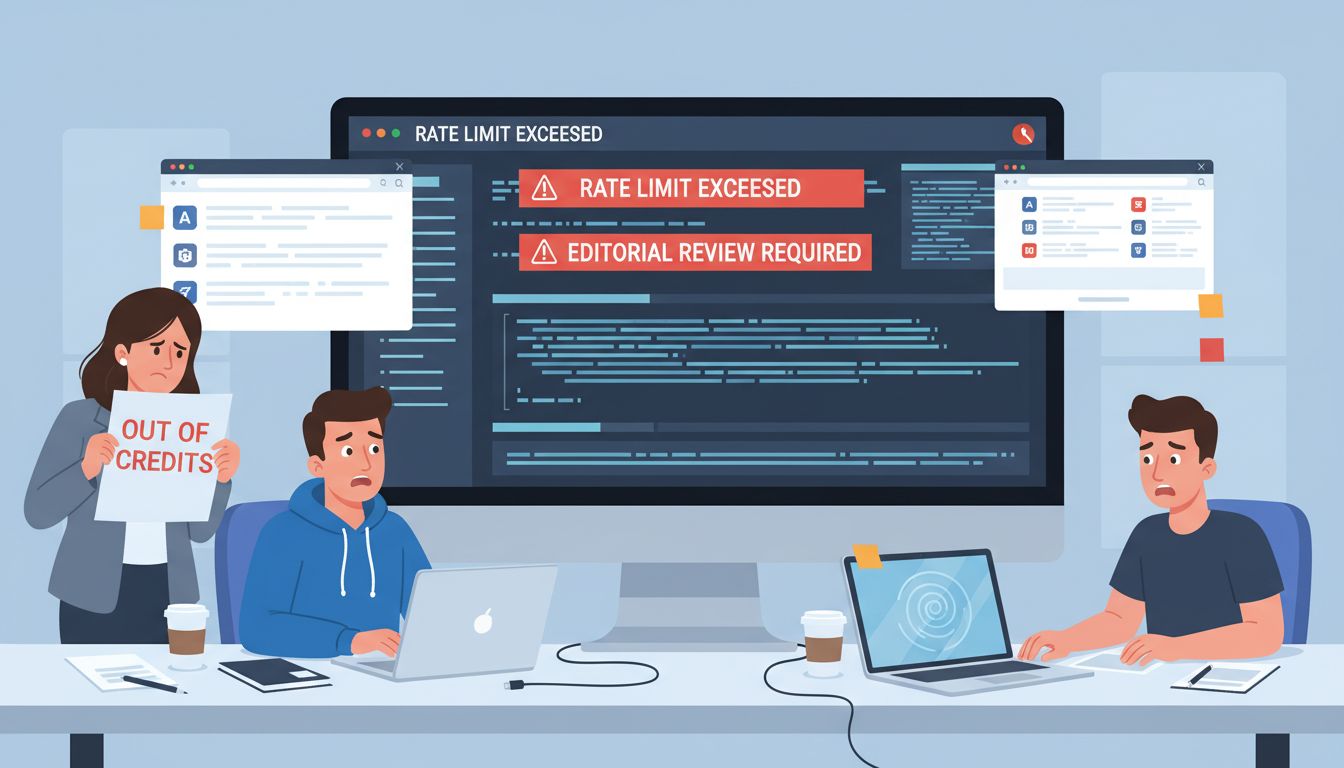
Every system looks clean on paper. It's only when you start running it at volume that the cracks appear. I've seen teams burn through a week's worth of free credits in a single afternoon because they didn't understand how batch generation limits work. I've seen carefully built workflows collapse the moment someone skipped the editorial review step. These aren't rare edge cases -- they're predictable failure points.
Mistake 1: Quality Gate Collapse
Publishing AI output without a human in the loop is the most common failure, and also the most obvious. It feels efficient right up until you have a factually wrong claim sitting in a top-five result. 86% of marketers who use AI to create written content make edits before publishing -- not because they're being overly cautious, but because the raw output genuinely needs it. Build the edit step into your calendar as a non-negotiable. Not an optional polish. A non-negotiable.
Mistake 2: The Throughput Trap
Free tiers have hard ceilings, and they rarely announce themselves politely. Writesonic's free option is a one-time trial bucket. Copy.ai's free plan caps at 2,000 words per month -- that's two long-form articles before you're done. At the API level, Perplexity's Tier-0 allows just 1 query per second (50 per minute), and Jasper's API caps POST /commands at 105 requests per minute.
Fine for a gentle workflow. Not fine the moment you try to brief and draft ten articles in a single session -- you'll hit the ceiling mid-run with no warning.
The fix isn't complicated: log your usage weekly, know your reset dates, and never run batch jobs without checking your remaining allowance first.
Mistake 3: The Privacy Blind Spot
This one catches people off guard. 42% of marketers say data privacy concerns have prevented their team from adopting new AI tools -- and honestly, the concern is legitimate. Pasting client briefs, internal strategy documents, or commercially sensitive product information into a third-party AI tool means that data is leaving your environment. Keep a separate document for anything sensitive. What goes into the prompt should be generic enough to appear in a public brief without causing anyone a problem.
Mistake 4: The Dead-End System
Building your entire workflow around a tool with no upgrade path is a trap that's easy to miss until you're already stuck in it. If the tool has no paid tier, no API, and no integration options, you've built a ceiling into your system from day one.
Look at Jasper -- no permanent free plan, but it has a clear API with documented rate limits and a paid tier that maps to real growth. That's something you can build on. A purely free tool with no pro tier means migrating your entire workflow the moment you outgrow it, which costs far more time than the money you saved.
When you're choosing a free ai content generator or any best free ai content generator, check whether the free tier is an on-ramp or a dead end. There's a meaningful difference, and you'll feel it the moment you try to scale.
When to Upgrade: Recognising the Limits of Your Free Tools
Free tools are an on-ramp, not a destination. The question isn't whether you'll outgrow them -- it's recognising when you already have.
Here are three signals worth paying attention to.
Signal 1: Management overhead is eating your output
When you're spending more time juggling credit limits across three different free accounts, manually copying text between tabs, and tracking what you've used where than actually publishing, you've hit the ceiling. In my experience, this typically happens around the 15-20 articles per month mark. At that volume, the operational friction of free tools costs more in time than a mid-tier paid plan would cost in money. That's not a philosophical point -- it's a straightforward calculation worth actually doing.
Signal 2: Quality consistency is breaking down
Free tiers don't give you brand voice controls. As soon as a second person touches the content pipeline -- a freelancer, a junior hire, anyone -- output starts drifting. Tools like Jasper's Pro plan (from $59/seat/month) include multiple Brand Voice profiles and shared workspaces specifically to solve this. Writesonic's Professional tier adds unlimited brand voice profiles and multi-user access. These aren't luxury features; they're infrastructure for consistency at scale.
Signal 3: You need automation, not just generation
This is the clearest one. If you're manually exporting content, copying it into your CMS, and running separate keyword checks, you're doing integration work by hand that paid APIs handle automatically. Writesonic's API access unlocks from its Professional plan, while Jasper's API is gated behind its Business tier entirely. Both open the door to custom pipelines via Zapier, Make.com, or direct integration.
A simple decision framework
- Signal 1 only → look for a paid plan with higher word limits and fewer usage caps.
- Signal 2 → prioritise tools with brand voice and team seat features (Jasper Pro, Writesonic Standard+).
- Signal 3 → prioritise robust API documentation and native CMS integrations above all else.
This is the exact problem space I work in with Spectre -- building the data integration and automation layer that sits between keyword research, content generation, and publishing. Most teams hit Signal 3 and realise the bottleneck was never the ai writer generator or the best ai text generator they chose; it was the plumbing around it. Getting that right is what separates a content operation that scales from one that just gets busier.
The Bottom Line
Stop searching for the perfect free content generator. It doesn't exist, and chasing it is exactly how you waste the time you were trying to save.
The teams winning at content aren't using better tools. They're using systems. A free content generator slotted into a disciplined, human-supervised workflow will outperform an expensive ai writer generator used without structure, every single time.
Here's the thing: your competitive edge isn't the output the AI produces. It's the editorial judgement you layer on top -- the expertise injection, the factual verification, the brand voice that no model can replicate from a cold prompt. Even the best free ai content generator or best ai text generator on the market can't manufacture that. It has to come from you.
Pick one tool from this guide. Build the five-step workflow around it. Treat the word limits and friction points as forcing functions that sharpen your process, not problems to complain about.
When your free setup starts creaking under the load, you won't need to ask whether it's time to upgrade. You'll already know.